Microsoft Word Alternatives

Microsoft Word is one of the most widely used word processors, known for document editing, formatting, collaboration, and AI-assisted writing. Still, many users look for alternatives—often because of cost, licensing, or platform preferences.

On this page, you’ll find Microsoft Word alternatives that cover a wide range of needs. Some focus on being open source, others on strong real-time collaboration, and many work across platforms like Windows, macOS, and Linux. You can use the filters to narrow the list based on what matters most to you.

If you prefer a free and open solution, LibreOffice Writer and ONLYOFFICE are popular choices, offering desktop apps and good Microsoft Word file compatibility. For users who mainly work in a browser, Google Docs emphasizes easy sharing and live co-editing without installing anything. Privacy-focused users may want to explore Proton Docs, which stores documents with end-to-end encryption.

Word alternatives generally fall into two groups: offline desktop editors for working without an internet connection, and cloud-based editors designed for teams collaborating in real time. Some tools support self-hosting for full data control, while others prioritize convenience and instant access from any device.

Use the filters above to compare features like PDF export, spell checking, collaboration tools, platform support, and licensing—and find the Word alternative that best fits your workflow.

Copy a direct link to this comment to your clipboard
Microsoft Word alternatives page was last updated

Alternatives list

  1. Campfire provides a one-stop-shop for novelists: organizational and writing tools (Campfire Write), a hub of writing resources (Campfire Learn), & a writing and reading platform for building an audience and sharing your work (Campfire Explore).

    109 Campfire Write alternatives

    Cost / License

    • Freemium
    • Proprietary

    Platforms

    • Online
    • Software as a Service (SaaS)
    • Windows
    • Mac
    • iPad
    • Android Tablet
     
  2. Mellel icon
     19 likes

    Mellel is a sophisticated, time-tested and reliable word processor, especially designed to handle long and complicated documents, books, manuscripts, dissertations, and more.

    Cost / License

    • Paid
    • Proprietary

    Application type

    Platforms

    • Mac
    • iPad
     
    |
    2
    Mellel vs Microsoft Word Comments
    birnle
    Positive
    1

    Mellel is almost the best choice for working with DOCX files without MS Word. As soon as it is able to export the comments to DOCX, it does everything that a writer needs for his editorial communication with a publishing house. Very long documents, very long and many footnotes, especially Hebrew text editing, sophisticated index features and writing helps, and many more features a writer really needs: Mellel has it all.

    Guest
    Positive
    1

    I've used many word processors before. Mellel is the best option.

    • Mellel is Paid and ProprietaryMicrosoft Word is also Paid and Proprietary
  3. Storyist icon
     11 likes

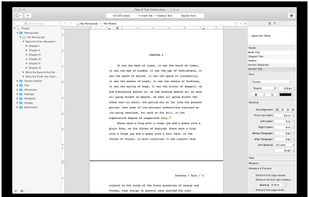
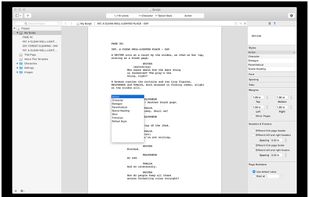
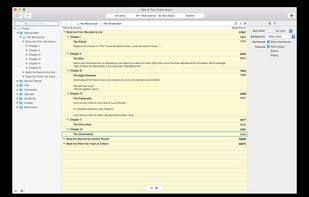
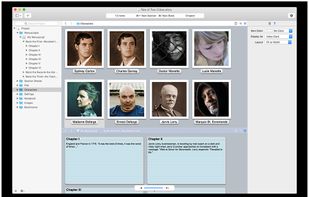
    A powerful writing environment for novelists and screenwriters

    Do you have a story to tell? Unlike conventional word processors, Storyist helps you track your plot, characters, and settings, and keeps all of your writing organized and accessible—so you can focus on telling your.

    Cost / License

    • Paid
    • Proprietary

    Application type

    Platforms

    • Mac
    • iPhone
    • iPad
     
  4. Framapad icon
     11 likes
    • Create a pad.
    • Start at write your text
    • and invite your employees.
    • Each participant is distinguished by a color
    • and can chat with the group.
    • If necessary, restore an old version from history
    • and when your work is done, export it.

    Cost / License

    Application type

    Platforms

    • Online
    • Self-Hosted
     
    |
    1
    Framapad vs Microsoft Word Comments
    Guest
    Positive
    0

    It is an alternative to google docs rather than MS Office Word because it is online. A great tool for collaborative work.

    • Framapad is Free and Open SourceMicrosoft Word is Paid and Proprietary
    • Framapad is a Team Collaboration Microsoft Word is a Word Processor
    • Framapad is Privacy focusedMicrosoft Word is not according to our users
  5. Lattics icon
     10 likes

    Lattics is an all-in one knowledge management tool. It offers most of the things in Obsidian, Scrivener and Zotero together.

    41 Lattics alternatives

    Cost / License

    • Freemium
    • Proprietary

    Application types

    Platforms

    • Mac
    • Windows
     
  6. Writty icon
     1 like

    Takes notes, write your next article or book. Save as MD or HTML file and open it again. With Writty you also can export in PDF and Plain text. Includes the basic functionalities of any text editor + Dark Mode, a sleek design and RTL support.

    Cost / License

    • Freemium
    • Open Source (MIT)

    Application types

    Platforms

    • Mac
    • Mozilla Firefox
     
  7. Jarte icon
     21 likes

    The Jarte word processor uses Microsofts reliable, fast starting WordPad word processing engine while adding many features missing in WordPad.

    Cost / License

    • Freemium
    • Proprietary

    Application types

    Platforms

    • Windows
    • PortableApps.com
     
    |
    1
    Jarte vs Microsoft Word Comments
    Guest
    Negative
    0

    The look of it is not the same.

    • Jarte is Freemium and ProprietaryMicrosoft Word is Paid and Proprietary
  8. SMASHDOCs icon
     8 likes

    SMASHDOCs is a web-based intelligent word processor for collaborative writing and editing, featuring revolutionary change tracking technology. All changes are tracked in one single version of a document instead of creating multiple versions.

    Cost / License

    • Free Personal
    • Proprietary

    Platforms

    • Online
     
    |
    1
    SMASHDOCs vs Microsoft Word Comments
    Guest
    Positive
    0

    Much better track changes functionality. Version control on a paragraph level so every paragraph has its own history. Commenting is also much more powerful allowing private conversations to avoid emails. Great numbering capabilities

    • SMASHDOCs is Free Personal and ProprietaryMicrosoft Word is Paid and Proprietary
  9. Growly Write icon
     4 likes

    It’s a word processor, not a nuclear reactor Perhaps the word processor you’ve been using has 100 times more features than you need. Or it won’t work the way you want it to — too many views or too few, and nothing makes any sense.

    Cost / License

    • Free
    • Proprietary

    Application type

    Platforms

    • Mac
     
    |
    1
    Growly Write vs Microsoft Word Comments
    DalsPhotography
    Positive
    0

    I am writing a book, and this is just enough, not many options as word, but it's good for a rough copy before you even go into something like Indesign. Can save to PDF

    • Growly Write is Free and ProprietaryMicrosoft Word is Paid and Proprietary
    • Growly Write is LightweightMicrosoft Word is not according to our users
  10. Looking for a suite of tools for writing your book? This is not just a text editor it does so much more. Organise your story using timelines, planning boards and the snowflake tool, all integrated to make writing intuitive and fun.

    Cost / License

    • Free
    • Open Source (MIT)

    Platforms

    • Online
     
  11. Padland icon
     4 likes

    Padland is a tool to manage, share, remember and read collaborative documents based on the Etherpad technology.

    Cost / License

    Application type

    Platforms

    • Android
    • F-Droid
     
  12. SolidWriting icon
     7 likes

    SolidWriting offers an intuitive interface and powerful features for creating and editing documents. Easily open, edit, and save SWDOC/SWDOC64 and DOCX files. With advanced text formatting, offline AI assistance, and multilingual support, streamline your writing process.

    129 SolidWriting alternatives

    Cost / License

    Platforms

    • Windows
    • Linux
    • Mac
    • Android
    • Android Tablet
     
You are at page 4 of Microsoft Word alternatives