Microsoft Word Alternatives
Microsoft Word is one of the most widely used word processors, known for document editing, formatting, collaboration, and AI-assisted writing. Still, many users look for alternatives—often because of cost, licensing, or platform preferences.
On this page, you’ll find Microsoft Word alternatives that cover a wide range of needs. Some focus on being open source, others on strong real-time collaboration, and many work across platforms like Windows, macOS, and Linux. You can use the filters to narrow the list based on what matters most to you.
If you prefer a free and open solution, LibreOffice Writer and ONLYOFFICE are popular choices, offering desktop apps and good Microsoft Word file compatibility. For users who mainly work in a browser, Google Docs emphasizes easy sharing and live co-editing without installing anything. Privacy-focused users may want to explore Proton Docs, which stores documents with end-to-end encryption.
Word alternatives generally fall into two groups: offline desktop editors for working without an internet connection, and cloud-based editors designed for teams collaborating in real time. Some tools support self-hosting for full data control, while others prioritize convenience and instant access from any device.
Use the filters above to compare features like PDF export, spell checking, collaboration tools, platform support, and licensing—and find the Word alternative that best fits your workflow.
Alternatives list

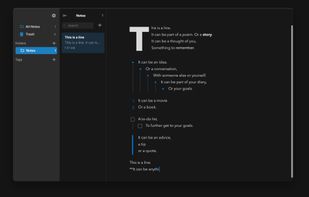
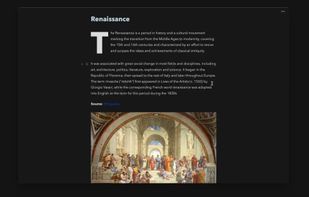
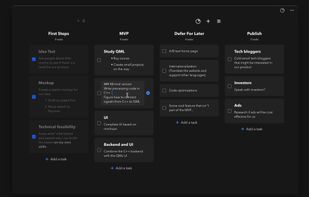
Integrates documents and notes for unified knowledge management, autolinks concepts, provides always-on search, public web sharing, real-time collaboration, drag & drop external files, unifies multiple tools for collective team workflows and efficient content creation.
Cost / License
- Free Personal
- Proprietary
Application types
Platforms
- Mac
- Windows
- Online
- Software as a Service (SaaS)


Tritium is a desktop word processor built for transactional lawyers. Draft, review, and compare legal documents faster with real-time clause annotations, minimal redlines, and AI integrations - free for personal use.
Cost / License
- Free Personal
- Proprietary
Application types
Platforms
- Linux
- Windows
- Mac


Words is an intuitive word processor and desktop publisher application. With it, you can create informative and attractive documents with pleasure and ease.

Calligra Words vs Microsoft Word Comments

- Calligra Words is Free and Open Source
Cost / License
- Freemium
- Open Source (AGPL-3.0)
Application type
Alerts
- Discontinued
Platforms
- Online
- Software as a Service (SaaS)


+1
Airborn vs Microsoft Word Comments
Cloud based document storage and editing, without giving up your privacy.


- Airborn is Freemium and Open Source
- Airborn is Security-focused and Privacy focused
Nisus Writer feels like home with support for Mac OS X autosave, document versioning, and iCloud. Built from the same core as Nisus Writer Pro, Express features the same elegant user interface and compatibility that has been universally praised by both users and press alike.


+5
Nisus Writer Express vs Microsoft Word Comments
birnleNisus Writer is a powerful stable long text editor you can rely on even with scientific booklength manuscripts with many long footnotes and right-to-left languages like Hebrew, tables, headers, footers, images, table of contents, bibliography, index, and more. I work with it since more than thirty years (Nisus 3). It is very well crafted piece of software.


- Nisus Writer Express is Paid and Proprietary
- 128 Dictanote alternatives
Switch between typing and voice to take notes with ease, supporting 40 languages. Real-time transcription captures paragraphs and emoticons while ensuring clear punctuation. Pro upgrade offers cloud storage and multiple note management options.
Cost / License
- Freemium
- Proprietary
Application types
Platforms
- Online
- Chrome OS
- Google Chrome


+2
Dictanote vs Microsoft Word Comments
anilsIt has a WYSIWYG editor similar to MS Word and its online.


- Dictanote is Freemium and Proprietary
Scriptable, macros, multipart selection, styles. Multilingual. Text expanding feature. Document Manager. Use any number of keys to execute menu command, e.g. press Command key, then FAU for "Find all uppercase words." Extremely customizable.


+4
- 78 Campfire Write alternatives
Campfire provides a one-stop-shop for novelists: organizational and writing tools (Campfire Write), a hub of writing resources (Campfire Learn), & a writing and reading platform for building an audience and sharing your work (Campfire Explore).
Cost / License
- Freemium
- Proprietary
Application types
Platforms
- Online
- Software as a Service (SaaS)
- Windows
- Mac
- iPad
- Android Tablet


+9
Lattics is an all-in one knowledge management tool. It offers most of the things in Obsidian, Scrivener and Zotero together.


+9
- 65 Mellel alternatives
Mellel is a sophisticated, time-tested and reliable word processor, especially designed to handle long and complicated documents, books, manuscripts, dissertations, and more.


+6
Mellel vs Microsoft Word Comments
birnleMellel is almost the best choice for working with DOCX files without MS Word. As soon as it is able to export the comments to DOCX, it does everything that a writer needs for his editorial communication with a publishing house. Very long documents, very long and many footnotes, especially Hebrew text editing, sophisticated index features and writing helps, and many more features a writer really needs: Mellel has it all.
I've used many word processors before. Mellel is the best option.


- Mellel is Paid and Proprietary
- 55 Storyist alternatives
A powerful writing environment for novelists and screenwriters
Do you have a story to tell? Unlike conventional word processors, Storyist helps you track your plot, characters, and settings, and keeps all of your writing organized and accessible—so you can focus on telling your.


+4


It lacks many features and the UI is a mess.