


Microsoft To Do
94 likes
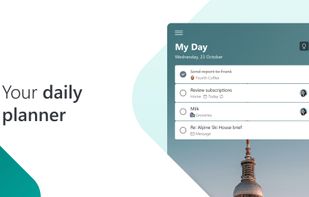
Organize and schedule tasks with cross-device sync, reminders, recurring events, color-coded lists, collaboration, subtasks, and notes. Offers daily planning, Outlook integration, suggestions, GTD support, and a clean interface for work, school, and personal organization.

Cost / License
- Free
- Proprietary
Application typeApplication types
Platforms
- Mac
- Windows
- Online
- Android
- iPhone
- Android Tablet
- Windows Phone
- iPad
- Microsoft Outlook


Features
Microsoft To Do News & Activities
Highlights All activities
Recent News
No news, maybe you know any news worth sharing?
Share a News Tip
Recent activities
 nosadesk added Microsoft To Do as alternative to NOSA Desk
 OsmanResat added Microsoft To Do as alternative to Reply Radar
 StarDo added Microsoft To Do as alternative to StarDo
 peerloomllc added Microsoft To Do as alternative to PearList
 Dennis added Microsoft To Do as alternative to OmmiQ
 Shuuty added Microsoft To Do as alternative to Shuuty
 conradn added Microsoft To Do as alternative to BeSorted
 Paul added Microsoft To Do as alternative to Nodoo
 parkoreda added Microsoft To Do as alternative to Plannr
 Theun V added Microsoft To Do as alternative to Time Blokker


Featured in Lists


My Setup - All Apps and Software
Master List of all Apps and Software I use for both work and personal life.



Windows Apps
Useful apps for Windows
Additional resources:
https://www.softpedia.com/
https://www.majorgeeks.com/


Progress & Management
A list with 568 apps by AmileyaRyver without a description.




What is Microsoft To Do?
Microsoft To Do Videos
Microsoft To Do information
Developed by
 Microsoft
 Licensing
Proprietary and Free product.Rating
Average rating of 3.6Alternatives
368 alternatives listedBadge
Get an embeddable badge for Microsoft To DoSupported Languages


Comments and Reviews
Even though I hate using products of the "big guys", this one is just the best that I've tried so far. Simple and intuitive, just what I'm looking for.
Doesn't have calendar view :-/ therefore unusable
The task management tool can be used as a stand-alone tool with subtasks and reminder functions. However, the following points are negative
Isnt open source
I prefer Google Spreadsheet which has a To-Do list format as well as numerous others. Nicely transportable anywhere there's internet access.
'Will not do' is imho the best to do app for android, you can find it on google play
Can't be used for free anymore, needs a Microsoft 365 subscription.
Not true. I'm using it free now. Needs an account, not a subscription.