MacDown Alternatives

MacDown has been discontinued. Similar apps include Typora. It's paid, but ghostwriter and Clearly Markdown are free. Other options are Marknote, Ferrite, marka.md and Downright. There's no shortage of Text Editors like MacDown, with more than 50 alternatives for Mac, Windows, Linux, the web and iPhone.

Copy a direct link to this comment to your clipboard
Alternatives
MacDown alternatives page was last updated

Alternatives list

  1. Writed icon
     1 like

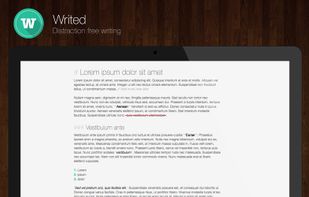
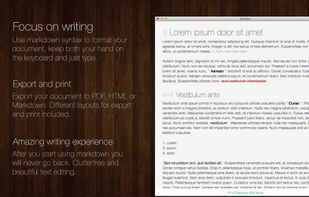
    Writed is a distraction free text editor that will help you type more in less time. Writed uses markdown* syntax to format your document in real time, keep both your hand on the keyboard and just type.

    Cost / License

    • Freemium
    • Proprietary

    Platforms

    • Mac
    Good alternative?
     
  2. mMDd icon
     1 like

    Free, light, and surprisingly capable: a Markdown viewer and editor for macOS and Windows with tabs, live preview, and an outline sidebar.

    Cost / License

    • Freemium
    • Proprietary

    Application type

    Platforms

    • Mac
    • Windows
    • US flagUnited States
    mMDd screenshot 1
    Good alternative?
     
  3. Easy Markdown lets the user create web pages writing simple text using the Markdown rules to create readable well formatted text. A text written in Markdown is a simply text which looks correctly to humans as text and automatically translates in a correct web page.

    Cost / License

    • Paid
    • Proprietary

    Platforms

    • Mac
    Good alternative?
     
  4. Viewdown icon
     Like

    Viewdown is a Markdown viewer for Mac, designed for the best and fastest reading experience. It live-reloads on every save and jumps straight to what changed, whichever editor you prefer writing in.

    Cost / License

    • Paid
    • Proprietary

    Platforms

    • Mac
    Good alternative?
     
  5. MarkView icon
     Like

    Free desktop app for reading Markdown files with native support for macOS, Windows, and Linux. Offers double-click opening, tables, syntax-highlighted code, diagrams, light and dark themes, adjustable zoom, and assures local privacy with no accounts or uploads.

    Cost / License

    • Free
    • Proprietary

    Platforms

    • Mac
    • Windows
    • Linux
    Good alternative?
     
  6. Edmund icon
     Like

    Our goal is to be the CotEditor of Markdown editors, i.e. elegant, powerful, configurable, and native inside out.

    Cost / License

    Platforms

    • Mac
    Good alternative?
     
  7. Booker icon
     Like

    Meet Booker, an editor with the power of Markdown, made specially for writers and bloggers. You don’t have to blur your mind with any concerns instead of writing down your ideas. Just pull up a chair, enter fullscreen distraction-free mode, and start making a new book, post, or...

    Cost / License

    • Paid
    • Proprietary

    Platforms

    • Mac
    Good alternative?
     
  8. Markify is a native macOS Markdown editor designed for fast editing, reliable previewing, and workflows that keep files under your control.

    Cost / License

    • Free Personal
    • Source Available

    Platforms

    • Mac
    Good alternative?
     
  9. Meva icon
     Like

    A fast, native markdown viewer built for the AI era. Browse folders, render LaTeX and Mermaid diagrams, and read AI-generated docs beautifully — all offline, under 15MB.

    Cost / License

    • Freemium
    • Proprietary

    Platforms

    • Mac
    • Windows
    • Linux
    • US flagUnited States
    Meva screenshot 1
    Good alternative?
     
  10. MacDown 3000 is a free Markdown editor for macOS, available under the MIT License. It continues the legacy started by Chen Luo's Mou and carried forward by Tzu-ping Chung's MacDown.

    Cost / License

    • Free
    • Open Source (MIT)

    Application type

    Platforms

    • Mac
    Good alternative?
     
  11. MarkUpDown is an editor specialized to make creating Markdown code easy for beginners and experts. With helpful toolbars for beginners, GitHub Flavored/Multimarkdown table support, and keystroke shortcuts & Easy Actions for the expert, MarkUpDown is ready to help anyone...

    Cost / License

    • Paid
    • Proprietary

    Platforms

    • Windows
    Good alternative?
     
You are at page 6 of MacDown alternatives