MarkView is a free desktop app for opening and reading Markdown files on macOS, Windows, and Linux.
Markdown has quietly become a default document format in the AI era. ChatGPT, Claude, Cursor, and other AI tools produce .md files constantly — specs, notes, plans, documentation, handoff docs. But sharing those files with non-developers is still clunky. Open a Markdown file in Notepad and you get hashtags, asterisks, and pipe characters where headings, emphasis, and tables should be.
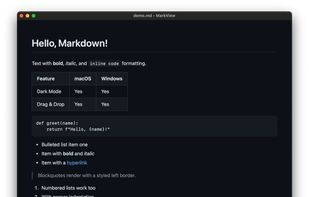
MarkView solves that. It is intentionally viewer-only, not an editor: double-click an .md file and read it cleanly, with proper typography, themes, syntax-highlighted code blocks, tables, task lists, Mermaid diagrams, and front-matter rendering.
Key features:
• Opens .md files by double-click, drag-and-drop, or File > Open
• Renders tables, code blocks, task lists, images, front matter, and Mermaid diagrams
• Light and dark themes, adjustable zoom, recent files list
• Works on macOS (Apple Silicon and Intel), Windows (installer and MSI), and Linux (.deb and AppImage)
• Local-first: files stay on your computer. No account, no upload, no telemetry on document content.
• Free, native, no developer environment required
The goal: make opening a .md file feel as ordinary as opening a PDF.




 Doug Kerwin

No comments or reviews, maybe you want to be first?