LaunchNext AlternativesApplication Launchers and other similar apps like LaunchNext

LaunchNext is described as 'Bring your Launchpad back in macOS26+, highly customizable, powerful, free' and is a application launcher in the os & utilities category. There are more than 10 alternatives to LaunchNext for Mac, Windows, Linux and .NET Core. The best LaunchNext alternative is Launchy, which is both free and Open Source. Other great apps like LaunchNext are SyMenu, LaunchOS, LaunchMe and Launchie.

Copy a direct link to this comment to your clipboard
LaunchNext alternatives page was last updated

Alternatives list

  1. Launchy icon
     648 likes

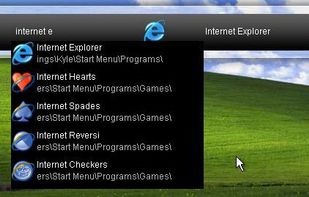
    Launchy is a free Windows and Linux utility designed to help you forget about your start menu, the icons on your desktop, and even your file manager. Launchy indexes the programs in your start menu and can launch your documents, project files, folders, and bookmarks with just a...

    113 Launchy alternatives

    Cost / License

    • Free
    • Open Source

    Alerts

    • Discontinued

    Platforms

    • Mac
    • Windows
    • Linux
     
  2. SyMenu icon
     50 likes

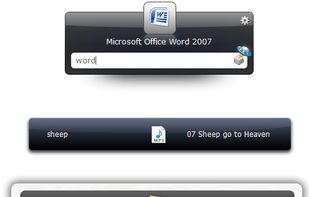
    SyMenu is a portable menu launcher and a Start Menu replacer to organize your applications quickly and easily. But the real power of SyMenu unfolds when you approach its integrated large and daily growing suites of more than 1.500 freeware programs.

    Cost / License

    • Free
    • Proprietary

    Application type

    Platforms

    • Windows
    • .NET Core
     
  3. LaunchOS icon
     7 likes

    Replicates the native Launchpad for macOS, offering a familiar launcher interface with adjustable icon grid, vertical scrolling mode, customizable settings panel, and right-click shortcut operations, alongside unique options for efficient app organization.

    Cost / License

    • Freemium
    • Proprietary

    Application type

    Platforms

    • Mac
     
  4. LaunchMe icon
     4 likes

    Modern app and workspace manager with app and file customization, dynamic and live wallpapers, intuitive drag & drop, clipboard, calculator, gesture invocation, multi-screen support, file navigation, workflow automation, layout saving, hot corners, and app grouping.

    Cost / License

    • Freemium
    • Proprietary

    Application type

    Platforms

    • Mac
     
  5. Launchie icon
     5 likes

    Lightweight macOS launcher replacing lost Launchpad grouping and icon rearrangement from macOS 26, with customizable shortcuts, smart search, drag-and-drop, folder support, visual customization, backup and restore, quick close, and a Pro version with extras.

    Cost / License

    • Freemium
    • Proprietary

    Application type

    Platforms

    • Mac
     
  6. Free open-source macOS launcher offering a fullscreen grid, Floaty Mode HUD for quick launches and toggles, instant bilingual and fuzzy search, custom backgrounds, seamless app organization, keyboard-first navigation, auto-updates, and broad accessibility support.

    Cost / License

    • Free
    • Open Source (MIT)

    Application type

    Platforms

    • Mac
     
  7. Embark icon
     Like

    These are all features I personally use frequently, unified through right-click mouse gestures and double-tap hotkeys — so the whole experience feels like adding an extra productivity layer on top of macOS that you can invoke effortlessly.

    Cost / License

    • Freemium
    • Proprietary

    Application type

    Platforms

    • Mac
     
  8. LaunchPadder icon
     4 likes

    LaunchPadder is a free macOS LaunchPad tool that organizes and sorts apps and folders on LaunchPad according to certain rules.

    Cost / License

    • Free
    • Proprietary

    Application type

    Platforms

    • Mac
     
  9. LaunchNow icon
     Like

    Provides an alternative MacOS Tahoe launchpad supporting both Tahoe and classic layouts, customizable through folder creation, icon rearrangement, app search, and full keyboard navigation. Features open-source code, scrolling for pages, and flexible user preferences.

    14 LaunchNow alternatives

    Cost / License

    Application type

    Platforms

    • Mac
     
  10. Native alternative launcher with fast keyboard access, customizable grid layouts, vertical scrolling, trackpad gestures, Hot Corners support, app renaming, hiding, and direct uninstall, plus Fluid Switch, window browsing, global shortcuts, and responsive design.

    Cost / License

    • Paid
    • Proprietary

    Application type

    Platforms

    • Mac
     
  11. HotLaunch icon
     Like

    Fast macOS launcher for opening or switching between apps, files, folders, or URLs using customizable shortcuts. Features a switch window, keyboard and mouse navigation, flexible item management, instant access, minimal interface, and supports multitasking workflows.

    Cost / License

    • Freemium
    • Proprietary

    Application type

    Platforms

    • Mac
     
  12. Minimal app launcher offering custom tags, AI auto-categorization across 30+ categories, scrollable and resizable grid layout, keyboard shortcuts, dark mode, Safari web app support, menu bar toggle, and flexible visibility controls for efficient organization.

    Cost / License

    • Free
    • Proprietary

    Application type

    Platforms

    • Mac
     
12 of 17 LaunchNext alternatives