


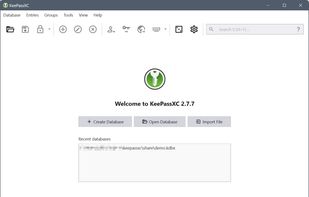
KeePassXC is a fork of KeePassX (which itself is a fork of KeePass) and is compatible with the KeePass database (KDBX). It was originally built because KeePass was for Windows only, so KeePassXC was built for Linux (and Unix), Mac and Windows natively and uses Qt instead of WPF (a Windows only framework) and C# . The UI feels more modern than KeePass; otherwise, they are kind of similar. One major difference between KeePass and KeePassXC is that it does not have support for plugins, so keep that in mind.
For a novice, all these KeePass clones can appear a bit messy and, honestly, if you do not care about trying to figure out what is best for you, you should probably just go with Bitwarden or 1Password if you want to replace LastPass.
Cost / License
- Free
- Open Source
Application typeApplication types
Platforms
- Mac
- Windows
- Linux
- AppImageHub
- Snapcraft
- Microsoft Edge
- Google Chrome
- Flathub
- PortableApps.com
- Flatpak
- Homebrew
- Chocolatey
- Mozilla Firefox
 Germany
 EU
EU



+9


 Netherlands


 France


 Luxembourg


 Italy
Italy


 Ireland


