KeenWrite Alternatives

KeenWrite is described as 'A free, open-source, cross-platform desktop Markdown editor for producing beautifully typeset PDFs' and is a Text Editor in the office & productivity category. There are more than 50 alternatives to KeenWrite for a variety of platforms, including Mac, Windows, Linux, Web-based and iPhone apps. The best KeenWrite alternative is Zettlr, which is both free and Open Source. Other great apps like KeenWrite are Typora, ghostwriter, MarkText and FocusWriter.

Copy a direct link to this comment to your clipboard
KeenWrite alternatives page was last updated

Alternatives list

  1. WriteMonkey icon
     129 likes

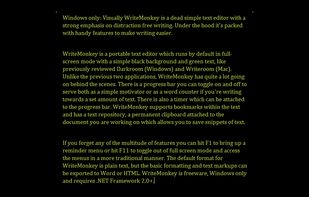
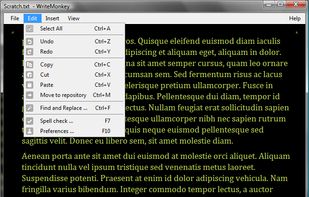
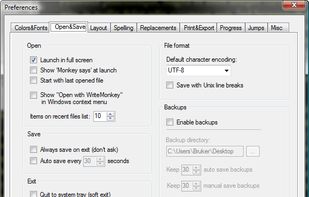
    Writemonkey is a Windows zenware writing application with an extremely stripped down user interface, leaving you alone with your thoughts and your words.

    Cost / License

    • Freemium
    • Proprietary

    Application types

    Platforms

    • Windows
     
  2. Gingko Writer icon
     58 likes

    Gingko Writer is a text editor that uses a tree-like structure to help you organize and visualize your thoughts, making it easier to outline, draft, and refine complex texts.

    Cost / License

    • Paid
    • Proprietary

    Application types

    Platforms

    • Online
    • Software as a Service (SaaS)
     
  3. Notepack icon
     17 likes

    Privacy oriented, without vendor lock in note organizer, todo list desktop application. Work offline with text, markdown and pdf files.

    Cost / License

    Alerts

    • Discontinued

    Platforms

    • Windows
    • Linux
     
  4. ReText icon
     48 likes

    ReText is a simple text editor for Markdown and reStructuredText documents with syntax highlighting and optional live preview.

    Cost / License

    • Free
    • Open Source

    Application type

    Platforms

    • Mac
    • Windows
    • Linux
    • BSD
     
  5. scrutch icon
     7 likes

    End-to-encrypted, laser-focussed yet elegant editor. No registration, no login, no ads, no tracking, no hassle. Just write. In private or together with others.

    Cost / License

    • Free
    • Proprietary

    Application types

    Platforms

    • Online
    • Software as a Service (SaaS)
     
  6. Dillinger icon
     11 likes

    Dillinger is a cloud-enabled, mobile-ready, offline-storage, AngularJS powered HTML5 Markdown editor.

    Cost / License

    • Free
    • Open Source

    Platforms

    • Online
     
  7. Marked icon
     20 likes

    Native macOS tool for previewing Markdown and markup files, supporting local and iCloud documents, real-time updates, writing statistics, grammar and spelling checks, sentence complexity analysis, grade level, readability, export options, and easy workflow integration.

    Cost / License

    • Paid
    • Proprietary

    Platforms

    • Mac
    • Google Chrome
    • Safari
    • Setapp
    • Mozilla Firefox
     
  8. MacDown icon
     23 likes

    MacDown is an open source Markdown editor for macOS, released under the MIT License. It is heavily influenced by Chen Luo’s Mou.

    Cost / License

    • Free
    • Open Source

    Application type

    Alerts

    • Discontinued

    Platforms

    • Mac
     
  9. Haroopad icon
     68 likes

    Haroopad is a markdown enabled document processor for creating web-friendly documents. You can author various formats of documents such as blog article, slide, presentation, report, and e-mail as if experts did.

    Cost / License

    Application type

    Alerts

    • Discontinued

    Platforms

    • Mac
    • Windows
    • Linux
     
  10. Caret is a Markdown editor for Mac, Windows and Linux. It stands out with its clean interface, productivity features and obsessive attention to detail.

    Cost / License

    • Paid
    • Proprietary

    Application type

    Alerts

    • Discontinued

    Platforms

    • Mac
    • Windows
    • Linux
     
  11. MarkdownPad icon
     63 likes

    MarkdownPad is a full-featured Markdown editor for Windows. Features: LivePreview : Instantly see how your documents look in HTML as you create them. Easy formatting with keyboard shortcuts. Markdown formatting can be applied (and removed) with handy keyboard shortcuts and toolb.

    Cost / License

    • Freemium
    • Proprietary

    Application type

    Alerts

    • Discontinued

    Platforms

    • Windows
     
  12. Spiral icon
     6 likes

    Spiral is a program that allows users to take notes in a format similar to a spiral notebook. Unlike traditional word processors and text editors that are configured in a way that makes it difficult to document things in a non-linear fashion, Spiral pages allow users to click...

    Cost / License

    • Free
    • Open Source

    Application type

    Platforms

    • Windows
    • Linux
     
You are at page 2 of KeenWrite alternatives