Jing Alternatives

Jing is described as 'Whether for work, home, or play, Jing gives you the ability to create basic visual elements and share them with others' and is a very popular screenshot capture tool in the photos & graphics category. There are more than 100 alternatives to Jing for a variety of platforms, including Windows, Mac, Web-based, Linux and Google Chrome apps. The best Jing alternative is ShareX, which is both free and Open Source. Other great apps like Jing are Greenshot, SimpleScreenRecorder, FastStone Capture and PicPick.

Copy a direct link to this comment to your clipboard
Jing alternatives page was last updated

Alternatives list

  1. Jumpshare icon
     32 likes
    Copy a direct link to this comment to your clipboard

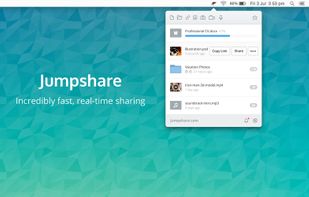
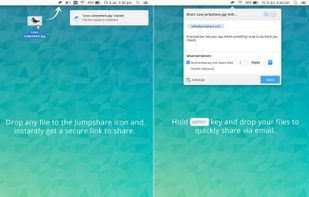
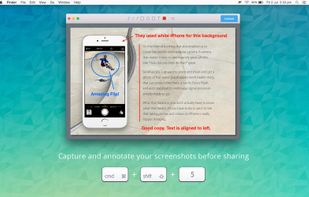
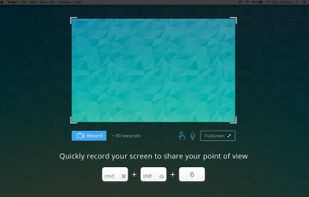
    Jumpshare is fast file sharing built into the menu bar. Just drag a file to the Jumpshare icon in the menu bar and a link will be copied to your clipboard instantly, ready to be shared. If you’re looking for a more personal way to share your files, you can email them directly...

    Cost / License

    • Freemium
    • Proprietary

    Platforms

    • Mac
    • Windows
    • Online
    • iPhone
     
    |
    1
    Comments about Jumpshare as an Alternative to Jing
    Riz
    Positive
    0

    It has all the tools Jing provide plus offers free file sharing options. Great product.

    Jing Icon
    Jumpshare icon
    • Jumpshare is Freemium and ProprietaryJing is Free and Proprietary
  2. Capto icon
     7 likes
    Copy a direct link to this comment to your clipboard

    Capture HD video at 60 FPS, record iOS devices, and edit screen or image content with annotation, voiceover, and advanced file management. Includes fullscreen, selection, and web capture, quick sharing to cloud, FTP, YouTube, and fast search for Mac users.

    Cost / License

    • Pay once
    • Proprietary

    Platforms

    • Mac
    • Windows
     
  3. HyperSnap icon
     8 likes
    Copy a direct link to this comment to your clipboard

    HyperSnap is the fastest and easiest way to take screen captures from Windows screen, and text capture (TextSnap™) from places where normal text copy is not possible. HyperSnap combines the power of a first-class screen capture application with an advanced image editing utility...

    56 HyperSnap alternatives

    Cost / License

    • Paid
    • Proprietary

    Application type

    Platforms

    • Windows
     
  4. Copy a direct link to this comment to your clipboard

    You're busy. OneNote Web Clipper lets you quickly clip all or part of a web page to OneNote, and save it for later. Clip images, pdfs, videos, or a visual bookmark of a page. Best of all, you can access them from any computer, tablet, or phone - even when you're offline.

    163 OneNote Web Clipper alternatives

    Cost / License

    • Free
    • Proprietary

    Platforms

    • Online
    • Chrome OS
    • Google Chrome
    • Firefox
     
  5. Screencastify icon
     17 likes
    Copy a direct link to this comment to your clipboard

    A Chrome extension for capturing, editing and sharing screencasts. Save recordings automatically to your Google Drive or publish directly to YouTube.

    Cost / License

    • Freemium (Subscription)
    • Proprietary

    Platforms

    • Google Chrome
     
  6. Copy a direct link to this comment to your clipboard

    ApowerREC is a cross-platform app that's available on Windows, Mac, and iOS, you can easily use it for recording desktop activities, camera, system sound and microphone. It's also has annotation, video editor, task recording mode and more.

    Cost / License

    • Freemium (Pay once or Subscription)
    • Proprietary

    Application type

    Platforms

    • Mac
    • Windows
    • iPhone
    • iPad
     
    • ApowerREC - Screen Recorder is the most popular iPad alternative to Jing.

    • ApowerREC - Screen Recorder is Freemium and ProprietaryJing is Free and Proprietary
  7. SnapNDrag Pro icon
     5 likes
    Copy a direct link to this comment to your clipboard

    SnapNDrag makes taking screenshots super easy. Click, select and the screenshot is added to your library. SnapNDrag maintains a library of all the screenshots you have ever taken. Think of it as iPhoto for screenshots.

    Cost / License

    • Pay once
    • Proprietary

    Platforms

    • Mac
     
  8. Copy a direct link to this comment to your clipboard

    As an innovative software, Screen Grabber Pro involves screen capture solutions for increasing the communication efficiency and also helps improve your productivity at work. You’re enabled to perform quick snapshots as well as screen recording.

    Cost / License

    • Pay once
    • Proprietary

    Application type

    Platforms

    • Mac
    • Windows
     
  9. Dubb icon
     1 like
    Copy a direct link to this comment to your clipboard

    Record and share screen, webcam and mobile videos in Gmail, Outlook, Apple Mail, Linkedin, Instagram, Twitter, SMS and more.

    Cost / License

    • Freemium (Subscription)
    • Proprietary

    Platforms

    • Mac
    • Windows
    • Android
    • iPhone
    • Google Chrome
     
  10. GOM Cam icon
     2 likes
    Copy a direct link to this comment to your clipboard

    Record what you see on your PC screen exactly as it appears. GOM Cam also records all audio outputs from your PC, allowing you to make more dynamic videos. Record your computer screen, webcam video or games, and share with others on YouTube, Google Drive or Facebook.

    Cost / License

    • Paid
    • Proprietary

    Platforms

    • Windows
     
  11. Copy a direct link to this comment to your clipboard

    Screenshot Captor is a program for taking screenshots on your computer. Its different from other screenshot utilis in several notable ways:

    Cost / License

    • Free Personal
    • Proprietary

    Application type

    Platforms

    • Windows
     
  12. ScreenTray icon
     2 likes
    Copy a direct link to this comment to your clipboard

    A macOS app for capturing, annotating and sharing screenshots. Quickly add comments, highlight what matters or blur any sensitive content. Upload screenshots to Google Drive or Dropbox. Copy screenshots to the clipboard and paste them directly into Slack, Skype, Jira, Trello and...

    Cost / License

    • Freemium (Pay once)
    • Proprietary

    Application type

    Platforms

    • Mac
     
You are at page 4 of Jing alternatives