Inner Docs icon
Inner Docs icon

Inner Docs

 Like

Scans or imports papers, photos, PDFs, spreadsheets and other files into protected spaces. On-device text recognition finds printed words, and expiry dates send alerts. It also watermarks shared copies, supports optional encrypted sync, and exports encrypted backups.
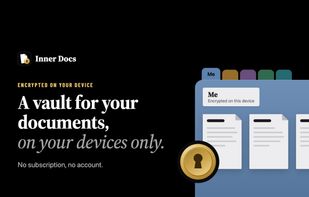
Inner Docs screenshot 1

Cost / License

  • Freemium (Pay once)
  • Proprietary

Application type

Since

  • New

Platforms

  • Mac
  • iPhone
  • iPad
0likes
0articles
Save

Features

Properties

Features

Highlights All activities

Inner Docs News & Activities

Recent activities

Inner Docs information

  • Developed by

    FR flagJungle Labs
  • Licensing

    Proprietary and Freemium product.
  • Pricing

    One time purchase (perpetual license) ranging between $13 and $90 + free version with limited functionality.
  • Alternatives

    26 alternatives listed
  • Badge

    Get an embeddable badge for Inner Docs
  • Supported Languages

    • English
    • French

AlternativeTo Category

Office & Productivity
Inner Docs was added to AlternativeTo by JungleLabs on and this page was last updated .

No comments or reviews, maybe you want to be first?

Official Links

What is Inner Docs?

Inner Docs is an encrypted document vault for iPhone, iPad and Mac. Papers can be scanned with the camera, or photos, PDFs, spreadsheets, archives and other files can be imported and filed into spaces, for example one per person, home, car, work or trip.

Everything is encrypted on the device, and the app works without an account, a server or analytics. Text is recognized on-device, so any document can be found by a word printed on it, and the search index is encrypted too. Documents can be given an expiry date, with reminders 90, 30, 7 and 1 day before, and notifications never show the document's name.

Each space can have its own optional code, and a panic PIN can open a separate set of spaces. Copies can be shared with a watermark stating their purpose and date while the original stays unchanged. Optional iCloud sync is end-to-end encrypted through the user's own iCloud account, and encrypted backup files can be stored anywhere.