





Desktop Plus
10 likes
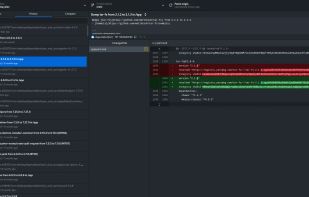
This is an up-to-date fork of GitHub Desktop, with many quality of life improvements and advanced features for power users.

Cost / License
- Free
- Open Source (MIT)
Application typeApplication types
Platforms
- Mac
- Windows
- Linux
- Flathub
- Flatpak


Features


Desktop Plus News & Activities
Highlights All activities
Recent activities
- Jhon Kara liked Desktop Plus
 Adoin Wang added Desktop Plus as alternative to Git Agent
- Ben liked Desktop Plus
 BHARATH-CHANDRA-VADDARAM added Desktop Plus as alternative to GitPulse
- atplar updated Desktop Plus
- atplar liked Desktop Plus
- rated Desktop Plus★★★★★
 cheat2001 added Desktop Plus as alternative to AngKorGit
- Martin N. liked Desktop Plus

Desktop Plus information
Developed by
Pol RiveroLicensing
Open Source (MIT) and Free product.Written in
Alternatives
59 alternatives listedBadge
Get an embeddable badge for Desktop PlusSupported Languages

AlternativeTo Categories
Development, OS & UtilitiesGitHub repository
- 757 Stars
- 63 Forks
- 8 Open Issues
- Updated


Featured in Lists


Xenmaster's 2026 Front-End Web Development Catalog
This list is an update to the list I created seven years ago https://alternativeto.net/lists/8008/front-end-development/. The web and development has changed a lot since then and rather than re-write history, decided to create a new list based on current patters and shifts in enterprise environments. These details are based on both what I've seen in the professional world as well as for hobbyists and web development enthusiasts who run their own projects.
In addition to consulting the documentation for each of the tools below, I'd like to shout out the following projects which also played a big part in informing the overall structure of this list:
Jeff Delaney's 100 Second Videos: https://www.youtube.com/@Fireship
Kamran Ahmed's Roadmaps: https://roadmap.sh
Devographics's State of JavaScript 2025 Survey: https://2025.stateofjs.com/en-US
Note that I don't plan on covering anything AI related for the development process. If I did, the list would have two items: Claude-Code, and Sonnet. Using these tools, it's easy to build out slop that won't work reliably which you don't understand and can't maintain.



Xenmaster's Top 25 Desktop Applications for Minimalist Windows
This is a listing of the top 25 applications I use for Windows. I am focusing on an online installation. I rely on native tools to Windows when I can to reduce the number of parties I am expected to rely on. However, since Windows is a hostile platform for privacy, I use Free and Open Source tools whenever the Microsoft alternative will be detrimental or just full of unnecessary features.
I should note the main reason I use Windows is for .NET development. Keep that in mind.

No comments or reviews, maybe you want to be first?