Tributary icon
Tributary icon

Tributary

 4 likes

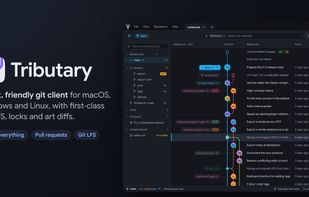
Cross-platform Git client with a colored commit graph, reversible Git actions and local snapshots, Git LFS locks, visual diffs for images, models, audio and video, plus GitHub and GitLab pull-request reviews. Simple mode offers updating, changes and submission.
Tributary screenshot 1

Cost / License

  • Free
  • Open Source (MIT)

Application type

Since

  • New

Updated

  • Updated Nov 2026

Platforms

  • Windows
  • Mac
  • Linux
  • AppImage
4likes
0articles
Save

Features

Properties

Features

Highlights All activities

Tributary News & Activities

Recent activities

Tributary information

AlternativeTo Category

Development

GitHub repository

  •  38 Stars
  •  3 Forks
  •  0 Open Issues
  •   Updated  
View on GitHub
Tributary was added to AlternativeTo by Paul on and this page was last updated .

No comments or reviews, maybe you want to be first?

Official Links

What is Tributary?

A commit graph that's a pleasure to read, Undo for almost everything, and pull requests in the app, with first-class big files too: Git LFS, locks, and art you can actually see in a diff.

Why Tributary?

  • Clear and comfortable. A colourful graph that's easy to follow, diffs coloured by syntax, a command palette for everything, and short guided tours to show you around.
  • Hard to lose work. Almost everything has Undo, your uncommitted changes are snapshotted every few minutes, and branches are backed up before they're rewritten or deleted.
  • At home with big files. Textures, models, sounds and Unreal or Unity files show as what they are, Git LFS downloads are fast and checked for disk space, and locks are part of the everyday flow.
  • Simple mode for artists, designers and writers. It gives anyone who doesn't live in git just what they need: Get latest, their changes, Submit.
  • Built for big repositories. History is read directly with gitoxide, only the rows on screen are drawn, and the changes git makes run through your own git, exactly as on the command line.

Highlights:

  • Simple mode: Get latest, your changes with their locks, and one Submit button. No branches or graph to learn.
  • See what changed in your art: PSD, TGA, DDS, EXR and more, SVGs, Blender and Unreal thumbnails, with swipe, onion skin and changed pixels. Pictures written into text files, like base64 icons in a stylesheet, show as pictures too.
  • Team activity: Who's working on what, the files changed most, and the branches in progress.
  • Shelves: Share unfinished work for a review without committing it to a branch, as in Perforce.
  • Project setup check: Finds what's wrong with an Unreal or Unity project's git setup, and fixes it.
  • 3D models, sounds and video: Models in two views that turn together, sounds as waveforms, videos side by side.
  • Conflicts, resolved in the app: Mine, theirs, both or your own edit for text; a whole version for assets.
  • Pull requests in the app: Reviews, checks, comments and merging, on GitHub and GitLab.
  • Checks at a glance: Every check a stream flowing into the verdict, and a timeline of each workflow run.
  • What makes it big: The biggest files in all of the history, by kind and folder, and moving them into Git LFS.
  • Local history: Your uncommitted work, kept every few minutes, to put back after a crash or an overwrite.
  • Guided tours: Short tours that point at the real thing, offered once, and easy to turn off.