Mergelio is a free, open-source (BSD-3-Clause) desktop Git client for macOS, Windows and Linux. It drives the git you already have installed and doesn't need an account.
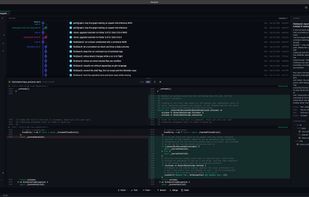
History. A lane-based commit graph with branch and tag pills and full keyboard navigation. Search by message, author or date, and find commits that added or removed a string (pickaxe). Blame, file history and line history (git log -L) are built in. GPG and SSH signatures on commits and tags are checked
and explained in words.
Changes. Stage, unstage or discard by file, hunk or a range of lines. Diffs can be side by side or inline, with word-level highlights, syntax colours and adjustable context. Images are compared side by side, by swipe, onion skin or difference. You can edit uncommitted files right in the diff. The
commit composer supports templates, Conventional Commits, trailers and sign-off.
Branches and remotes. Merge by drag and drop. Interactive rebase supports reorder, reword, squash, fixup, drop, autosquash, exec and break steps, and stacked branches move along with the rebase. Cherry-pick several commits at once, use force-with-lease push, and manage worktrees, stashes, tags, git
notes and remotes. Long fetches and pushes can be cancelled.
Merge conflicts. A three-zone merge tool (ours / result / theirs) with word-level diff. Resolving only stages the file; you commit or continue yourself.
Safety net. Reflog-backed undo and redo for commits, merges and rebases. reset --hard stashes your work first. An operation journal on disk shows interrupted operations on the next launch.
More. GitHub pull requests and GitLab merge requests with CI status (read-only). A multi-repo dashboard, profiles with their own identities and SSH keys, a file browser and tabbed editor, a built-in terminal, a command palette, light and dark themes, WCAG AA contrast, and an English or Ukrainian
interface.
Privacy. No account and no telemetry unless you turn it on. Update checks only run if you agree on first launch. Credentials stay in your git credential helper or ssh-agent.




 Neo
Neo 

No comments or reviews, maybe you want to be first?