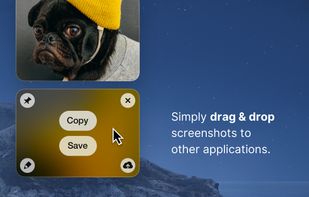
Capture and record screens on Mac with CleanShot X, featuring seamless recording, custom keyboard shortcuts, customizable wallpapers, Quick Access Overlay, and Desktop icon toggle for a tidy user interface.


Gadwin PrintScreen Professional is described as 'It added an editing feature to the Gadwin PrintScreen' and is a screenshot capture tool in the photos & graphics category. There are more than 100 alternatives to Gadwin PrintScreen Professional for a variety of platforms, including Windows, Mac, Web-based, Linux and Google Chrome apps. The best Gadwin PrintScreen Professional alternative is ShareX, which is both free and Open Source. Other great apps like Gadwin PrintScreen Professional are Greenshot, Ksnip, Snipping Tool and Snagit.
Capture and record screens on Mac with CleanShot X, featuring seamless recording, custom keyboard shortcuts, customizable wallpapers, Quick Access Overlay, and Desktop icon toggle for a tidy user interface.


Privacy-focused screenshot utility with local-only storage, capture and post-editing, precision tools like rulers and color picker, grouping, collage and card creation, full history, an intuitive interface, and no cloud or login required for secure offline workflows.


Comprehensive screenshot and screencast tool offering full-screen, window, or region captures with a built-in editor. Supports cropping, resizing, labels, and effects, with integration for popular services. Free version includes some branding and is limited to 15s screen casts.


Easy and free screen recorder for Mac, Windows, and Chromebooks. Record your camera and screen with audio directly from your Chrome browser and share the video with your team, friends, and family.


Capture full web page screenshots in Firefox, Chrome, Opera, Pale Moon or Internet Explorer Quick screenshots and annotations!


Capture your screen, windows, or regions on macOS, record with audio, edit screenshots and videos using built-in tools like shapes, blur, and redaction, export in various formats with multiple quality presets, enjoy ad-free usage, offline access, and no registration.


Capture full and partial screenshots, record screen or webcam videos with extensive editing tools, including annotations, video conversion to gif/mp4, and sharing options. Create step-by-step guides enhanced by AI, save in multiple formats, and utilize cloud storage integration.


Enables screen and webcam capture, detailed video and screenshot editing, organized meeting notes, AI-powered transcription, and cloud-based instant sharing of annotated visual content via direct links or drag-and-drop integration with communication apps on Windows and Mac.


Intuitive screenshots baked right into the browser. Capture, save and share screenshots as you browse the Web using Firefox.
You're busy. OneNote Web Clipper lets you quickly clip all or part of a web page to OneNote, and save it for later. Clip images, pdfs, videos, or a visual bookmark of a page. Best of all, you can access them from any computer, tablet, or phone - even when you're offline.


Freeware tool for taking fast and simple screenshots of the entire screen, windows and regions.


Free Cam is free screen recording software for Windows that lets you easily capture all or part of your screen, record your voice & mouse clicks, then edit your video and save it to your computer or share it instantly on YouTube.