GoFullPage Alternatives

GoFullPage is described as 'The simplest way to take a full page screenshot of your current browser window. Click on the extension icon (or press Alt+Shift+P), watch the extension capture each part of the page, and be transported to a new tab of your screenshot where you can download it as an image or PDF' and is a screenshot capture tool in the photos & graphics category. There are more than 100 alternatives to GoFullPage for a variety of platforms, including Windows, Mac, Web-based, Google Chrome and Mozilla Firefox apps. The best GoFullPage alternative is ShareX, which is both free and Open Source. Other great apps like GoFullPage are Flameshot, Greenshot, Snipping Tool and PicPick.

Copy a direct link to this comment to your clipboard
GoFullPage alternatives page was last updated

Alternatives list

  1. FireShot icon
     42 likes

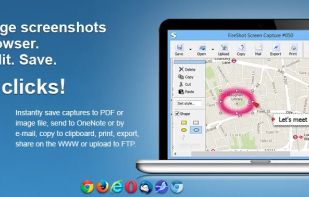
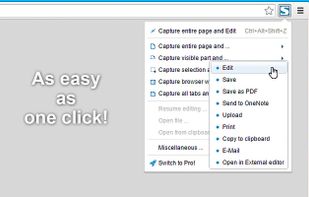
    Capture full web page screenshots in Firefox, Chrome, Opera, Pale Moon or Internet Explorer Quick screenshots and annotations!

    131 FireShot alternatives

    Cost / License

    • Freemium
    • Proprietary

    Application type

    Platforms

    • Internet Explorer
    • Google Chrome
    • Pale Moon
    • Thunderbird
    • Opera
    • Firefox
     
    |
    1
    FireShot vs GoFullPage Comments
    ab1
    Positive
    0

    I don't have bug after first page with FireShot.

    • FireShot is Freemium and ProprietaryGoFullPage is also Freemium and Proprietary
  2. Beautiful screenshots with stunning backgrounds and powerful annotation tools. Create, edit, and share professional-quality screenshots with ease.

    Cost / License

    • Paid
    • Proprietary

    Platforms

    • Mac
     
  3. Vibrantsnap icon
     6 likes

    Enhances your storytelling through animated screenshot, add gradient background, images or video. Whether for presentation, social media posts, or engaging content creation, VibrantSnap provides the tools to make your visuals stand out and immersive.

    Cost / License

    • Paid
    • Proprietary

    Platforms

    • Mac
     
  4. Capture full and partial screenshots, record screen or webcam videos with extensive editing tools, including annotations, video conversion to gif/mp4, and sharing options. Create step-by-step guides enhanced by AI, save in multiple formats, and utilize cloud storage integration.

    Cost / License

    • Freemium
    • Proprietary

    Application type

    Platforms

    • Online
    • Microsoft Edge
    • Google Chrome
    • Opera
    • Mozilla Firefox
     
  5. Zight icon
     162 likes

    Enables screen and webcam capture, detailed video and screenshot editing, organized meeting notes, AI-powered transcription, and cloud-based instant sharing of annotated visual content via direct links or drag-and-drop integration with communication apps on Windows and Mac.

    Cost / License

    • Freemium
    • Proprietary

    Application type

    Platforms

    • Mac
    • Windows
    • Online
    • Jira
    • Trello
    • Zendesk
     
  6. Style My Snap is a free online tool that helps you create professional-looking screenshots, code snippets, and Twitter posts. Perfect for developers, designers, and content creators who want to make their images stand out on social media and documentation.

    Cost / License

    • Free
    • Proprietary

    Platforms

    • Software as a Service (SaaS)
     
  7. Intuitive screenshots baked right into the browser. Capture, save and share screenshots as you browse the Web using Firefox.

    Cost / License

    Application type

    Platforms

    • Firefox
     
  8. You're busy. OneNote Web Clipper lets you quickly clip all or part of a web page to OneNote, and save it for later. Clip images, pdfs, videos, or a visual bookmark of a page. Best of all, you can access them from any computer, tablet, or phone - even when you're offline.

    Cost / License

    • Free
    • Proprietary

    Platforms

    • Online
    • Chrome OS
    • Google Chrome
    • Firefox
     
  9. Satty icon
     2 likes

    Satty is a screenshot annotation tool inspired by Swappy and Flameshot.

    Cost / License

    Platforms

    • Linux
    • Rust
    • GTK
     
  10. Full page screenshot, region capture, OCR text extraction, annotations, PDF export and scheduled captures. Free with $2.99 lifetime premium.

    Cost / License

    • Freemium
    • Open Source (MIT)

    Platforms

    • Google Chrome
     
You are at page 2 of GoFullPage alternatives