The Best Foxit PDF Reader AlternativesTop PDF Readers & PDF Editors like Foxit PDF Reader

Foxit PDF Reader is described as 'Free, lightweight PDF viewer available on multiple platforms. Features include annotation, form-filling, signing, cloud integration, and more' and is a leading PDF Reader in the office & productivity category. There are more than 100 alternatives to Foxit PDF Reader for a variety of platforms, including Windows, Mac, Web-based, Linux and Android apps. The best Foxit PDF Reader alternative is SumatraPDF, which is both free and Open Source. Other great apps like Foxit PDF Reader are Okular, KDAN PDF, PDF-XChange Editor and Evince.

filter to find the best alternatives

Foxit PDF Reader alternatives are mainly PDF Readers, but if you're looking for PDF Editors or Ebook Readers you can filter on that. Other popular filters include PDF Editor, Windows, Open Source, Android and Linux. You can also filter by region, for example EU-based alternatives if you prefer software developed in the European Union. These are just examples - use the filter bar below to find more specific alternatives to Foxit PDF Reader.
Copy a direct link to this comment to your clipboard
Foxit PDF Reader alternatives page was last updated

Alternatives list

  1. SumatraPDF icon
     1702 likes

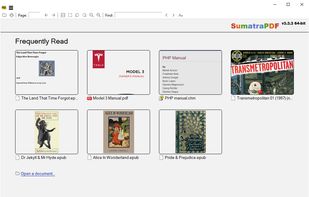
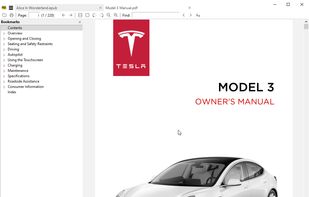
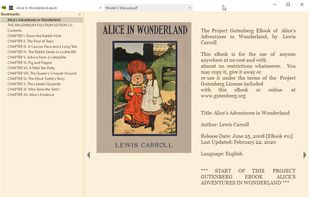
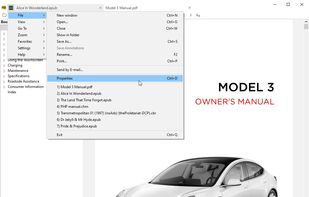
    This free, open-source viewer for Windows supports multiple formats like PDF, eBooks (ePub, Mobi), CHM, and Comic Books (CBZ, CBR). Prioritizing simplicity and speed, it offers a lightweight, portable design with a minimalist interface, catering to users seeking fast and efficient document viewing.

    129 SumatraPDF alternatives

    Cost / License

    Application types

    Platforms

    • Windows
     
    |
    11
    SumatraPDF vs Foxit PDF Reader Comments
    Top Positive Comment
    Guest
    17

    Sumatra is a good alternative because 1) wide range of formats supported, and 2) it's open source.

    Top Negative Comment
    Guest
    28

    Foxit can edit PDF files too. Sumatra is just a viewer.

    idg
    Positive
    0

    This is the best I'm aware of for now: You can remove or add annotations anytime, even after saving the document (unlike Okular). Most effectively clear interface (unlike Adobe Acrobat). Only bothering thing : the ad ribbon on the top-right for upgrading to a paid plan. BUT you get rid of it by selecting "Comment" or "View" in toolsbar and continue reading.

    3 of 11 comments
    • SumatraPDF is Free and Open SourceFoxit PDF Reader is Free Personal and Proprietary
    • SumatraPDF is Privacy focused and CustomizableFoxit PDF Reader is not according to our users
  2. Okular icon
     509 likes

    Multi-platform document viewer supporting PDF, ePub, comics, images, and Markdown with annotation, digital signature verification, tabbed interface, sidebar navigation, text selection, text-to-speech, magnifier, search, dark mode, and plugin support.

    131 Okular alternatives

    Cost / License

    Application types

    Platforms

    • Windows
    • Linux
    • BSD
    • KDE Plasma
    • Snapcraft
    • Linux Mobile
    • Flathub
    • Haiku
     
    |
    3
    Okular vs Foxit PDF Reader Comments
    jadethaum
    Positive
    0

    It's good, but clunky. I'll keep looking for something a little smoother but until then it's a good move to get away from Foxit.

    Guest
    Positive
    1

    How it deals with comments is great and it's open source, on any platform I use.

    Guest
    Positive
    1

    looks better than SumatraPDF and KDE is a respected company

    • Okular is Free and Open SourceFoxit PDF Reader is Free Personal and Proprietary
    • Okular is Privacy focusedFoxit PDF Reader is not according to our users
  3. KDAN PDF icon
     187 likes

    Comprehensive solution for editing, signing, form filling, OCR scanning, commenting, converting, and redacting PDFs, with AI-driven analysis and content extraction, data export to spreadsheets, text-to-speech, seamless use across desktop and mobile, and batch processing.

    289 KDAN PDF alternatives

    Cost / License

    • Freemium
    • Proprietary

    Application types

    Platforms

    • Mac
    • Windows
    • Android
    • iPhone
    • Android Tablet
    • iPad
     
    |
    1
    KDAN PDF vs Foxit PDF Reader Comments
    Rosalind Morris
    Positive
    12

    PDF Reader is faster and has a clear interface

    • KDAN PDF is Freemium and ProprietaryFoxit PDF Reader is Free Personal and Proprietary
    • KDAN PDF is Privacy focusedFoxit PDF Reader is not according to our users
  4. Feature-rich PDF editor offering direct content editing, ABBYY OCR, viewing, annotation, form filling, PDF merging, compression, and encryption. Operates efficiently offline, requiring no registration and no ads, while providing privacy-focused features and convenient portability.

    176 PDF-XChange Editor alternatives

    Cost / License

    • Freemium
    • Proprietary

    Application types

    Platforms

    • Windows
    • PortableApps.com
    • Wine
     
  5. Evince icon
     465 likes

    Supports viewing and editing PDF annotations, displays multiple formats such as PDF, Postscript, DjVu, comic books, TIFF, DVI, XPS, remembers per-document zoom and position, features search, table-of-contents navigation, SyncTeX integration, and printing.

    134 Evince alternatives

    Cost / License

    Application types

    Platforms

    • Linux
    • Flathub
    • PortableApps.com
    • GNOME
     
    |
    1
    Evince vs Foxit PDF Reader Comments
    tibi97427
    Negative
    -3

    Because Evince is only for Linux

    • Evince is Free and Open SourceFoxit PDF Reader is Free Personal and Proprietary
    • Evince is Minimalistic and Privacy focusedFoxit PDF Reader is not according to our users
  6. PDFgear icon
     73 likes

    Read, edit, convert, merge, and sign PDF files across devices, for completely free and without signing up.

    86 PDFgear alternatives

    Cost / License

    • Free
    • Proprietary

    Application types

    Platforms

    • Mac
    • Windows
    • Online
    • Android
    • iPhone
    • Android Tablet
    • iPad
     
  7. Stirling PDF icon
     64 likes

    Locally hosted web application offering an interactive GUI to merge, split, reorganize, convert, compress, watermark, secure, sign, flatten, repair, extract images, detect blanks, apply OCR, set permissions, and enable file processing or API integration for PDFs.

    123 Stirling PDF alternatives

    Cost / License

    • Freemium
    • Open Source

    Application types

    Platforms

    • Mac
    • Windows
    • Online
    • Self-Hosted
    • Cloudron
    • Docker Hub
     
  8. MuPDF icon
     163 likes

    MuPDF offers a highly versatile PDF, XPS, and eBook interpreter, customizable as a renderer, viewer, or toolkit. Features include digital signatures, redactions, form filling, annotations, and page manipulation, ideal for mobile, eBooks, and embedded apps supporting Java, C++, and Python.

    110 MuPDF alternatives

    Cost / License

    Application types

    Platforms

    • Windows
    • Linux
    • Android
    • F-Droid
    • Xfce
     
  9. Seamlessly view, annotate, and collaborate on PDFs with freehand drawing and sticky notes. Utilize cloud storage for effortless access and upgrade for advanced editing and conversion to formats like Word and Excel.

    147 Adobe Acrobat Reader alternatives

    Cost / License

    • Freemium
    • Proprietary

    Application type

    Platforms

    • Mac
    • Windows
    • Android
    • iPhone
    • Android Tablet
    • iPad
     
    |
    2
    Adobe Acrobat Reader vs Foxit PDF Reader Comments
    Guest
    Negative
    3

    Only VERY basic tools in the free edition. Almost every necessary function available in the paid version only.

    phytographer
    Positive
    0

    Some PDFs only work in Adobe Reader

    • Adobe Acrobat Reader is Freemium and ProprietaryFoxit PDF Reader is Free Personal and Proprietary
  10. PDF Viewer (aka pdf.js) is a new revolutionary extension using web standard technologies that allows you to display within Mozilla Firefox almost all PDF files found on the web without a plugin.

    Cost / License

    Application type

    Platforms

    • Google Chrome
    • Opera
    • Mozilla Firefox
     
    |
    1
    Firefox PDF Viewer (PDF.js) vs Foxit PDF Reader Comments
    Guest
    Positive
    1

    Integrated, no bloatware, light

    • Firefox PDF Viewer (PDF.js) is Free and Open SourceFoxit PDF Reader is Free Personal and Proprietary
    • Firefox PDF Viewer (PDF.js) is Privacy focusedFoxit PDF Reader is not according to our users
  11. LEKTRA icon
     19 likes

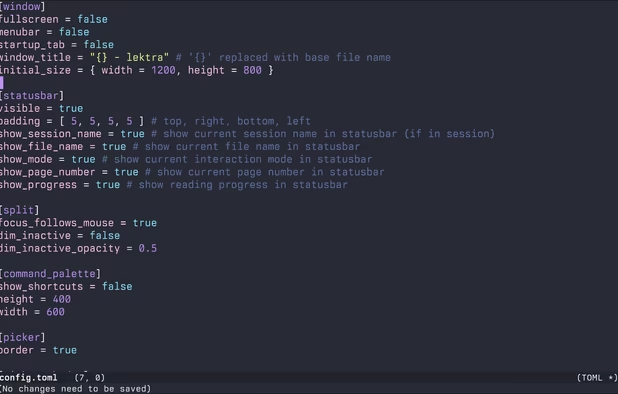
    High-performance viewer for documents and images offering split tabs, customizable single or book layouts, portals for side-by-side sections, instant search, line highlight, annotation tools, link hints, searchable highlights, session management, and TOML config.

    Cost / License

    Application types

    Platforms

    • Mac
    • Windows
    • Linux
     
  12. Master PDF Editor is complete solution for editing PDF and XPS files. You can insert, edit, remove, copy, add images or graphics. Export, import, remove and change page layouts. Also Master PDF Editor provides full functionality for changing PDF information, including author...

    157 Master PDF Editor alternatives

    Cost / License

    • Freemium
    • Proprietary

    Application types

    Platforms

    • Mac
    • Windows
    • Linux
    • Flathub
     
12 of 147 Foxit PDF Reader alternatives