Highlights your mouse pointer, visualizes clicks and magnifies certain areas of your screen.


FocusCursor is described as 'Highlights the mouse pointer with a ring, animates clicks, dims background for focus, allows screen drawing, and is ideal for teaching, demos, or tutorials' and is a cursor highligter in the os & utilities category. There are more than 10 alternatives to FocusCursor for Windows, Mac and Linux. The best FocusCursor alternative is SHARA. It's not free, so if you're looking for a free alternative, you could try CapyCursor or Epic Pen. Other great apps like FocusCursor are Key'n'Stroke , Screen Marker and Recorder, ZoomShot and ScreenBrush.
Highlights your mouse pointer, visualizes clicks and magnifies certain areas of your screen.


Floating widget shows each key pressed in real time and highlights the cursor with fully adjustable design. Choose from 10+ styles, unlimited color themes, and over 10 sound options. Works across multiple screens for screen recording on Windows and macOS.


Allows you to highlight the cursor using either the toolbar or hotkeys. Options include spotlight, highlight, drawing on the screen, magnifier or show keystrokes.


Highlight mouse pointer/cursor using a dot - useful for presentations, screen sharing, .


SketchMouse turns your Mac screen into a live annotation canvas for presentations, demos, and teaching. Spotlight dims your entire screen except where your cursor is — so your audience can only look where you're pointing.


A free, handy and delightful tool initially designed for presenters, trainers and teachers who want to highlight their mouse pointer.


Turn your cursor into a powerful visual communication tool, perfect for presentations, video tutorials, screen sharing, and video calls.


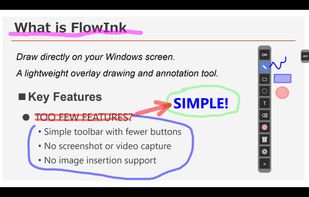
Lightweight screen annotation tool for Windows. Draw on your screen over any application with fading ink, spotlight mode, laser pointer, and shapes. Perfect for presentations, teaching, and streaming.