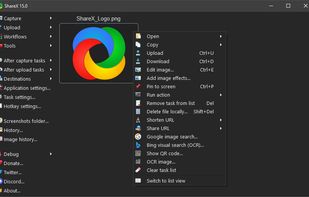
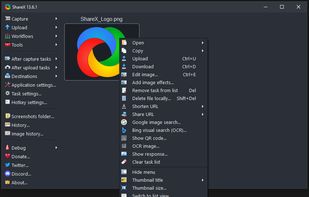
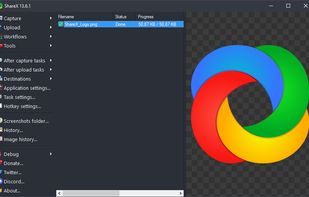
Open-source screen capture and file sharing tool with recording, editing, and annotation features. Supports 4K, dark mode, theming, offline use, and offers a lightweight, ad-free experience without tracking user data.


The best Screen Recorder alternative to Flameshot is ShareX, which is both free and Open Source. If that doesn't suit you, our users have ranked more than 50 alternatives to Flameshot and 19 are Screen Recorders so hopefully you can find a suitable replacement. Other interesting Screen Recorder alternatives to Flameshot are Snagit, Snipping Tool, Spectacle and macshot.
Open-source screen capture and file sharing tool with recording, editing, and annotation features. Supports 4K, dark mode, theming, offline use, and offers a lightweight, ad-free experience without tracking user data.


Advanced screen capture and recording tool enabling image or video captures directly from your screen. Includes editing features like callouts, transparency, and effects to enhance visuals. Organize and easily share creations through documents, presentations, or favorite applications.


Snipping Tool is a screen capture utility that allows users to take screenshots of specific objects or full screens, annotate them, and save or share the captured images or videos.


Spectacle is a simple application for capturing desktop screenshots. It can capture images of the entire desktop, a single monitor, the currently active window, the window currently under the mouse, or a rectangular region of the screen.

Feature-packed native macOS screenshot tool — annotate, auto-redact PII, record GIFs, OCR + translate, scroll capture, beautify, and more. No Electron, no subscription.

The definitive screen capture utility for macOS, designed with simplicity and efficiency in mind.

Capture the whole page or any portion, annotate it with rectangles, circles, arrows, lines and text, one-click upload to share.


Maximize productivity on Mac with intuitive screen captures, Picture in Picture, and versatile annotation capabilities.


Capture your screen, windows, or regions on macOS, record with audio, edit screenshots and videos using built-in tools like shapes, blur, and redaction, export in various formats with multiple quality presets, enjoy ad-free usage, offline access, and no registration.


SnapTray is a tray-native screenshot and screen recording app for macOS and Windows. It is built for fast desktop workflows: capture a region, explain it instantly, keep references on screen, and turn the same moment into a shareable image or video.


Gyazo lets you instantly grab the screen and upload the image to the web. You can easily share on Chat, Social, Email, or anywhere!

CleanShot is a portable Windows app for taking screenshots, recording videos, and more.


Way more features, including screen recording.