Files App Alternatives

Files App is described as 'Access and organize your files no matter where they’re located — on your device, in the cloud, on an external drive or file server— with Files. The Recents view displays the files you’ve been working on lately in high-resolution thumbnails' and is a File Manager in the file management category. There are more than 50 alternatives to Files App for a variety of platforms, including Windows, Mac, Linux, Android and Android Tablet apps. The best Files App alternative is Double Commander, which is both free and Open Source. Other great apps like Files App are Files, Spacedrive, Total Commander and FreeCommander.

Copy a direct link to this comment to your clipboard
Files App alternatives page was last updated

Alternatives list

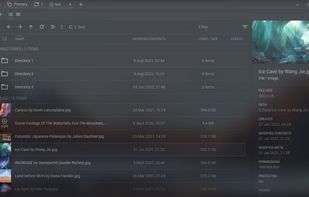
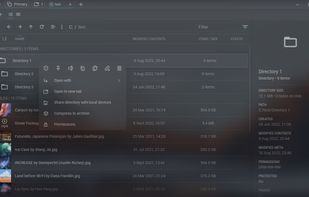
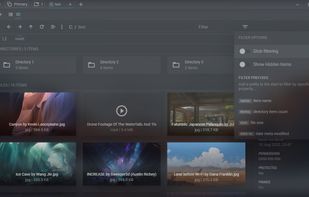
  1. Free, open-source file manager for Windows and Linux offering global search with typo correction, tabs, workspaces, wireless file sharing, advanced file downloader, item filtering, dashboard, file and note protection, media previews, and customizable features.

    Cost / License

    • Free
    • Open Source

    Application types

    Platforms

    • Windows
    • Linux
     
  2. Q-Dir icon
     202 likes

    Q-Dir makes your files and folder easy to manage. Fast and easy access, with an amazing Quadro-View (4 panes) technique. You dont have to renounce the usual, Drag and Drop, all Views, and other functions of your system. No!

    104 Q-Dir alternatives

    Cost / License

    • Free
    • Proprietary

    Application type

    Platforms

    • Windows
    • PortableApps.com
     
  3. Amaze File Manager is an intuitive, open-source file manager for Android that's both free and ad-free (no upgrade offers, no popups, no ads at all). It's based on Material Design guidelines so it sits very nicely alongside the stock Android experience from Google and...

    Cost / License

    Application types

    Platforms

    • Android
    • Android Tablet
    • F-Droid
     
  4. Far Manager icon
     178 likes

    Far Manager is a program for managing files and archives in Windows operating systems. Far Manager works in text mode and provides a simple and intuitive interface for performing most of the necessary actions:

    112 Far Manager alternatives

    Cost / License

    • Free
    • Open Source

    Application type

    Platforms

    • Windows
     
  5. ForkLift icon
     105 likes

    Dual pane macOS file manager featuring SFTP, FTP, WebDAV, cloud drives, real-time activity view, folder sync, drag-and-drop file transfers, preview panel, multi-rename, batch operations, server connections, text editing, themes, and tagging for efficient workflows.

    133 ForkLift alternatives

    Cost / License

    • Freemium
    • Proprietary

    Application types

    Platforms

    • Mac
     
  6. CoverFlowFinder icon
     12 likes

    Brings iconic 3D Cover Flow file browsing to macOS, includes dual pane navigation, Quick Look integration, sidebar access to volumes, instant file sorting, context menus, type-ahead search, familiar Finder-like interface, and open source availability.

    Cost / License

    • Free
    • Open Source (MIT)

    Application type

    Platforms

    • Mac
     
  7. Multi Commander icon
     115 likes

    Multi Commander is a multi-tabbed file manager and is an alternative to the standard Windows Explorer. It uses the very popular and efficient dual-panel layout.

    94 Multi Commander alternatives

    Cost / License

    • Free
    • Proprietary

    Application type

    Platforms

    • Windows
     
  8. xplorer² icon
     105 likes

    xplorer² is a desktop file manager combining the simplicity of Windows explorer with the speed and efficiency of traditional dual pane file managers.

    99 xplorer² alternatives

    Cost / License

    • Paid
    • Proprietary

    Application types

    Platforms

    • Windows
     
  9. muCommander icon
     125 likes

    muCommander is a lightweight, cross-platform file manager with a dual-pane interface. It runs on any operating system with Java support (Mac OS X, Windows, Linux, *BSD, Solaris...).

    Cost / License

    • Free
    • Open Source

    Application type

    Platforms

    • Mac
    • Windows
    • Linux
    • Online
    • BSD
    • Java
     
  10. Rascal icon
     5 likes

    Keyboard-centric macOS file manager featuring dual panes, vim navigation, command palette, inline terminal syncing with folders, disk usage treemap, macOS tag support, multi-view modes, 17 themes, smart folders, Homebrew install, free and open source on macOS 13+.

    Cost / License

    • Free
    • Open Source (MIT)

    Application type

    Platforms

    • Mac
    • Homebrew
     
  11. Tablacus Explorer is a tabbed file manager with Add-on support.

    Tabbed interface Add-on support Customizable association, menus, keys, mouse gestures, alias Completely Portable, No installation required Multiple language and Unicode support Open source .

    Cost / License

    • Free
    • Open Source (MIT)

    Application type

    Platforms

    • Windows
     
You are at page 2 of Files App alternatives