


Clipdiary
21 likes
Clipdiary is a clipboard manager for Windows that saves copied items so you can find and reuse them later. It keeps clipboard history on your computer and supports text, formatted text, HTML, images, files and other clipboard formats.
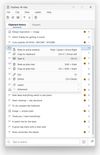

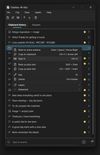

+8
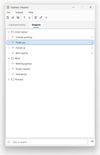


Features
Highlights All activities
Clipdiary News & Activities
Recent activities
- Nikolay-Tiushkov updated Clipdiary
 copysave added Clipdiary as alternative to Copy & Save
 lordoliy added Clipdiary as alternative to Clippo for Mac
 Fla added Clipdiary as alternative to Pasta Clipboard Manager
 Hiroki Nomura added Clipdiary as alternative to Stacky Clipboard
 Dmitry_N added Clipdiary as alternative to FluentClipper


Developed by
 Softvoile
Licensing
Proprietary and Free Personal product.Pricing
One time purchase (perpetual license).Alternatives
128 alternatives listedBadge
Get an embeddable badge for ClipdiarySupported Languages





All The Things!
A list with 69 apps by willwm without a description.
Comments and Reviews
I used Clipdiary for about 5 years, but now I use Rememory because it’s more modern.
It’s just as good in terms of storage capacity (up to 10,000 items) or the “unlimited time” option with no limit (according to the app...).
It has light mode, dark mode, and a glass mode
It shows thumbnails for images and has an image filter
You can create tags (categories) however you want
It also has favorites
There’s a links category
It can import and export the database
It makes it easy to save as a file
Overall, it doesn’t fall short of Clipdiary at all, so I switched very happily.