


Design in the browser, openly. You already have saved work in this browser. Open your files and keep editing.




Canva is a web-based, drag-and-drop design tool for quickly creating graphics using templates, with basic image editing and collaboration. Users call Desygner one of the closest Canva replacements, praising extra design options and an easy-to-use workflow.
Canva alternatives split between template-first social design tools and pro UI/vector tools. Desygner leads as the top-ranked alternative, built around templates plus AI-powered design assistance and stock imagery. Penpot ranks second with open-source responsive layouts and code inspection for designer–developer collaboration.
For offline desktop editing, Affinity ranks third as a professional suite combining photo editing, vector illustration, and layout with non-destructive editing. Users praise PosterMyWall for being free, very easy to use, and packed with templates for quick marketing graphics. Penpot supports interactive prototyping with animations, transitions, and flow rates to simulate real user interactions.
Canva is an image editor, but open source transparency seekers have options in Penpot and Aktivisda. Organizations needing control over where designs live can self-host alternatives like Penpot, Picmaker, and Aktivisda. For users making presentations and infographics beyond general-purpose graphics, visme and Genially target these specific workflows.
Photographers and photo editors prioritizing retouching over templates can choose Pixlr and Luminar Neo, which emphasize photo enhancements including AI tools. Browser-based workflows benefit from Vectr, VistaCreate, and Adobe Express, which run online for quick access without installs. Windows users have desktop options in Affinity, Figma, and Pixlr, while Mac users can choose Affinity, Figma, and Affinity Designer. Mobile creators have iPhone and Android workflows covered by Desygner, Pixlr, and PicsArt.
Design in the browser, openly. You already have saved work in this browser. Open your files and keep editing.
Automates building websites, creating presentations, editing images, generating videos, managing reports, producing podcasts, designing social posts, manipulating spreadsheets, and integrating 3,000+ apps, with project memory, export options, and live custom domain deployment.
 India

MockoFun is an online free graphic designer editor, text editor and photo editor. With MockoFun you can create awesome designs for Web or print:
 Romania
 EU



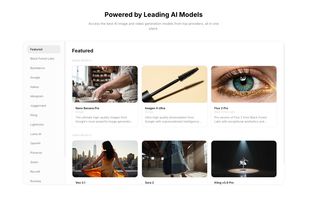
AI-powered creative platform for editing photos, generating images and videos, and producing studio-quality product visuals at scale.
 United States
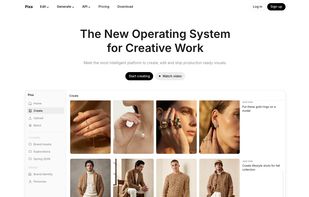


TheGoodocs specializes in providing a vast collection of free Google Docs, Slides, and Sheets templates designed by professional creators. The platform offers users unlimited access to over 5000 templates tailored for various purposes such as resumes, budgets, planners, and...
 CyprusEU



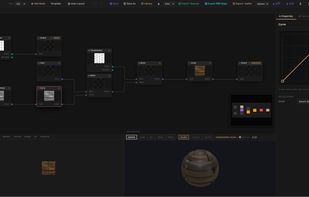
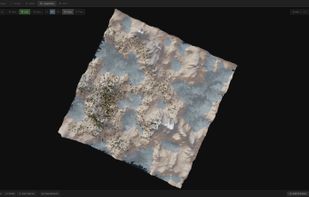
aukimi brings 14 creative modules into one browser-based suite. It covers vector graphics, image editing, pixel art, animation, 3D sculpting and retopology, texture painting, rendering, procedural materials, video and compositing, music production, game development and PDF...
 Switzerland
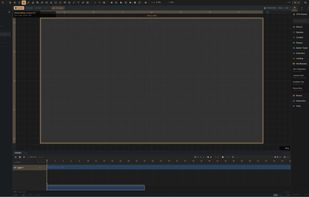


AI-powered social media content generator that creates a full week of on-brand posts for Instagram, LinkedIn, Facebook, Pinterest and X in 3 minutes.
 FranceEU


AI content studio for brands. Generate images, video, audio and auto-post to 9 social media platforms with your brand identity applied automatically.


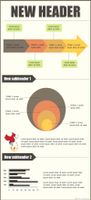
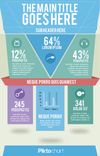
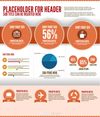
Piktochart is an easy infographic design app that requires very little effort to produce simple and high quality graphics.
 Malaysia


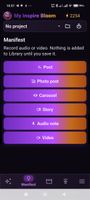
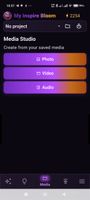
My Inspire Bloom is an AI-powered Android app for creating, editing, and organizing social media content in one workspace.
 Ukraine



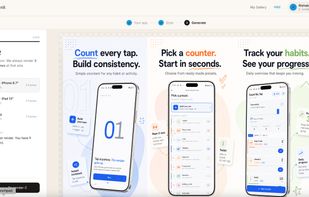
SnapMonk turns your app description and raw screens into expert-level App Store and Play Store designs — powered by AI, in minutes.


PixReunion - AI Family Portrait Studio: Combine people from multiple photos into one frame with our AI-powered tool. Add missing family members or friends to your photos.


