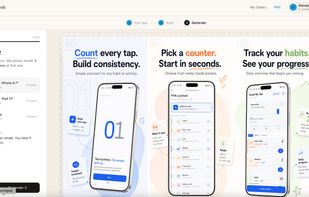
SnapMonk is an AI-powered app screenshot generator that creates expert-level App Store and Google Play designs from two simple inputs: your app description and your raw app screens. Instead of dragging elements around in Figma or Canva, you describe what your app does, upload your screens, and SnapMonk's AI composes layouts, captions, backgrounds, and device framing the way a senior product designer would — polished, on-brand, and store-ready.
What makes SnapMonk different:
Description-aware AI design. The AI reads your app description to understand positioning and tone, then generates screenshot designs that actually communicate what your app does — not generic templates with placeholder text.
Multiple visual flows. Choose from different design directions (minimal, bold, narrative, feature-led, lifestyle, and more) to generate distinct sets of screenshots for the same app. Run several flows side by side to A/B test what converts best on the store.
Brand-adaptive output. Add your custom brand color and logo, and SnapMonk adapts every screen — backgrounds, accent colors, typography pairings, and logo placement — to match your identity automatically. No manual restyling per screenshot.
Real device frames, store-correct sizes. 25+ up-to-date Apple and Android frames (iPhone 16 Pro Max, iPad Pro M4, Pixel 9, Galaxy S24, and more) with App Store and Play Store export dimensions pre-configured. PNG / JPEG export, no manual resizing.
Localization to 50+ languages for simultaneous global launches.
Free, browser-based, no signup required for core features. Works in Chrome, Safari, and Firefox.







 rishabsharmaonline added SnapMonk as alternative to CleanSnap and Mockuuups Studio
 rishabsharmaonline added alternatives


No comments or reviews, maybe you want to be first?