Canva Alternatives for iPhone

There are many alternatives to Canva for iPhone if you are looking for a replacement. The best iPhone alternative is Desygner, which is free. If that doesn't suit you, our users have ranked more than 50 alternatives to Canva and many of them are available for iPhone so hopefully you can find a suitable replacement. Other interesting iPhone alternatives to Canva are Figma, Pixlr, Microsoft PowerPoint and Luminar Neo.

filter to find the best alternatives

Canva alternatives are mainly Image Editors, but if you're looking for Graphic Design Tools or Color Picker Tools you can filter on that. Other popular filters include Online, Free, Open Source, Android, Linux, Android + Free and Google Chrome. These are just examples - use the filter bar below to find more specific alternatives to Canva.
Copy a direct link to this comment to your clipboard
Canva alternatives page was last updated

Alternatives list

  1. Desygner icon
     95 likes

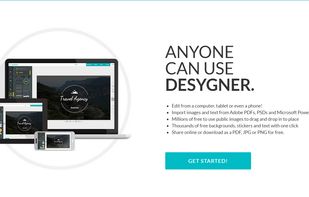
    Desygner is an online and mobile design solution that is often regarded as a great alternative to Canva. It offers a simpler and more affordable option compared to expensive and complicated design suites. Desygner has received positive reviews and is highly praised for its visual design, custom templates, and support for multiple languages. It is the most popular alternative to Canva and provides a wider range of options to create and customize designs. Users appreciate Desygner's user-friendly interface and find it easier to use compared to Canva.

    183 Desygner alternatives

    Cost / License

    • Freemium
    • Proprietary

    Platforms

    • Online
    • Android
    • iPhone
    • Android Tablet
    • iPad
     
    |
    6
    Desygner vs Canva Comments
    Top Positive Comment
    Pavlin Lazarov
    0

    It's a good alternative to Canva, but it lags on Firefox based browsers.

    atikuldesk
    Positive
    1

    The most similar out of all and fewer resources

    roshad87a9
    Positive
    5

    has image-box which canva don have

    3 of 6 comments
    • Desygner is Freemium and ProprietaryCanva is also Freemium and Proprietary
  2. Figma icon
     242 likes

    Figma is a web-based platform offering a robust set of tools for vector graphics editing and prototyping, along with offline desktop apps for seamless workflows. Designed specifically for UI and UX design, it emphasizes real-time collaboration, visual versioning, and vector networks to streamline the designer's work.

    102 Figma alternatives

    Cost / License

    • Freemium
    • Proprietary

    Application types

    Platforms

    • Mac
    • Windows
    • Online
    • Chrome OS
    • Software as a Service (SaaS)
    • Android
    • Android Tablet
    • iPhone
    • iPad
     
  3. Pixlr icon
     390 likes

    Web-based editor with AI image generation, quick fixes, overlays, intricate lighting and texture adjustments, customizable templates, advanced filters, support for layers, high-res export, and ad-free premium features for accessible image and design editing.

    228 Pixlr alternatives

    Cost / License

    • Freemium
    • Proprietary

    Application types

    Platforms

    • Windows
    • Online
    • Android
    • iPhone
    • Chrome OS
    • Android Tablet
    • iPad
     
    |
    1
    Pixlr vs Canva Comments
    Guest
    Negative
    0

    Canva is a software that creates images, no tedits pictures.

    Review by a new / low-activity user.
    • Pixlr is Freemium and ProprietaryCanva is also Freemium and Proprietary
  4. Comprehensive tool for creating dynamic, high-impact presentations featuring advanced graphics, formatting, collaboration, multimedia integration, and seamless sharing within Microsoft Office Suite, with both desktop and online versions available for versatile use across platforms.

    112 Microsoft PowerPoint alternatives

    Cost / License

    • Paid
    • Proprietary

    Platforms

    • Mac
    • Windows
    • Android
    • iPhone
    • Android Tablet
    • Windows Phone
    • iPad
    • Apple Watch
     
  5. Luminar Neo icon
     82 likes

    Advanced RAW photo editing software equipped with AI-driven features like GenErase, GenExpand, and GenSwap. Enhances portraits and landscapes using Sky AI and Atmosphere AI. Compatible with Adobe and Apple products, supports multiple formats, and offers panorama stitching, noise reduction, and more.

    85 Luminar Neo alternatives

    Cost / License

    • Paid
    • Proprietary

    Application types

    Platforms

    • Mac
    • Windows
    • Android
    • iPhone
    • Chrome OS
    • iPad
    • Apple Photos
    • Adobe Photoshop
    • visionOS
    • Adobe Lightroom
     
  6. Adobe Express icon
     14 likes

    Craft stunning graphics with Adobe Express, featuring thousands of templates, icons, and fonts. Sync projects across devices and access powerful effects and finishes on mobile or web.

    46 Adobe Express alternatives

    Cost / License

    • Freemium
    • Proprietary

    Platforms

    • Online
    • Android
    • iPhone
    • Android Tablet
    • iPad
    • Windows
     
  7. Adobe Elements icon
     84 likes

    Comprehensive photo editing tool with AI-powered automation and easy step-by-step guidance. It includes unique creation tools, layer support, facial recognition, and organizes your photos seamlessly. Available as a one-time purchase, no subscription required, with cloud sync for flexibility.

    148 Adobe Elements alternatives

    Cost / License

    • Paid
    • Proprietary

    Application types

    Platforms

    • Mac
    • Windows
    • Online
    • Android
    • iPhone
     
  8. PicsArt  icon
     88 likes

    Offers photo filters, magic effects, drawing tools, stickers, and customizable text. Includes collage layouts, color adjustments, and cropping. Features a built-in camera, live effects, drawing layers, and direct sharing to a global community and external networks. Multi-language support.

    141 PicsArt alternatives

    Cost / License

    • Freemium
    • Proprietary

    Application types

    Platforms

    • Windows
    • Android
    • iPhone
    • Android Tablet
    • iPad
    • Kindle Fire
     
    |
    1
    PicsArt vs Canva Comments
    irinafedorenko
    Negative
    0

    Nothing like it.. Canva is a design platform not a photo tool

    • PicsArt is Freemium and ProprietaryCanva is also Freemium and Proprietary
  9. Simplified icon
     9 likes

    AI-powered platform for scaling visual and written content, deep team collaboration, instant publishing, no-code tools, unlimited design assets, templates for ads, social, and video, asset libraries, workflow automation, and cloud-based access anywhere.

    Cost / License

    • Free Personal
    • Proprietary

    Application type

    Platforms

    • Software as a Service (SaaS)
    • iPhone
     
  10. VistaCreate icon
     27 likes

    An intuitive online design tool offering advanced features like animation, video editing, and over 150,000 templates. Access a library of 70 million+ assets including vectors, photos, and sounds. Ideal for social media, marketing, and design projects of all kinds.

    Cost / License

    • Freemium
    • Proprietary

    Platforms

    • Online
    • Android
    • iPhone
     
  11. PicMonkey icon
     50 likes

    PicMonkey is a feature-rich online photo editor that works right in your browser; no downloads necessary. Touch-up tools like Teeth Whiten, Blemish Fix, Weight Loss. Effects like Orton, Cross Process, Color Boost, with drag and drop ease.

    131 PicMonkey alternatives

    Cost / License

    • Paid
    • Proprietary

    Application types

    Platforms

    • Online
    • Android
    • iPhone
     
12 of 21 Canva alternatives