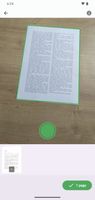
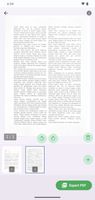
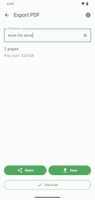
The OSS Document Scanner is a free and Open Source app to transform your mobile device into a powerful document scanner.


The best open source alternative to CamScanner is OSS Document Scanner. If that doesn't suit you, our users have ranked more than 100 alternatives to CamScanner and many of them is open source so hopefully you can find a suitable replacement. Other interesting open source alternatives to CamScanner are FairScan, Open Note Scanner, MakeACopy and Tesseract.
The OSS Document Scanner is a free and Open Source app to transform your mobile device into a powerful document scanner.


Android document scanner offering multi-page PDF creation, automatic detection, image enhancement, and distraction-free interface, all open-source. No ads, cloud, watermarks, or tracking—scans remain on your device. Minimal permissions ensure privacy and transparency.


This little application provides a way on scanning handwritten notes and printed documents.


MakeACopy is an open-source document scanner app for Android that allows you to digitize paper documents with OCR functionality. The app is designed to be privacy-friendly, working completely offline without any cloud connection or tracking.


Tesseract.js is a javascript library that gets words in almost any language out of images.


Open Scanner is a fast and simple-to-use paper-scanning app with AI features to speed up your scanning workflow:


OpenScan is an open source app that enables users to scan hardcopies of documents or notes and convert it to PDF or JPEG files. Its motto is "No ads. No data collection. We respect your privacy.".


Crow Translate is a simple and lightweight translator programmed in C++ / Qt that allows to translate and speak text using Google, Yandex and Bing translate API.


Capture2Text enables users to quickly OCR a portion of the screen using a keyboard shortcut.


OSS Document Scanner is more lightweight, and has better filters. It condenses the files similarly as CamScanner, but the text is more clear.
The only problem is that for my phone (GrapheneOS), I have to take photos with camera and import them in the app, because for whatever reason it makes the images blurry when I take the photo in the app itself. This may be because of my Android operating system.
But it's smaller, open-source, and outputs better images (textbook pages).