Audio Device Switcher Alternatives

Apps similar to Audio Device Switcher include Volume2, which is free. Other options are SoundSwitch, Audio switcher, SonicRoute and BetterVolume. In total there are seven Volume Control Tools like Audio Device Switcher for Windows.

Copy a direct link to this comment to your clipboard
Alternatives
Audio Device Switcher alternatives page was last updated

Alternatives list

  1. Volume2 icon
     102 likes

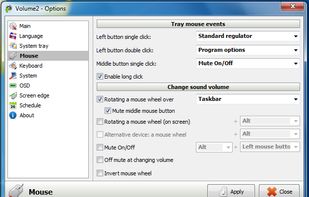
    Volume2 is an advanced Windows audio mixer, a complete replacement for the standard Volume Control. This application lets you easily change the sound volume just by rotating the mouse wheel or by using keyboard hot keys or just mouse move on screen border.

    36 Volume2 alternatives

    Cost / License

    • Free
    • Proprietary

    Application type

    Since

    • Since 2011

    Platforms

    • Windows
    Good alternative?
     
  2. SoundSwitch icon
     23 likes

    SoundSwitch makes it easier to switch playback devices (sound cards). With SoundSwitch you configure once between which Playback devices you want to toggle and then you can press Ctrl+Alt+F11 to toggle automatically!.

    10 SoundSwitch alternatives

    Cost / License

    Application type

    Since

    • Since 2015 (updated Nov 2026)

    GitHub

    • GitHub stars: 3.5k

    Platforms

    • Windows
    Good alternative?
     
  3. Audio switcher icon
     14 likes

    Imagine you're chilling out to some music on your speakers, the urge hits you to go pwn some n00bs in a game of League.

    Cost / License

    • Free
    • Open Source

    Since

    • Since 2014

    Platforms

    • Windows
    Good alternative?
     
  4. SonicRoute icon
     2 likes

    Free, open-source Windows tool (GPL-3.0) for per-app audio routing: game to headset, music to speakers, with tray volume control, automation, and CLI.

    50 SonicRoute alternatives

    Cost / License

    Application type

    Since

    • New

    GitHub

    • GitHub stars: 42

    Platforms

    • Windows
    Good alternative?
     
  5. Windows 11 tray utility to switch audio outputs in one click and set the volume of each app, with optional Home Assistant control.

    Cost / License

    • Free
    • Open Source (MIT)

    Application type

    Since

    • New

    Platforms

    • Windows
    Good alternative?
     
  6. Audio Owl icon
     Like

    Audio Owl adds Output, Input and Mixer buttons to the Windows 11 taskbar next to the notification area. Hover or click to pick a playback or recording device, set each app's volume, or mute your default microphone.

    Cost / License

    • Pay once
    • Proprietary

    Application type

    Since

    • New

    Platforms

    • Windows
    Good alternative?
     
  7. SoundLatch is a Windows audio manager that automatically selects devices based on your priorities. Lock your preferred headphones, speakers, or microphone to prevent unwanted switching—all from the system tray.

    Cost / License

    • Pay once
    • Proprietary

    Since

    • New

    Platforms

    • Windows
    Good alternative?
     
7 of 7 Audio Device Switcher alternatives