Any Screen Recorder Alternatives

Any Screen Recorder is described as 'Can complete all the video and audio recording work for you, including gameplay, webcam, online video conference, Video lectures, online video tutorial, web seminar, online teaching, online video, online music, desktop activities, microphone, audio and any' and is a screenshot capture tool in the video & movies category. There are more than 100 alternatives to Any Screen Recorder for a variety of platforms, including Windows, Mac, Linux, Web-based and Google Chrome apps. The best Any Screen Recorder alternative is OBS Studio, which is both free and Open Source. Other great apps like Any Screen Recorder are SimpleScreenRecorder, MSI Afterburner, VokoscreenNG and Bandicam.

Copy a direct link to this comment to your clipboard
Any Screen Recorder alternatives page was last updated

Alternatives list

  1. Loom icon
     32 likes
    Copy a direct link to this comment to your clipboard

    Easy and free screen recorder for Mac, Windows, and Chromebooks. Record your camera and screen with audio directly from your Chrome browser and share the video with your team, friends, and family.

    213 Loom alternatives

    Cost / License

    • Freemium (Subscription)
    • Proprietary

    Platforms

    • Mac
    • Windows
    • Online
    • iPhone
    • Google Chrome
    • Android
    • Android Tablet
     
    • Loom is the most popular Android, iPhone & Android Tablet alternative to Any Screen Recorder.

    • Loom is Freemium and ProprietaryAny Screen Recorder is also Freemium and Proprietary
  2. screencap.me icon
     2 likes
    Copy a direct link to this comment to your clipboard

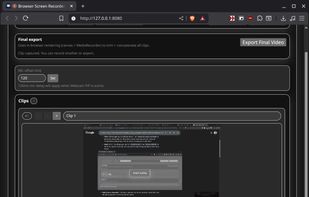
    Record your screen, trim the clips and export single video file with result. No nonsense screen capture and recording to make quick videos. Zero dependencies. No build system.

    Cost / License

    • Free
    • Open Source

    Platforms

    • Windows
    • Linux
    • Online
    • Mac
     
  3. Action! icon
     48 likes
    Copy a direct link to this comment to your clipboard

    Action! enables HD, 4K, HDR10, and 8K streaming and recording, integrates fps displays, webcams, and live audio commentary. With overlays, monitoring tools, and benchmarking features, it offers a multifaceted solution for gaming capture.

    99 Action! alternatives

    Cost / License

    • Pay once
    • Proprietary

    Platforms

    • Windows
    • Steam
     
  4. Wink icon
     58 likes
    Copy a direct link to this comment to your clipboard

    Wink is a Tutorial and Presentation creation software, primarily aimed at creating tutorials on how to use software (like a tutor for MS-Word/Excel etc). Using Wink you can capture screenshots, add explanations boxes, buttons, titles etc and generate a highly effective tutorial...

    98 Wink alternatives

    Cost / License

    • Free
    • Proprietary

    Application type

    Platforms

    • Windows
     
  5. Copy a direct link to this comment to your clipboard

    Capture full and partial screenshots, record screen or webcam videos with extensive editing tools, including annotations, video conversion to gif/mp4, and sharing options. Create step-by-step guides enhanced by AI, save in multiple formats, and utilize cloud storage integration.

    Cost / License

    • Freemium (Subscription)
    • Proprietary

    Application type

    Platforms

    • Online
    • Microsoft Edge
    • Google Chrome
    • Opera
    • Mozilla Firefox
     
  6. recordMyDesktop icon
     72 likes
    Copy a direct link to this comment to your clipboard

    recordMyDesktop is a desktop session recorder for GNU / Linux that attemps to be easy to use, yet also effective at it's primary task. As such, the program is separated in two parts; a simple command line tool that performs the basic tasks of capturing and encoding and an...

    120 recordMyDesktop alternatives

    Cost / License

    • Free
    • Open Source

    Alerts

    • Discontinued

    Platforms

    • Linux
    • BSD
     
  7. FlashBack icon
     37 likes
    Copy a direct link to this comment to your clipboard

    Free software which lets you record your screen, add a PIP webcam and select multiple options to export your video to. It will first store a lossless proprietary file which you can review frame by frame and then easily experiment with the output options to select best suited.

    119 FlashBack alternatives

    Cost / License

    • Freemium
    • Proprietary

    Alerts

    • Discontinued

    Platforms

    • Windows
     
  8. Screenbits icon
     11 likes
    Copy a direct link to this comment to your clipboard

    Ultimate screen recorder software for game recording, video tutorials, product demos, YouTube videos and more. Screenbits allows you to capture screen content, system sound, microphone and camera into HD/4K quality video files.

    121 Screenbits alternatives

    Cost / License

    • Freemium (Pay once)
    • Proprietary

    Platforms

    • Windows
    • Steam
     
You are at page 2 of Any Screen Recorder alternatives