


Read, edit, convert, merge, and sign PDF files across devices, for completely free and without signing up.
Cost / License
- Free
- Proprietary
Application types
 Singapore
Platforms
- Mac
- Windows
- Online
- Android
- iPhone
- Android Tablet
- iPad


+2


There are many alternatives to Adobe Acrobat DC as a web app if you are looking for a replacement. The best free Online PDF Editor alternative is PDFgear. If that doesn't suit you, our users have ranked more than 100 alternatives to Adobe Acrobat DC and loads of them are free and PDF Editors available as a web app so hopefully you can find a suitable replacement. Other interesting free Online PDF Editor alternatives to Adobe Acrobat DC are Stirling-PDF, BentoPDF, Sejda and Smallpdf.
Read, edit, convert, merge, and sign PDF files across devices, for completely free and without signing up.

locally hosted web application that allows you to perform various operations on PDF files.


BentoPDF is a PDF Toolkit that works fully offline with no sign ups. It's fast, secure and forever free. In an era where data is a commodity, we take a different approach. All processing for BentoPDF tools happens locally in your browser.


Sejda helps with your PDF tasks: edit existing text, split, merge, extract, compress, export to other formats and more.


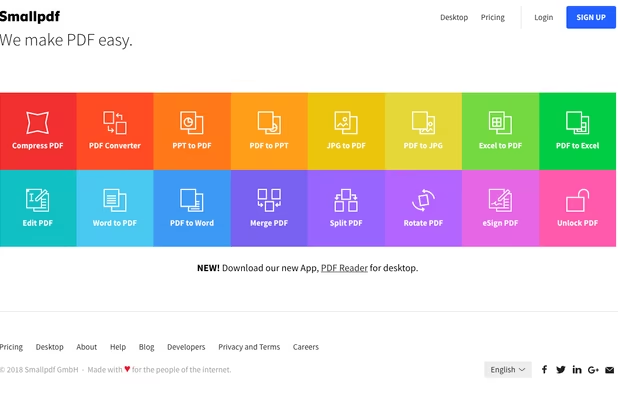
Smallpdf is the first PDF Software you will actually like. The perfect gateway to productive, portable and cost-efficient document management solutions in your everyday life.


Privacy-first PDF utility (Zero-Server Architecture). Merge, split, compress, and edit PDFs 100% locally on your device. No uploads, no servers, no tracking.


Breeze PDF is a powerful, free PDF editor that works entirely offline in your browser. No uploads, 100% privacy guaranteed.


Free open-source web software for signing (alone or with others), organizing (merge, sort, rotate, delete, extract pages, ...), editing metadatas or compressing PDFs.


Cloud PDF toolkit provides over 20 tools for editing, conversion, OCR, merge, split, annotation, batch processing, and signatures, with free online access, cross-platform usability, no watermarks, no size limits, and options for mobile and desktop integration.


Edit, fill, annotate, and sign PDFs online, merge documents, request signatures, upload from cloud storage, save locally, share for collaboration, and track workflow with auditing, supporting various file types and mobile access for document management.


Provides a comprehensive platform for document editing, signing, and PDF form handling. Offers legally binding eSignatures, robust templates for organization, collaboration tools, and integration with cloud services, enhancing workflow efficiency.


Edit, annotate, and convert PDFs with OCR capabilities, AI-assisted tools for summaries and translations. It supports file protection and offers 2GB of cloud storage for secure management.


 United States
 India
India

 Netherlands
 EU
EU
 Switzerland


 France
 China
China

It does an excellent job of converting my M$ docs. The OCR capabilities are really good and the ability to arrange pages (including splitting and merging with other PDFs) is another bonus. The install is lightweight in comparison to Adobe Acrobat and I've not had any stability issues... yet