Adobe Acrobat DC AlternativesOnly Free apps categorised as PDF Editors for Windows

There are many alternatives to Adobe Acrobat DC for Windows if you are looking for a replacement. The best free Windows PDF Editor alternative is PDF-XChange Editor. If that doesn't suit you, our users have ranked more than 100 alternatives to Adobe Acrobat DC and many of them are free and PDF Editors available for Windows so hopefully you can find a suitable replacement. Other interesting free Windows PDF Editor alternatives to Adobe Acrobat DC are PDF24 Creator, PDFgear, Master PDF Editor and Stirling-PDF.

filter to find the best alternatives

Adobe Acrobat DC alternatives are mainly PDF Editors, but if you're looking for PDF Readers or Document Managers you can filter on that. Other popular filters include Open Source, Free, Linux, Windows + Free, Windows + Open Source, Windows and EU. You can also filter by region, for example EU-based alternatives if you prefer software developed in the European Union. These are just examples - use the filter bar below to find more specific alternatives to Adobe Acrobat DC.
Copy a direct link to this comment to your clipboard
Adobe Acrobat DC alternatives page was last updated

Alternatives list

  1. Feature-rich PDF editor offering direct content editing, ABBYY OCR, viewing, annotation, form filling, PDF merging, compression, and encryption. Operates efficiently offline, requiring no registration and no ads, while providing privacy-focused features and convenient portability.

    153 PDF-XChange Editor alternatives

    Cost / License

    • Freemium
    • Proprietary

    Application types

    Platforms

    • Windows
    • PortableApps.com
    • Wine
     
    |
    15
    PDF-XChange Editor vs Adobe Acrobat DC Comments
    Top Positive Comment
    munteanzeno
    3

    Can make small edits for free (comments, extra text). Search bar is simple and works well.

    Top Negative Comment
    Guest
    0

    A lot of things that you can't do. Didn't worked well enough for me at all.

    Review by a new / low-activity user.
    Alternative User
    Positive
    0

    Adding signature and adding text is available for free.

    Review by a new / low-activity user.
    3 of 15 comments
    • PDF-XChange Editor is Freemium and ProprietaryAdobe Acrobat DC is Paid and Proprietary
    • PDF-XChange Editor is Customizable, Lightweight and Privacy focusedAdobe Acrobat DC is not according to our users
  2. PDF24 Creator icon
     148 likes

    PDF24 Creator is free and feature-filled PDF creation, merging and conversion tool for Windows. Its unique feature among the free PDF printer tools is an editor, which allows to easily assemble, create and modify PDF files with Drag & Drop.

    180 PDF24 Creator alternatives

    Cost / License

    • Free
    • Proprietary

    Application types

    Platforms

    • Windows
     
    |
    3
    PDF24 Creator vs Adobe Acrobat DC Comments
    zlelmefs
    Positive
    0

    It's actually free and has done everything I've needed it to do.

    G Downs
    Positive
    0

    PDF Creator is a great alternative to Adobe Acrobat DC. It has all the tools that the Adobe has but does it without trying to put a hole in your head! A great piece of work!

    Guest
    Positive
    3

    PDF editing features also available!

    Review by a new / low-activity user.
    • PDF24 Creator is Free and ProprietaryAdobe Acrobat DC is Paid and Proprietary
    • PDF24 Creator is LightweightAdobe Acrobat DC is not according to our users
  3. PDFgear icon
     61 likes

    Read, edit, convert, merge, and sign PDF files across devices, for completely free and without signing up.

    56 PDFgear alternatives

    Cost / License

    • Free
    • Proprietary

    Application types

    Platforms

    • Mac
    • Windows
    • Online
    • Android
    • iPhone
    • Android Tablet
    • iPad
     
    |
    3
    PDFgear vs Adobe Acrobat DC Comments
    Shaz Shah
    Positive
    0

    It does an excellent job of converting my M$ docs. The OCR capabilities are really good and the ability to arrange pages (including splitting and merging with other PDFs) is another bonus. The install is lightweight in comparison to Adobe Acrobat and I've not had any stability issues... yet

    Ahmed Gamal
    Negative
    0

    The app does not support the Arabic language.

    Review by a new / low-activity user.
    Guest
    Positive
    0

    Faster. No pop-ups trying to sell add ons.

    Review by a new / low-activity user.
    • PDFgear is Free and ProprietaryAdobe Acrobat DC is Paid and Proprietary
    • PDFgear is LightweightAdobe Acrobat DC is not according to our users
  4. Master PDF Editor is complete solution for editing PDF and XPS files. You can insert, edit, remove, copy, add images or graphics. Export, import, remove and change page layouts. Also Master PDF Editor provides full functionality for changing PDF information, including author...

    138 Master PDF Editor alternatives

    Cost / License

    • Freemium
    • Proprietary

    Application types

    Platforms

    • Mac
    • Windows
    • Linux
    • Flathub
     
    |
    4
    Master PDF Editor vs Adobe Acrobat DC Comments
    Guest
    Negative
    24

    Free version for windows will include watermark on saved documents.

    Review by a new / low-activity user.
    Guest
    Positive
    4

    Has all the basic features such as merge, split, delete and it is in active development and it is available for LINUX :)

    Review by a new / low-activity user.
    Guest
    Positive
    -1

    It has more festures in the payed version and thus suites my usecase and it actually works on linux and does not just say it does and then it doesnt, at least that was the case with pdfsam in the extended version.

    Review by a new / low-activity user.
    3 of 4 comments
    • Master PDF Editor is Freemium and ProprietaryAdobe Acrobat DC is Paid and Proprietary
  5. Stirling-PDF icon
     54 likes

    locally hosted web application that allows you to perform various operations on PDF files.

    95 Stirling-PDF alternatives

    Cost / License

    • Freemium
    • Open Source

    Application types

    Platforms

    • Mac
    • Windows
    • Online
    • Self-Hosted
    • Cloudron
    • Docker Hub
     
    |
    1
    Stirling-PDF vs Adobe Acrobat DC Comments
    KimiBCN
    Negative
    0

    It lacks many features and has bugs. The PDF open button sometimes disappears.

    • Stirling-PDF is Freemium and Open SourceAdobe Acrobat DC is Paid and Proprietary
    • Stirling-PDF is Privacy focusedAdobe Acrobat DC is not according to our users
  6. Sejda icon
     36 likes

    Sejda helps with your PDF tasks: edit existing text, split, merge, extract, compress, export to other formats and more.

    143 Sejda alternatives

    Cost / License

    • Freemium
    • Proprietary

    Application type

    Platforms

    • Mac
    • Windows
    • Linux
    • Online
    • Google Chrome
    • Flathub
    • Flatpak
     
    |
    1
    Sejda vs Adobe Acrobat DC Comments
    Interstellar_1
    Positive
    2

    You get a limited amount of file edits per day, and the app is just an electron wrapper of the website, but it works well.

    • Sejda is Freemium and ProprietaryAdobe Acrobat DC is Paid and Proprietary
  7. Smallpdf icon
     58 likes

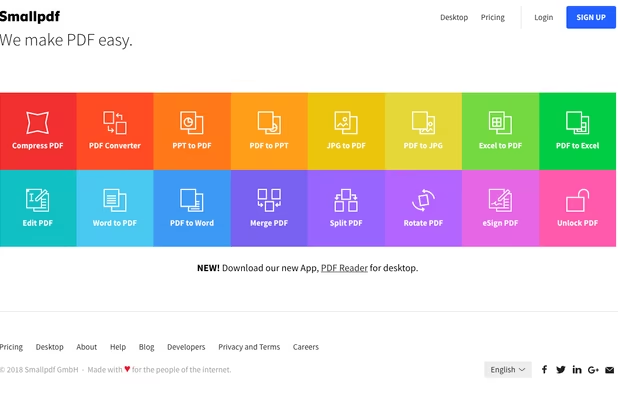
    Smallpdf is the first PDF Software you will actually like. The perfect gateway to productive, portable and cost-efficient document management solutions in your everyday life.

    187 Smallpdf alternatives

    Cost / License

    • Freemium
    • Proprietary

    Application types

    Platforms

    • Windows
    • Online
    • Android
    • Software as a Service (SaaS)
    • iPhone
    • iPad
    • Android Tablet
     
  8. KDAN PDF icon
     185 likes

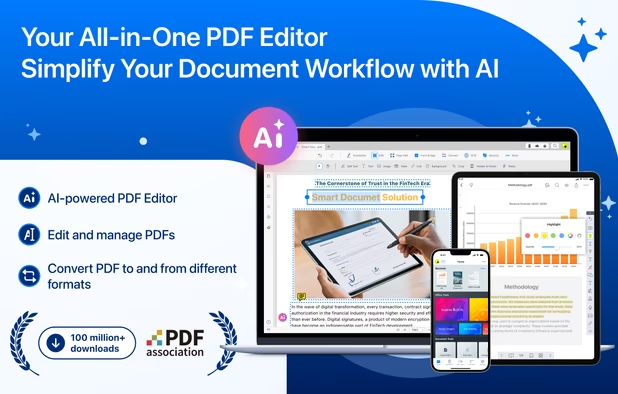
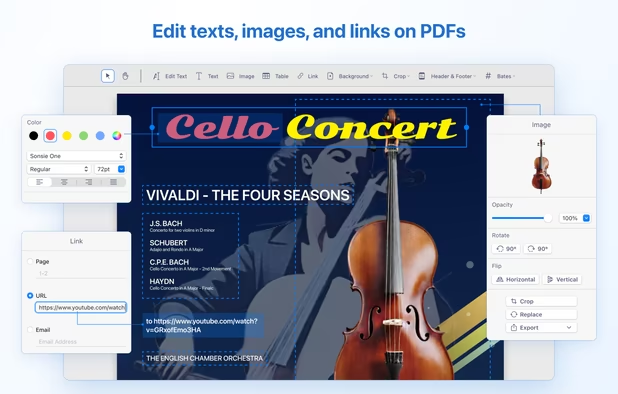
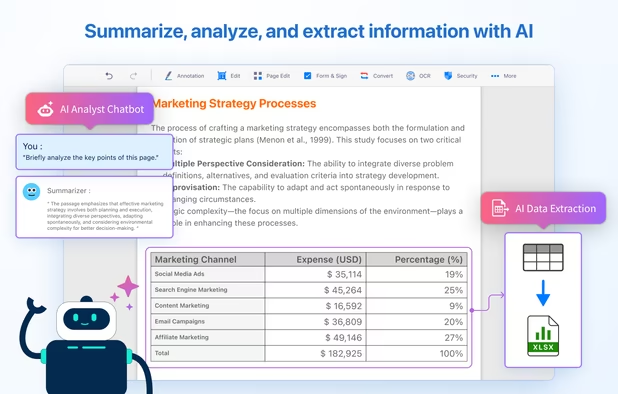
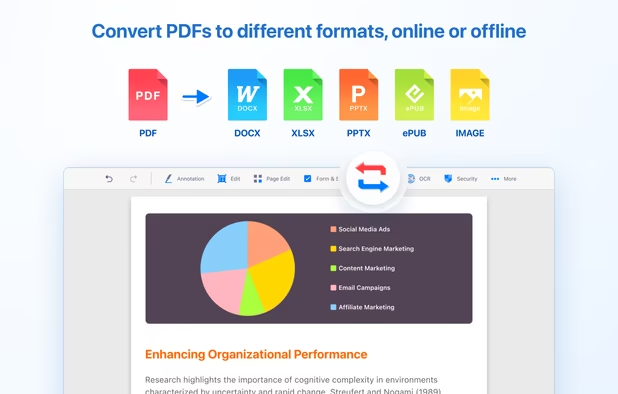
    Comprehensive solution for editing, signing, form filling, OCR scanning, commenting, converting, and redacting PDFs, with AI-driven analysis and content extraction, data export to spreadsheets, text-to-speech, seamless use across desktop and mobile, and batch processing.

    267 KDAN PDF alternatives

    Cost / License

    • Freemium
    • Proprietary

    Application types

    Platforms

    • Mac
    • Windows
    • Android
    • iPhone
    • Android Tablet
    • iPad
     
    |
    2
    KDAN PDF vs Adobe Acrobat DC Comments
    Guest
    Negative
    3

    Adobe Acrobat DC is a full featured PDF editor. PDF Reader has a nice featureset for a PDF ... Reader, but is far from a complete PDF Editor.

    Review by a new / low-activity user.
    Guest
    Negative
    1

    PDF Reader is a PDF Reader, not a PDF Editor. It even says it in the name.

    Review by a new / low-activity user.
    • KDAN PDF is Freemium and ProprietaryAdobe Acrobat DC is Paid and Proprietary
    • KDAN PDF is Privacy focused and LightweightAdobe Acrobat DC is not according to our users
  9. PDFill icon
     39 likes

    With PDFill you can create, fill, delete and submit PDF form fields; insert new formatted text, check, image, hyperlink, whiteout, highlight, drawing, comment and annotation anywhere in the document; save, print or email the filled and password-protected PDF; save and resume...

    168 PDFill alternatives

    Cost / License

    • Freemium
    • Proprietary

    Application type

    Platforms

    • Windows
     
    |
    1
    PDFill vs Adobe Acrobat DC Comments
    Guest
    Positive
    2

    except editing files, it allows for everything you would like to do with a .pdf files. It is a buttons based app more like a GUI for a command line tool.

    Review by a new / low-activity user.
    • PDFill is Freemium and ProprietaryAdobe Acrobat DC is Paid and Proprietary
  10. SwifDoo icon
     1 like

    Looking for methods to edit, merge,split,convert,rotate,annotate and other related manipulate on PDF? SwifDoo PDF will match your needs and handle most of your PDF-related jobs.

    73 SwifDoo alternatives

    Cost / License

    • Freemium
    • Proprietary

    Application types

    Platforms

    • Windows
     
  11. LightPDF icon
     23 likes

    Cloud PDF toolkit provides over 20 tools for editing, conversion, OCR, merge, split, annotation, batch processing, and signatures, with free online access, cross-platform usability, no watermarks, no size limits, and options for mobile and desktop integration.

    175 LightPDF alternatives

    Cost / License

    • Freemium
    • Proprietary

    Application types

    Platforms

    • Online
    • Android
    • iPhone
    • Windows
    • Mac
     
  12. PDFfiller.com icon
     2 likes

    Edit, fill, annotate, and sign PDFs online, merge documents, request signatures, upload from cloud storage, save locally, share for collaboration, and track workflow with auditing, supporting various file types and mobile access for document management.

    Cost / License

    • Freemium
    • Proprietary

    Application type

    Platforms

    • Mac
    • Windows
    • Online
    • Android
    • iPhone
    • Android Tablet
    • iPad
    • Google Chrome
     
12 of 39 Adobe Acrobat DC alternatives