• Notepad++ icon
  • IrfanView icon
  • 7-Zip icon
  • Git Extensions icon
  • Git icon
  • +7

My personal "must-haves" on every new (Windows) install

Bernhard-Schaffer12 appsUpdated
Copy a direct link to this comment to your clipboard

This list reflects my personal taste and consists of a small collection of utility tools that have become essential to my daily work over the years. Every tool on this list has proven reliable over a long period of time and is well worth supporting through donations. Together, they have likely saved me more working hours than most AAA office applications on the market.

  1. Notepad++ icon
     Like

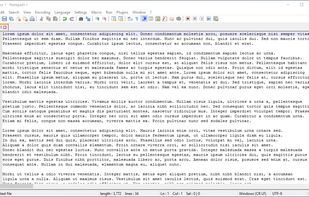
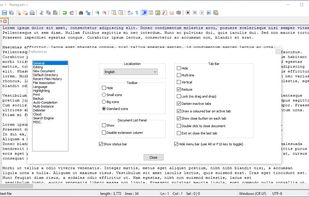
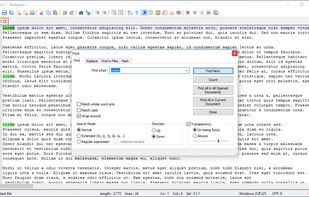
    Free open-source code editor and Notepad replacement supporting multiple languages, featuring high speed, low resource usage, privacy focus, and plugin extensibility.

    Cost / License

    • Free
    • Open Source

    Application type

    Platforms

    • Windows
    • PortableApps.com
    Notepad++ screenshot 1
    Notepad++ screenshot 1
    Notepad++ screenshot 2
    +10
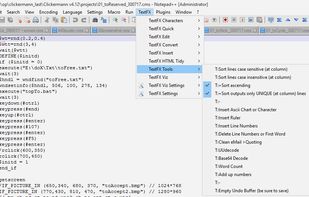
    TextFX plugin menu
    Bernhard-Schaffer’s note

    How could anyone be without it? There is no excuse to not have it installed.

  2. IrfanView icon
     Like

    Fast and powerful image viewer, editor, and converter for beginners and pros. Supports various formats, batch processing, and many extensions.

    Cost / License

    • Free Personal
    • Proprietary

    Application type

    Platforms

    • Windows
    • PortableApps.com
    IrfanView screenshot 1
    IrfanView screenshot 1
    Paint plugin
    +33
    Add text to image
    Bernhard-Schaffer’s note

    Simple the best, light-weight viewer/manipulator out there. The swiss-army-knife of image browsing. UI is old, as the tool is 30 years of age (and still actively developed on!), but the functionality and speed is unbeaten.

  3. 7-Zip icon
     Like

    Efficient file archiver offering superior compression and encryption. Supports multiple formats such as TAR, ZIP, with a unique self-extracting feature.

    Cost / License

    • Free
    • Open Source

    Application type

    Platforms

    • Mac
    • Windows
    • Linux
    • BSD
    • PortableApps.com
    • ReactOS
    • Arch Linux
    Main Window
    Add to Archive
    Options
    Bernhard-Schaffer’s note

    So much better than the Windows ZIP the OS ships with.

  4. Git Extensions is a standalone UI tool for managing git repositories. It also integrates with Windows Explorer and Microsoft Visual Studio (2015/2017/2019).

    Cost / License

    • Free
    • Open Source

    Application type

    Platforms

    • Windows
    • Git
    View Commit Log
    File History
    Blame
    Bernhard-Schaffer’s note

    My reliable UI for all things GIT. I'm likely only using a subset, but it's simple, visually appealing and does all I need (and more)

  5. Git icon
     Like

    Git is a free & open source, distributed version control system designed to handle everything from small to very large projects with speed and efficiency.

    Cost / License

    • Free
    • Open Source

    Application type

    Platforms

    • Mac
    • Windows
    • Linux
    • Android
    • iPhone
    • Chrome OS
    • Android Tablet
    • BSD
    • Linux Mobile
    • Haiku
    Bernhard-Schaffer’s note

    Does it need explaining? If you have to manage code or text-files with version history, there really isn't an alternative. And if you want to conveniently access GitHub repos, then neither. I use it with "GIT Extensions" as a UI.

  6. Obsidian icon
     Like

    Obsidian is a note-taking app that lets you create a personal knowledge graph with ease. It is designed for non-linear thinking and allows you to easily link your notes together wiki-style.

    Cost / License

    • Freemium
    • Proprietary

    Application type

    Platforms

    • Mac
    • Windows
    • Linux
    • Android
    • iPhone
    • Android Tablet
    • iPad
    • Snapcraft
    • Microsoft Edge
    • Google Chrome
    • Flathub
    • Safari
    • AppImage
    • Mozilla Firefox
    Obsidian screenshot 1
    Obsidian screenshot 1
    Obsidian screenshot 2
    +6
    Obsidian screenshot 3
    Bernhard-Schaffer’s note

    Rather "recent" addition to my list, but changed my note-keeping habits forever and for the better. Love the fact that all data remains open and text-only - future proof and AI friendly.

  7. Disk analysis tool with treemap views, duplicate file detection, and cleanup actions. Works offline and ad-free on Windows as an open-source project.

    Cost / License

    • Free
    • Open Source

    Application type

    Platforms

    • Windows
    Folder sorted after their foldersize
    Settings TreeMap
    Settings Cleanups and user defined actions
    +2
    Drive Selection
    Bernhard-Schaffer’s note

    This tool is just so essential when you have to clean-up your disk. In particular if you have large folders with (often not needed) single large or huge files in it. It's also just "beautiful art" to look at your hard drive like this.

  8. X-Mouse Button Control is a Windows application to remap your mouse buttons and expand the capabilities of your mouse!

    Cost / License

    • Free
    • Proprietary

    Application type

    Platforms

    • Windows
    Setup Dialog
    Simulated Keystrokes Dialog
    "Application Finder"
    Bernhard-Schaffer’s note

    I only use a little of its functionality, but it is irreplaceable for me in order to customize my programming IDE to my liking.

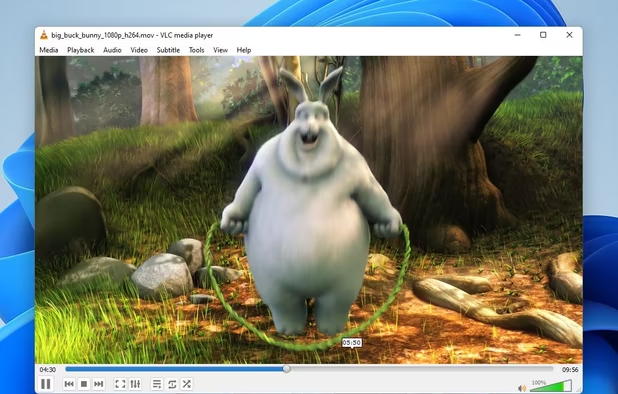
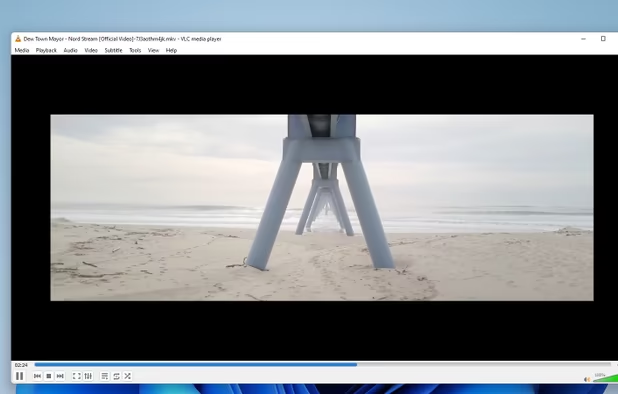
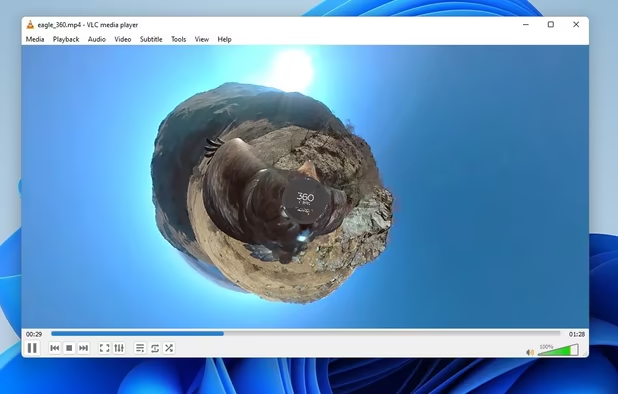
  9. Cross-platform, free media player supports multimedia files, DVDs, streaming, offers hardware acceleration, 4K, lossless audio, and more.

    Cost / License

    • Free
    • Open Source

    Application type

    Platforms

    • Mac
    • Windows
    • Linux
    • Windows Mobile
    • Android
    • iPhone
    • Android Tablet
    • BSD
    • HUAWEI AppGallery
    • iPad
    • AppImageHub
    • Apple Watch
    • Snapcraft
    • Google Chrome
    • Apple TV
    • Flathub
    • PortableApps.com
    • F-Droid
    • Kindle Fire
    • Haiku
    • Android TV
    • OpenAPK
    • Homebrew
    • Chocolatey
    • Xbox
    VLC Media Player screenshot 1
    VLC Media Player screenshot 1
    VLC Media Player screenshot 2
    +4
    VLC Media Player screenshot 3
  10. GFIE Pro is a powerful icon, cursor, animation and icon library editor. Layer support with advanced selection handling makes it a really professional and unique freeware tool for designing small pixelgraphic images.

    Cost / License

    • Free Personal
    • Proprietary

    Application type

    Platforms

    • Windows
    • Linux
    • PortableApps.com
    Greenfish Icon Editor Pro screenshot 1
    Bernhard-Schaffer’s note

    Great, simple - but I've only used the (last) free version of it so far.

  11. Directory Compare is a utility to help you keeping copies of your important directories (documents, programs under development and so on) in a backup hard disk or any other storage system (like USB drives or CD-RW disks).

    Cost / License

    • Free
    • Proprietary

    Application type

    Platforms

    • Windows
    Directory Compare screenshot 1
    Bernhard-Schaffer’s note

    If you ever have to do "manual mirroring" of your data, or need to reconciliate different "backup storages" this comes in very handy.

  12. Dependency Walker is a free utility that extracts a hierarchal tree of dependencies from any 32- or 64-bit Windows executable module (EXE, DLL, OCX, SYS, DRV, etc.), including those that were built for Windows CE.

    Cost / License

    • Free
    • Proprietary

    Platforms

    • Windows
    Dependency Walker 2.2.6000 listing the dependencies of USP10.DLL
    Bernhard-Schaffer’s note

    This is of course not for everyone. But as software Dev this little tool has become essential.

No comments so far, maybe you want to be first?

My personal "must-haves" on every new (Windows) install | AlternativeTo