• Extensity icon
  • uBlock Origin icon
  • I still don't care about cookies icon
  • Bitwarden icon
  • Dark Reader icon
  • +27

Useful Chrome Extensions

worlddestroyerlarom32 appsUpdated
Copy a direct link to this comment to your clipboard

Google Chrome is the most used web browser in the world, but it's less than perfect. Google keeps adding and then deleting new features, clogging your UI, and has no regard for privacy (even tho they insist on it in Privacy and security section). Instead of making our browsing experience smooth and seamless, they just bombard us with a plethora of useless “updates” and “improvements”. Luckily, there are extensions, made by people seemingly fed up with Google not doing their job. Extensions range from the most useful thing in the universe to I am gonna slow down your PC to the speed of a snail. So, just because an extension seems great at first, doesn't mean it's good or even useful for you. In this list, I am going to showcase some of the extensions I use. The List will be divided into 2 sections: Essential/Always on and Non-essential/Situational.

Essential/Always on

  1. Extensity icon
     Like

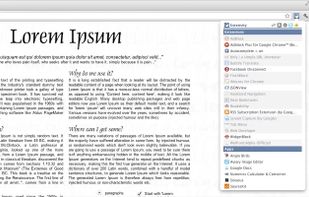
    Quickly enable/disable Google Chrome extensions.

    Tired of having too much extensions in your toolbar? Try Extensity, a quick access extension for lightning fast enabling and disabling all your extensions for Google Chrome. Just enable the extension when you want to use it, and d.

    Cost / License

    • Free
    • Open Source

    Platforms

    • Mac
    • Windows
    • Linux
    • Google Chrome
    Extensity screenshot 1
    worlddestroyerlarom’s note

    With Extensity, you can easily declutter a toolbar and disable/enable extensions with one click. Can access extension settings. This should be the first thing installed on your browser.

  2. uBlock Origin (uBO) is a CPU and memory-efficient wide-spectrum content blocker. It blocks ads, trackers, coin miners, popups, annoying anti-blockers, malware sites, etc., by default using EasyList, EasyPrivacy, Peter Lowe's Blocklist, Online Malicious URL Blocklist, and uBO...

    Cost / License

    • Free
    • Open Source

    Application type

    Platforms

    • Microsoft Edge
    • Google Chrome
    • Thunderbird
    • Opera
    • Node.JS
    • Mozilla Firefox
    uBlock Origin screenshot 1
    uBlock Origin screenshot 1
    uBlock Origin screenshot 2
    +3
    uBlock Origin screenshot 3
    worlddestroyerlarom’s note

    Probably the most important browser extension, ever. Not only does it block ads, but website elements. You can also use custom scripts to get rid of even more junk. Words can't describe how much my browsing experience has improved because of uBLock.

  3. Bitwarden icon
     Like

    Open-source password manager with AES-256 encryption and device sync. Store and access encrypted logins across platforms like iOS and Android.

    Cost / License

    • Freemium
    • Open Source

    Application type

    Platforms

    • Mac
    • Windows
    • Linux
    • Online
    • Android
    • iPhone
    • Android Tablet
    • iPad
    • Self-Hosted
    • Apple Watch
    • Snapcraft
    • Microsoft Edge
    • Vivaldi
    • Google Chrome
    • Flathub
    • Microsoft SQL Server
    • Tor Browser
    • Safari
    • F-Droid
    • OpenAPK
    • Software as a Service (SaaS)
    • Flatpak
    • Cloudron
    • Docker
    • Opera
    • Chocolatey
    • Mono
    • Brave
    • AppImage
    • Mozilla Firefox
    Bitwarden screenshot 1
    Bitwarden screenshot 1
    Bitwarden screenshot 2
    +11
    Bitwarden screenshot 3
    worlddestroyerlarom’s note

    Best password manager out there. Adds, generates and saves passwords with a click. Super customizable and easy to use as an extension. Best of all, it's free.

  4. This eye-care extension enables night mode creating dark themes for websites on the fly. Dark Reader inverts bright colors making them high contrast and easy to read at night.

    Cost / License

    • Free
    • Open Source

    Application type

    Platforms

    • iPhone
    • iPad
    • Microsoft Edge
    • Google Chrome
    • Safari
    • Thunderbird
    • Mozilla Firefox
    Dark Reader screenshot 1
    Dark Reader screenshot 1
    Dark Reader screenshot 2
    +1
    Dark Reader screenshot 3
    worlddestroyerlarom’s note

    Install this and save your eyes. Certain sites are straight-up unusable without Dark Reader.

  5. Translate instantly across 100+ languages with real-time input, voice on mobile, and offline options. Free with Google integration.

    Cost / License

    • Free
    • Proprietary

    Application type

    Platforms

    • Online
    • Android
    • iPhone
    • Chrome OS
    • Android Tablet
    • iPad
    • Google Docs
    Google Translate screenshot 1
    Google Translate screenshot 1
    Google Translate screenshot 2
    +6
    Google Translate screenshot 3
    worlddestroyerlarom’s note

    Quick translate everywhere. Super useful.

  6. An AI-powered proofreading tool supports over 20 languages, offering free and premium versions with extensive grammar checks across multiple apps.

    Cost / License

    • Freemium
    • Open Source

    Application type

    Platforms

    • Mac
    • Windows
    • Linux
    • Online
    • iPhone
    • iPad
    • Microsoft Edge
    • ONLYOFFICE
    • Google Chrome
    • Microsoft Outlook
    • Safari
    • Visual Studio Code
    • Microsoft Word
    • Eclipse
    • TinyMCE
    • Google Docs
    • Thunderbird
    • Vim
    • Cloudron
    • Sublime Text
    • GNU Emacs
    • Opera
    • Gmail
    • LibreOffice
    • Apache OpenOffice
    • Mozilla Firefox
    • LibreOffice - Writer
    LanguageTool screenshot 1
    LanguageTool screenshot 1
    LanguageTool screenshot 2
    +2
    LanguageTool screenshot 3
    worlddestroyerlarom’s note

    Someone gotta proofread your ramblings. Easily finds those pesky missing letters or misplaced commas.

  7. Capture the whole page or any portion, annotate it with rectangles, circles, arrows, lines and text, one-click upload to share.

    Cost / License

    • Freemium
    • Proprietary

    Application type

    Platforms

    • Mac
    • Windows
    • Google Chrome
    • Safari
    • Firefox
    Awesome Screenshot screenshot 1
    Awesome Screenshot screenshot 1
    Awesome Screenshot screenshot 2
    +5
    Awesome Screenshot screenshot 3
    worlddestroyerlarom’s note

    Can do it all: Capture, annotate, share. I have gotten around many freemium restrictions with this. Great for meme template capturing too.

  8. A powerful reverse image search tool, with support for various search engines, such as Google, Bing, Yandex, Baidu and TinEye.

    Cost / License

    • Free
    • Open Source

    Application type

    Platforms

    • Mac
    • iPhone
    • iPad
    • Microsoft Edge
    • Google Chrome
    • Samsung Galaxy Store
    • Opera
    • Mozilla Firefox
    Search by Image screenshot 1
    Search by Image screenshot 1
    Search by Image screenshot 2
    +5
    Search by Image screenshot 3
    worlddestroyerlarom’s note

    Google keeps messing with image search and pushing Lens on us. This tool fixes that and also supports other search engines such as Bing, Yandex, Baidu and TinEye.

  9. Returns the ability to see dislike statistics on YouTube.

    Cost / License

    • Free
    • Open Source

    Platforms

    • Online
    • Google Chrome
    • Mozilla Firefox
    • Tampermonkey
    Return YouTube Dislike screenshot 1
    Return YouTube Dislike screenshot 1
    worlddestroyerlarom’s note

    Reverses the most brain-dead decision by YouTube (for now) and gives people what they want. Can't watch tutorials or scientific content without it.

  10. SponsorBlock is an open-source crowdsourced browser extension to skip sponsor segments in YouTube videos. Users submit when a sponsor happens from the extension, and the extension automatically skips sponsors it knows about.

    Cost / License

    • Freemium
    • Open Source

    Application type

    Platforms

    • Mac
    • iPhone
    • iPad
    • Microsoft Edge
    • Google Chrome
    • Mozilla Firefox
    • Safari
    SponsorBlock screenshot 1
    SponsorBlock screenshot 1
    worlddestroyerlarom’s note

    Don't you love it when a third of a YouTube video is a sponsored content? Well, this extension skips that part and gives you just a good old useful parts. Users can submit those themselves. Another useful feature is a highlight, so you don't watch a two-minute video for a five-second meme.

  11. Adds a “Screenshot” button to the YouTube video player which saves a screenshot of the currently playing video as a file, or copies it to the clipboard, or both.

    Cost / License

    • Free
    • Open Source

    Platforms

    • Google Chrome
    Screenshot YouTube screenshot 1
    Screenshot YouTube screenshot 1
    worlddestroyerlarom’s note

    Taking YouTube screenshots with screenshot apps is pretty wonky. This extension Adds a “Screenshot” button to the YouTube video player which saves a screenshot of the currently playing video as a file, or copies it to the clipboard, or both.

Non-essential/Situational

  1. The simplest way to take a full page screenshot of your current browser window. Click on the extension icon (or press Alt+Shift+P), watch the extension capture each part of the page, and be transported to a new tab of your screenshot where you can download it as an image or PDF...

    Cost / License

    • Freemium
    • Proprietary

    Application type

    Platforms

    • Mac
    • Windows
    • Linux
    • Google Chrome
    GoFullPage screenshot 1
    GoFullPage screenshot 1
    GoFullPage screenshot 2
    worlddestroyerlarom’s note

    Capture a screenshot of your current page in entirety and reliably—without requesting any extra permissions.

  2. Loom icon
     Like

    Easy and free screen recorder for Mac, Windows, and Chromebooks. Record your camera and screen with audio directly from your Chrome browser and share the video with your team, friends, and family.

    Cost / License

    • Freemium
    • Proprietary

    Application type

    Platforms

    • Mac
    • Windows
    • Online
    • iPhone
    • Google Chrome
    • Android
    • Android Tablet
    Loom screenshot 1
    Loom screenshot 1
    Loom screenshot 2
    worlddestroyerlarom’s note

    Easy and free screen recorder for Mac, Windows, and Chromebooks. Record your camera and screen with audio directly from your Chrome browser and share the video with your team, friends, and family.

  3. Edit, create, and view your documents, spreadsheets, and presentations — all without internet access.

    Cost / License

    • Free
    • Proprietary

    Application type

    Platforms

    • Windows
    • Google Chrome
    Google Docs Offline screenshot 1
    worlddestroyerlarom’s note

    The Google Docs extension makes it possible to edit your documents, spreadsheets and presentations when you aren’t connected to the Internet. Plus, you can copy and paste between Docs, Sheets and Slides. Super useful in many cases.

  4. This extension adds a browser button for easy access to Google Scholar from any web page. Click the Scholar button to:

    Cost / License

    • Free
    • Proprietary

    Platforms

    • Online
    • Google Chrome
    • Firefox
    Google Scholar Button screenshot 1
    Google Scholar Button screenshot 1
    Google Scholar Button screenshot 2
    +2
    Google Scholar Button screenshot 3
    worlddestroyerlarom’s note

    This extension adds a browser button for easy access to Google Scholar from any web page. If you are writing a research paper, it can save a lot of time.

  5. PrintFriendly cleans and formats web pages for perfect print experience. PrintFriendly removes Ads, Navigation and web page junk, so you save paper and ink when you print. It's free and easy to use. Perfect to use at home, the office, or whenever you need to print a web page.

    Cost / License

    • Free
    • Proprietary

    Application type

    Platforms

    • Online
    • Google Chrome
    • Iceweasel
    • Chromium
    • Firefox
    In-action
    Firefox Addon - Generating
    Firefox Addon - Preview
    worlddestroyerlarom’s note

    PrintFriendly cleans and formats web pages for perfect print experience. So your grandma doesn't print out ads.

  6. Mailsuite icon
     Like

    Mailsuite is an email tracking app for Gmail and Outlook that lets you know if the emails you’ve sent have been read or not. Mailsuite extension adds the double check marks to your Gmail.

    Cost / License

    • Freemium
    • Proprietary

    Platforms

    • Chrome OS
    • Vivaldi
    • Google Chrome
    • Streak CRM
    • Gmail
    • Yesware
    • Chromium
    • Android
    • Opera
    • Microsoft Edge
    • Microsoft Outlook
    Mailsuite screenshot 1
    Mailsuite screenshot 1
    worlddestroyerlarom’s note

    MailTrack.io is an email tracking app for Gmail that lets you know if the emails you’ve sent have been read or not. Free version is somewhat limited, but still super useful. Check if you are sending resumes to a human or a black hole.

  7. Zotero icon
     Like

    Zotero is a free, easy-to-use tool to help you collect, organize, share research and cite your research sources directly in your favourite word processor, with 300 MB free online storage.

    Cost / License

    • Freemium
    • Open Source

    Application type

    Platforms

    • Mac
    • Windows
    • Linux
    • Android
    • iPhone
    • Android Tablet
    • iPad
    • Microsoft Edge
    • Google Chrome
    • Safari
    • Microsoft Word
    • Google Docs
    • LibreOffice
    • Mozilla Firefox
    Zotero screenshot 1
    Zotero screenshot 1
    Zotero screenshot 2
    +2
    Zotero screenshot 3
    worlddestroyerlarom’s note

    Zotero is a free, easy-to-use tool to help you collect, organize, cite, and share research. Would have never written my thesis without it.

  8. With the power of the Wayback Machine, you can go back in time to see how a website has changed and evolved through the history of the Web.

    Cost / License

    • Free
    • Proprietary

    Application type

    Platforms

    • Online
    • Android
    • iPhone
    • Android Tablet
    • iPad
    • Google Chrome
    • Safari
    • Mozilla Firefox
    Wayback Machine screenshot 1
    Wayback Machine screenshot 1
    Wayback Machine screenshot 2
    +3
    Wayback Machine screenshot 3
    worlddestroyerlarom’s note

    With the power of the Wayback Machine, you can go back in time to see how a website has changed and evolved through the history of the Web.

  9. Web Archives is a browser extension that enables you to find archived and cached versions of web pages. Searches can be initiated from the context menu and the browser toolbar.

    Cost / License

    • Free
    • Open Source

    Platforms

    • Microsoft Edge
    • Google Chrome
    • Safari
    • Opera
    • Firefox
    Web Archives screenshot 1
    Web Archives screenshot 1
    Web Archives screenshot 2
    +1
    Web Archives screenshot 3
    worlddestroyerlarom’s note

    Browser extension for viewing archived and cached versions of web pages, available for Chrome, Edge and Safari.

  10. Toolkit for verification of videos and images on major social platforms, providing forensic analysis, keyframe extraction, and reverse image search for visual fact-checking.

    Cost / License

    • Free
    • Open Source

    Platforms

    • Google Chrome
    • Mozilla Firefox
    InVID Verification Plugin screenshot 1
    InVID Verification Plugin screenshot 1
    InVID Verification Plugin screenshot 2
    +1
    InVID Verification Plugin screenshot 3
    worlddestroyerlarom’s note

    “Swiss army knife” helping journalists, fact-checkers, and human rights defenders to save time and be more efficient in their fact-checking and debunking tasks on social networks especially when verifying videos and images.

  11. A technographics data provider, uncovering technologies such as content management systems, customer relationship management, ecommerce platforms, advertising networks, marketing tools and analytics.

    Cost / License

    • Freemium
    • Proprietary

    Application type

    Platforms

    • Online
    • Android
    • Microsoft Edge
    • Google Chrome
    • Safari
    • Mozilla Firefox
    Wappalyzer screenshot 1
    Wappalyzer screenshot 1
    Wappalyzer screenshot 2
    +1
    Wappalyzer screenshot 3
    worlddestroyerlarom’s note

    Wappalyzer is a technographics data provider, uncovering technologies such as content management systems, customer relationship management, ecommerce platforms, advertising networks, marketing tools and analytics.

  12. The most beautiful and customizable JSON/JSONP highlighter that your eyes have ever seen. It is a Chrome extension for printing JSON and JSONP.

    Cost / License

    • Free
    • Open Source

    Platforms

    • Windows
    • Linux
    • Google Chrome
    • Chromium
    worlddestroyerlarom’s note

    The most beautiful and customizable JSON/JSONP highlighter that your eyes have ever seen.

  13. Lets you export your bookmarks in markdown instead of the default shitty HTML format.

    Cost / License

    • Free
    • Open Source

    Platforms

    • Google Chrome
    Export to markdown
    worlddestroyerlarom’s note

    Lets you export your bookmarks in markdown instead of the default shitty HTML format.

  14. A browser extension that uses AI to detect listings type data which can be easily scraped into CSV or Excel file, no coding required. Can automatically click next button to continue to the next page. The extension runs completely in user’s browser.

    Cost / License

    • Free Personal
    • Proprietary

    Application type

    Platforms

    • Online
    • Microsoft Edge
    • Google Chrome
    • Chromium
    Using the data parser.
    worlddestroyerlarom’s note

    A browser extension that uses AI to detect listings type data which can be easily scraped into CSV or Excel file, no coding required. Can automatically click next button to continue to the next page. The extension runs completely in user’s browser.

  15. DownThemAll (or just dTa) is a powerful yet easy-to-use browser extension for Firefox, Chrome and Opera that adds new advanced download capabilities to your browser. DownThemAll lets you download all the links or images contained in a webpage and much more: you can refine your...

    Cost / License

    • Free
    • Open Source

    Application type

    Platforms

    • Microsoft Edge
    • Google Chrome
    • Pale Moon
    • Mozilla Firefox
    DownThemAll screenshot 1
    DownThemAll screenshot 1
    worlddestroyerlarom’s note

    Browser extension that lets you download all of the links and images on a website.

  16. WhatFont icon
     Like

    WhatFont is a bookmarklet and Chrome extension that makes it easy to find out the fonts used in a webpage.

    Cost / License

    • Free
    • Proprietary

    Platforms

    • Mac
    • Windows
    • Linux
    • Google Chrome
    WhatFont screenshot 1
    WhatFont screenshot 1
    worlddestroyerlarom’s note

    WhatFont is a bookmarklet and Chrome extension that makes it easy to find out the fonts used in a webpage. See a fancy font in wild? Well, not wild anymore.

  17. ColorZilla is an extension for Mozilla Firefox and the Mozilla Suite.

    It assists web developers and graphic designers with color related tasks - both basic and advanced.

    With ColorZilla you can get a color reading from any point in your browser, quickly adjust this color and pa.

    Cost / License

    • Free
    • Proprietary

    Application type

    Platforms

    • Online
    • Google Chrome
    • Firefox
    Eyedropper
    Color picker
    ColorZilla screenshot 2
    worlddestroyerlarom’s note

    With ColorZilla you can get a color reading from any point in your browser, quickly adjust this color and paste it into another program. You can Zoom the page you are viewing and measure distances between any two points on the page. The built-in palette browser allows choosing colors from pre-defined color sets and saving the most used colors in custom palettes. This is super useful for social media people.

  18. Natural Reader is a professional text to speech program that converts any written text into spoken words. The paid versions of Natural Reader have many more features.

    Cost / License

    • Free Personal
    • Proprietary

    Application type

    Platforms

    • Mac
    • Windows
    • Online
    • Google Chrome
    NaturalReader screenshot 1
    NaturalReader screenshot 1
    NaturalReader screenshot 2
    worlddestroyerlarom’s note

    Natural Reader is a professional text to speech program that converts any written text into spoken words. The paid versions of Natural Reader have many more features.

  19. Scribehow icon
     Like

    Automates step-by-step guide creation by capturing user actions with AI, generating customizable manuals, enabling sharing, integration, export, and workflow insights.

    Cost / License

    • Freemium
    • Proprietary

    Application type

    Platforms

    • Mac
    • Windows
    • Google Chrome
    • Software as a Service (SaaS)
    Scribehow screenshot 1
    Scribehow screenshot 1
    Scribehow screenshot 2
    +2
    Scribehow screenshot 3
    worlddestroyerlarom’s note

    Record yourself doing what you know how to do. From your recording, Scribe auto-generates a chronological step-by-step guide, complete with visual screenshots. Personalize your guide by adding details or commentary. Then, simply share - with colleagues, customers, or friends. Simply done in minutes. Pretty easy to use.

  20. FrankerFaceZ is a Twitch extension that lets any broadcaster add custom emotes to their channel. Just install and enjoy the community of thousands of broadcasters who are excited to bring you a more social and fun experience.

    Cost / License

    • Free
    • Open Source

    Platforms

    • Google Chrome
    • Mozilla Firefox
    • Tampermonkey
    • Violentmonkey
    • Twitch
    FrankerFaceZ screenshot 1
    FrankerFaceZ screenshot 1
    FrankerFaceZ screenshot 2
    +3
    FrankerFaceZ screenshot 3
    worlddestroyerlarom’s note

    FrankerFaceZ gives Twitch users custom chat emotes and introduces new features to improve the viewing experience. Gotta enhance your twitch viewing experience.

No comments so far, maybe you want to be first?