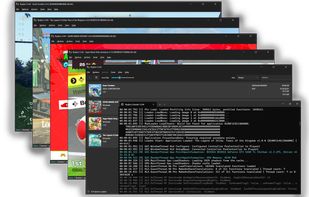
The best Ryujinx fork. It brings some QoL and bugfixes for Ryujinx. Might works better than Yuzu's forks for multiple games as it focus on getting better accuracy.
Worth mentioning:
Kenji-NX

The best Ryujinx fork. It brings some QoL and bugfixes for Ryujinx. Might works better than Yuzu's forks for multiple games as it focus on getting better accuracy.
Worth mentioning:
Kenji-NX

The best Yuzu continuation project.
Based on Citron with part of their initial team. Unlike many Yuzu forks like
Suyu it did bring some improvment regarding performance, optimization and compatibility. The team has been working with the torzu team and Sudachi dev.
The Android version of Eden is probably the most advanced Switch emulator for Android devices. And they are experimenting with
RetroArch to make a Nintendo Switch core.
Worth mentioning:
Citron Neo


A new independent Nintendo switch emulator codebase. Still early but boots commercial games and start to be useable in light games.


My favorite PSX emulator ! It runs on macOS, Windows, Linux and Android. The Android version often lacks the latest and greatest features especially on the PlayStore, consider GitHub sources on Android.


A great PS2 emulator with an Android version alongside computer ones.
This one does NOT require you to load a BIOS file.


THE PS3 emulator, there is no concurrence, it runs on Windows, Linux and now also Mac (still experimental). It has improve a lot and is really impressive now with a lot of games labeled as "in-game" that will run from start to finish with a pleasant experience!
Worth mentioning:
ARMSX3 Experimental PoC
aPS3e Unverified – Caution


We're getting here ! It's still in early stage, don't expect much of theses for now


It's still in early stage, don't expect much of theses for now
Great reverse-engineering achievements are done to make this emulator high fidelity. Worse than KytyPS5 for game compatibility for now.
THE PSP emulator ! Works on macOS, Windows, Linux, Android, iOS and more The PPSSPP Gold is for supporting the devs so buy it if you like it !


The first PS Vita emulator and the only one that can run commercial games that I'm aware of. Still experimental !


A modded version of the controversial
GameSir GameHub that removes unnecessary permissions, limit telemetry and proxies your connection through their servers (you can selfhost the server yourself)
If
GameNative didn't work for your games try this one.

To emulate Windows (or Linux) on Apple devices
Worth mentioning if you need better performance:
Parallels Desktop mac only


A great OG Xbox emulator for macOS, Windows and Linux with now support for Vulkan, which has not bring impressive optimization yet but that we could see improving in the future.
Worth mentioning:
Cxbx-Reloaded Windows only
THE 360 emulator ! Only on Windows, but can run on Linux through Wine/Proton !
You should prioritize the Canary Edition as it is more bleeding edge. Also consider the third party fork
Xenia Edge
There is a front-end named
Xenia Manager that makes the installation, configuration and usage easier. It is still early and a bit buggy using but a promising project to make the emulation easier for non tech savy people. And it did improved since the first time I tried it.
Other options are
X360 Manager and
Xenia Dashboard
A nice fork of Xenia tweaked for Android devices.
Worth mentioning:
These are translation-layer similar to Wine/Proton for Windows 10/11.
Currently only https://alternativeto.net/software/windurango/about/ is publicly available and only works with Minecraft.
The best way to emulate Xbox One and older is using an official Xbox Series.
The GX version works great for macOS, Windows, Linux, Android and iOS
Worth mentioning : PicoDrive


Ymir is a very promising Sega Saturn emulator that might just become the standard in the comming years.


One of the greatest Dreamcast emulator, and it is free and open source.
For online features and games use this fork:
Flycast Dojo
Worth mentioning:
Deecy

Google Play Games is now available on Windows PC, if you just want to play games this might be the easist and safest option even though you have to register with your Google account.


A nice Android emulator working on both macOS and Windows but like most option is bloated and not privacy friendly. I finded to be the best (especially after debloating it) regardless,
BlueStacks is another great option.
Debloating guide : https://gist.github.com/TameemS/72c4b92131977aced56e727d51599a48 RECOMMANDED
Worth mentioning :
BlueStacks macOS/Windows
LDPlayer Windows - debloating guide : https://gist.github.com/TameemS/894cdb8adae1d6042a5f21c4e80bcd9e/
GameLoop Windows


Comments are only shown on the first page of the list.