Winlator icon
Winlator icon

Winlator

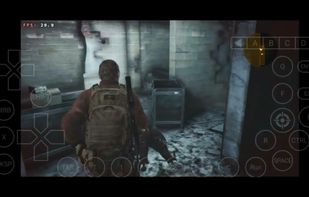
Windows x86/x64 apps and PC games run on Android devices with support for DirectX, OpenGL, Vulkan, and various hardware builds using Wine and Box86/Box64. Features setup guides, secure performance, APK downloads, and options for beginners or advanced users.
Winlator screenshot 1

Cost / License

Platforms

  • Android
  • Android Tablet
19likes
1comment
0articles

Features

Properties

  1.  Lightweight

Features

  1.  Run Windows Games
  2.  Ad-free
  3.  Run Windows software
  4.  Compatibility Layer
  5.  No registration required
  6.  No Tracking
  7.  Dark Mode

Winlator News & Activities

Highlights All activities

Recent activities

  • ARTUR52 updated Winlator
  • EmuDeck icon
    Danilo_Venom added Winlator as alternative to EmuDeck
  • Danilo_Venom updated Winlator
  • hltdev8642, EBiForE and nohirot154 liked Winlator
  • GameHub Lite icon
    justarandom added Winlator as alternative to GameHub Lite
  • ARTUR52 and babsors liked Winlator

Winlator information

  • Developed by

    BR flagbrunodev85
  • Licensing

    Open Source (LGPL-2.1) and Free product.
  • Written in

  • Alternatives

    11 alternatives listed
  • Supported Languages

    • English

AlternativeTo Categories

Gaming SoftwareOS & Utilities

GitHub repository

  •  17,236 Stars
  •  1,353 Forks
  •  403 Open Issues
  •   Updated  
View on GitHub

Popular alternatives

View all

Our users have written 1 comments and reviews about Winlator, and it has gotten 19 likes

Winlator was added to AlternativeTo by tomyan112 on and this page was last updated .

Comments and Reviews

   
Top Positive Comment
3DJ
0

Surprisingly good performance when running Windows games on an Android smartphone, with neat features like controller support, game shortcuts, online conectivity and decent customization

What is Winlator?

Winlator is a Windows-on-Android emulator that runs PC games on Android devices using Wine and Box86/Box64. It supports Windows programs including x86, x64, DirectX 9/10/11, OpenGL, and Vulkan, enabling users to play both classic and modern games. The software is free and offers multiple builds for different hardware configurations. Winlator also provides guides for software installation, configuration, and troubleshooting.

Official Links
