• Dashlane icon
  • Evernote icon
  • µTorrent icon
  • VLC Media Player icon
  • Pale Moon icon
  • +14

Graveyard

abyssalmangabyssalmang19 appsUpdated
Copy a direct link to this comment to your clipboard

Programs I used to use and why I no longer use them. I expect this list to grow and change over time.

Bad

  1. Dashlane icon
     Like

    Password manager that can generate unique passwords and also record purchase history across websites.

    Cost / License

    • Paid
    • Proprietary

    Application type

    Platforms

    • Mac
    • Windows
    • Online
    • Android
    • iPhone
    • Android Tablet
    • iPad
    • Vivaldi Browser
    • Google Chrome
    • Safari
    • Brave
    • Firefox
    Dashlane screenshot 1
    Dashlane screenshot 2
    Dashlane screenshot 3
    abyssalmangabyssalmang’s note

    Was dumb of me to use it in the first place. Does most of the usual spying most programs like it engage in and will probably have a data breach/leak soon if it hasn't already.

  2. Evernote icon
     Like

    Cross-platform app for creating and organizing notes from text, web pages, images, and voice memos. Offers security features and integrates with various tools.

    Cost / License

    • Freemium
    • Proprietary

    Application type

    Platforms

    • Mac
    • Windows
    • Online
    • Android
    • iPhone
    • Blackberry
    • Android Tablet
    • Windows Phone
    • iPad
    • Apple Watch
    • Kindle Fire
    Evernote screenshot 1
    Evernote screenshot 1
    Evernote screenshot 2
    +5
    Evernote screenshot 3
    abyssalmangabyssalmang’s note

    I stopped using this for pretty much the same reason as Dashlane above and I also just think that Joplin is a better all around program with none of the downsides of this and it's free unlike Evernote.

  3. µTorrent icon
     Like

    Desktop client for large-scale torrent downloads, offering simultaneous downloads, bandwidth optimization, and scheduling. Supports RSS downloads.

    Cost / License

    • Freemium
    • Proprietary

    Application type

    Platforms

    • Mac
    • Windows
    • Linux
    • Online
    • Android
    • Android Tablet
    • PortableApps.com
    • Wine
    ,
    abyssalmangabyssalmang’s note

    I can't think of a program that was once so great that has gotten as bad as this one has over time. In every way possible. Felt no shame or remorse replacing it with qBittorrent as soon as the option presented itself.

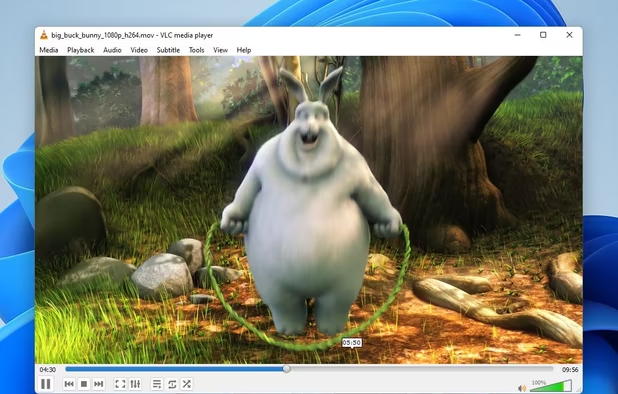
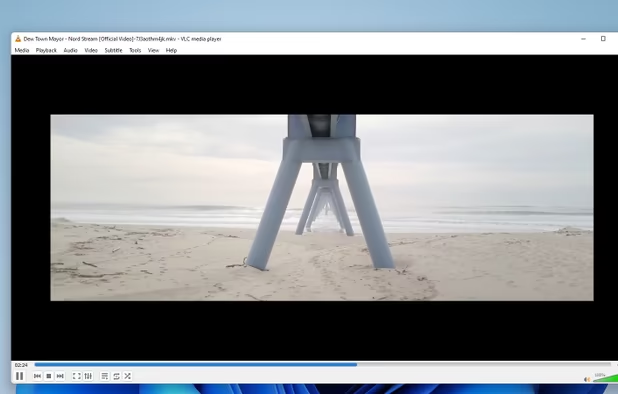
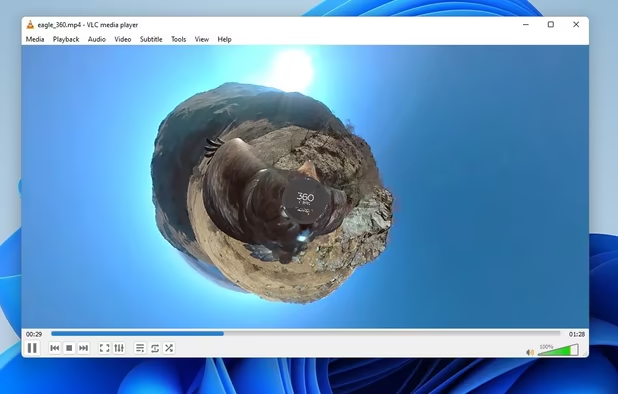
  4. Cross-platform, free media player supports multimedia files, DVDs, streaming, offers hardware acceleration, 4K, lossless audio, and more.

    Cost / License

    • Free
    • Open Source

    Application type

    Platforms

    • Mac
    • Windows
    • Linux
    • Windows Mobile
    • Android
    • iPhone
    • Android Tablet
    • BSD
    • HUAWEI AppGallery
    • iPad
    • AppImageHub
    • Apple Watch
    • Snapcraft
    • Google Chrome
    • Apple TV
    • Flathub
    • PortableApps.com
    • F-Droid
    • Kindle Fire
    • Haiku
    • Android TV
    • OpenAPK
    • Homebrew
    • Chocolatey
    • Xbox
    VLC Media Player screenshot 1
    VLC Media Player screenshot 1
    VLC Media Player screenshot 2
    +4
    VLC Media Player screenshot 3
    abyssalmangabyssalmang’s note

    Just utterly outclassed, first by MPC and codec packs and now by MPV. There is absolutely no reason to stick with VLC and I remember at one point it had horrible bundleware for a while too.

  5. Pale Moon icon
     Like

    An open-source web browser forked from Mozilla Firefox. It focuses on security, efficiency, customization, and no data gathering.

    Cost / License

    • Free
    • Open Source

    Application type

    Platforms

    • Mac
    • Windows
    • Linux
    • BSD
    Pale Moon screenshot 1
    Pale Moon screenshot 1
    Pale Moon screenshot 2
    +1
    Android Version (Discontinued)
    abyssalmangabyssalmang’s note

    I used this after Quantum killed most of my favorite Firefox add-ons for a year and a half. Only problem I had with this is I frequently had to restart it or it would lag out and become unresponsive after less than an hour of use. This wasn't the worst thing for me since the trade off was that I got to keep a lot of my favorite add-ons... Well now they're thinking of updating PM in such a way as to make those add-ons incompatible with the browser thus taking away the niche use this still has.

    Updates are also infrequent and the ones it gets don't seem to keep up with even the most common/most used websites let alone lesser parts of the net and the browser definitely shows it's age. There are so many video website related errors I got with this near the end of my time using it that I had to go back to Firefox just to see anything again. The heyday of this browser is over and now it's developers are just slowly trying to kill off what little relevance it still has.

No Longer Useful/Lack of Interest

  1. Clover icon
     Like

    Wings for your Windows Explorer!

    Clover is an extension of the Windows Explorer, to add multi-tab functionality similar to Google Chrome browser. After Clover is installed, you will be able to open multiple folders in tabs within the same window, and you can also be able to add.

    Cost / License

    • Free
    • Proprietary

    Application type

    Platforms

    • Windows
    • Windows Explorer
    Entire app window
    Clover in action on Windows 7 Classic Theme looks neat too. In the screenshot we're seeing also it's bookmarks bar.
    That's how tab looks here
    +4
    Upper menu
    abyssalmangabyssalmang’s note

    Clover worked and did what it was supposed to do for me well, but when I reformatted two OS installs ago I just didn't feel the need to have this anymore.

    While the idea of tabbed folders was always appealing to me before it, I just never found it as useful as tabbed browsing, because a lot of the time I have multiple folders open it's because I'm moving things around and tabbed folders make that harder to do rather than easier.

  2. Pidgin icon
     Like

    Pidgin is a chat program which lets you log into accounts on multiple chat networks simultaneously. This means that you can be chatting with friends on XMPP and sitting in an IRC channel at the same time.

    Cost / License

    • Free
    • Open Source

    Application type

    Platforms

    • Mac
    • Windows
    • Linux
    • BSD
    • Flathub
    • PortableApps.com
    Pidgin screenshot 1
    Pidgin chat window
    Contact window
    +4
    For accounts on multiple chat networks
    abyssalmangabyssalmang’s note

    I'm kind of amazed that Pidgin and programs like it still exist, but that amazement aside. I just don't talk to anyone so I have no need for this or other chat clients, but when I did pre-Skype/Discord I liked Pidgin.

  3. Paint.NET icon
     Like

    Free image editor for Windows, offering layer support, plugins, special effects, and portable use without installation. Lightweight and ad-free.

    Cost / License

    • Free
    • Proprietary

    Application type

    Platforms

    • Windows
    • .NET Framework
    Paint.NET screenshot 1
    abyssalmangabyssalmang’s note

    I think the default paint 3D programs in Windows 10 cleanly replace what minuscule edge this once had over it and I was never a real big fan of this anyway, I had it for very niche situations.

  4. Advanced audio player supporting MP3, FLAC, and more. Features gapless playback, customizable UI, audio CD ripping, ReplayGain, and plugin support.

    Cost / License

    • Free Personal
    • Proprietary

    Application type

    Platforms

    • Mac
    • Windows
    • Android
    • iPhone
    • Android Tablet
    • iPad
    Foobar custom.
    Customized with the Columns UI plugin.
    Foobar custom.
    +3
    Foobar untouched.
    abyssalmangabyssalmang’s note

    I still like this, but I'm not as into modular/DIY type programs anymore. I would still recommend this to people who like minimalist, small processing/memory power programs that they can customize more than usual.

Discontinued/Lack of Support

A. Standalone Programs

  1. Media Player Classic was designed to look just like Windows Media Player icon Windows Media Player 6.4, but with many additional new features. It has a built in DVD player with real-time zoom, support for AVI subtitles, QuickTime and RealVideo support and built-in...

    Cost / License

    • Free
    • Open Source

    Application type

    Platforms

    • Windows
    Media Player Classic screenshot 1
    abyssalmangabyssalmang’s note

    I still like MPC a lot despite the fact that it's been discontinued for a while now, but as of this year (2020) I finally decided to give up the dream and go with MPV which does everything it did and more.

  2. Disk analysis tool with treemap views, duplicate file detection, and cleanup actions. Works offline and ad-free on Windows as an open-source project.

    Cost / License

    • Free
    • Open Source

    Application type

    Platforms

    • Windows
    Folder sorted after their foldersize
    Settings TreeMap
    Settings Cleanups and user defined actions
    +2
    Drive Selection
    abyssalmangabyssalmang’s note

    WinDirStat still works well enough, but it's slower and it's UI is less appealing to me than Wiztree. It also at this point is borderline discontinued if not outright so by the time you read this.

  3. Unlocker icon
     Like

    Get rid of error message like Error deleting or renaming file or folder, cannot delete folder: its being used by another person or program Unlocker application was designed to be a very useful Windows Explorer extension allowing users with a simple right-click on a file or...

    Cost / License

    • Free
    • Proprietary

    Application type

    Platforms

    • Windows
    Main Window
    Right Click Menu
    Better than Similar Programs
    +1
    17 Languages
    abyssalmangabyssalmang’s note

    It just stopped being supported after Windows 10 came out, still don't have a great replacement for it either. People will suggest Iobit Unlocker but it lacks features this had and Iobit is a shady company in general.

    Deadlock is a replacement that does what Unlocker did albeit not as well and with much more work on the users part. It's what I use for the rare occassions I need something like this but i wouldn't be surprised if that program ends up on this list soon.

  4. RocketDock is a Mac OS X dock clone. It provides a nice clean interface to drop shortcuts on for easy access and organization. With each item completely customizable there is no end to what you can add and launch from the dock.

    Cost / License

    • Free
    • Proprietary

    Application type

    Platforms

    • Windows
    RocketDock screenshot 1
    RocketDock screenshot 1
    RocketDock on themed Windows 7
    +1
    RocketDock screenshot 3
    abyssalmangabyssalmang’s note

    This one is discontinued but I stopped using it even before that happened, because I just didn't really like docks or this style or desktop enhancement anymore, but when I did this was my favorite.

  5. Simulates virtual drives, mounts ISO, BIN, NRG, VHD, IMG and encrypted images, supports GDRIVE format and compression, offers shell and command line integration.

    Cost / License

    • Free
    • Proprietary

    Application type

    Platforms

    • Windows
    Gizmo Drive screenshot 1
    abyssalmangabyssalmang’s note

    Worked well when it existed. Not too sad about it though since WinCDEmu exists and is better.

B. Firefox Add-ons

  1. Omnibar icon
     Like

    Integrates location bar and search bar into one. Shows search and url suggestions. Quickly switch search engine using search keywords. Provides different auto-complete popup styles for compact displays.

    Cost / License

    • Free
    • Proprietary

    Platforms

    • Mac
    • Windows
    • Linux
    • Pale Moon
    • Firefox
    url suggestions
    another way to multi-search, a different query syntax
    search autocomplete
    abyssalmangabyssalmang’s note

    This and the add-on location bar enhancer which isn't on here but is also discontinued and for the same reason (Quantum) were a dream team combo that haven't been replaced in either case. Foobar kind of does what Omnibar did, but not as well and it seems like even that is borderline discontinued.

    A list of other addons not on here that Quantum killed and that haven't been replaced:

    Roomy Bookmarks Toolbar Colorful Tabs (Exists, but in an extremely diminished state.) Tab scope

  2. The ultimate web-form recovery solution. Lazarus automagically encrypts and saves web-form data as you type, so that when a form submission fails, your browser crashes, or something else goes horribly wrong, you can skip the hair pulling, return to the page you were on, click...

    Cost / License

    • Free
    • Proprietary

    Platforms

    • Mac
    • Windows
    • Linux
    • Google Chrome
    • Safari
    • Waterfox
    • Pale Moon
    • Firefox
    Lazarus Form Recovery screenshot 1
    Lazarus Form Recovery screenshot 1
    Lazarus Form Recovery screenshot 2
    +4
    Lazarus Form Recovery screenshot 3
    abyssalmangabyssalmang’s note

    Discontinued, still doesn't have a replacement as great as it was, but I'm currently seeing if "Form History Control" will be the replacement I have wanted since Quantum killed this.

  3. Stops javascript annoyances such as forbidden right click, forbidden text selection or cascading dialog boxes.

    Cost / License

    • Free
    • Proprietary

    Platforms

    • Mac
    • Windows
    • Linux
    • Firefox
    RightToClick screenshot 1
    RightToClick screenshot 1
    RightToClick screenshot 2
    +4
    RightToClick screenshot 3
    abyssalmangabyssalmang’s note

    This is one add-on I no longer use that I'm not really that sad about. It was useful at times, but I don't miss this as much as the others on the list and I'm not really looking for a replacement.

The Future

Programs I want to replace but haven't yet.

  1. CCleaner icon
     Like

    Optimizes systems by removing unused files and cleaning registries, speeding up PCs. Features include automatic cleaning, driver update, privacy protection.

    Cost / License

    • Freemium
    • Proprietary

    Application type

    Platforms

    • Mac
    • Windows
    • Android
    • iPhone
    • Android Tablet
    • iPad
    CCleaner screenshot 1
    CCleaner screenshot 1
    CCleaner screenshot 2
    +6
    CCleaner screenshot 3
    abyssalmangabyssalmang’s note

    I really don't like Piriform as a company anymore and the numerous bad things they and their new owners have done, but on the same note I don't really think any program has replaced this and all of it's functionality. BleachBit is the best alternative and it isn't that good.

  2. Protects devices from viruses and malware, offers real-time threat detection, home network scanning, password management, secure browsing, and regular updates.

    Cost / License

    • Freemium
    • Proprietary

    Application type

    Platforms

    • Mac
    • Windows
    • Android
    • iPhone
    • Android Tablet
    • iPad
    Avast Free Antivirus screenshot 1
    Avast Free Antivirus screenshot 2
    Avast Free Antivirus screenshot 3
    abyssalmangabyssalmang’s note

    The company that made this bought Piriform and they aren't great and they have a lot of the same problems most bad software has spying, bloat and intrusive functions that go beyond what it's supposed to do.

    That being said, it and by that I mean just the free version, are still the best anti-virus I ever used and I have tried a few throughout the years. I really want to let this one go, but I haven't found a replacement that is worth ditching it for.

No comments so far, maybe you want to be first?