Free lightweight web browsers that may speed up your web navigation

Google Chrome, Mozilla Firefox, Opera, Safari, Microsoft Edge, these are probably browsers the majority of you use. Indeed, these browsers are probably the best ones on the market right now, we can’t argue with that. However, as the industry is massive, there are a lot of lightweight, fast and minimal lesser-known options, that some users might consider using.

Paul
Paul List by Paul , last updated 
Copy a direct link to this comment to your clipboard
  1. Brave icon
     Like

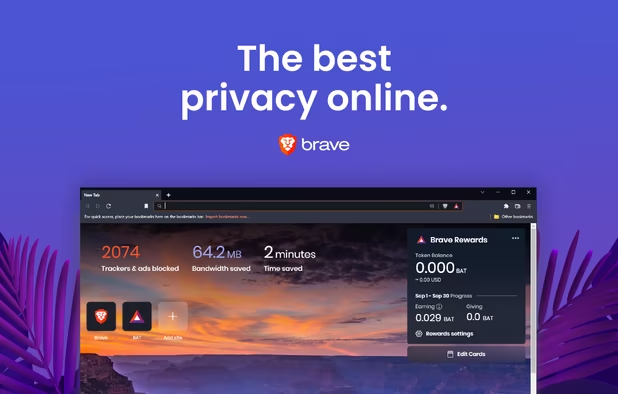
    Brave is a free and open-source web browser based on the Chromium icon Chromium web browser and its Blink engine, announced by the co-founder of the Mozilla Project and creator of JavaScript icon JavaScript, Brendan Eich. It blocks website trackers and removes intrusive Internet advertisements. The browser also improves online privacy by sharing less data with advertising customers. One of the selling points of Brave is that it uses its token (BAT, Basic Attention Token) to disrupt the current financial norms of online publishing. The company wants to reward users for browsing the web, while also helping to make advertising less intrusive and more relevant. In another important focus, it wants to use BAT to let readers reward content makers whose websites they visit.

    Cost / License

    • Free
    • Open Source

    Application types

    Platforms

    • Mac
    • Windows
    • Linux
    • Android
    • iPhone
    • Android Tablet
    • iPad
    • Snapcraft
    • Flathub
    • Homebrew
    • Chocolatey
    • Samsung Galaxy Store
    Brave screenshot 1
    Brave screenshot 1
    Brave screenshot 2
    +4
    Brave screenshot 3
  2. Min icon
     Like

    Min Browser is a fast web browser that's designed with advanced features like built-in ad and tracker blocking, smart search and effortless tab management. The browser is written entirely with CSS icon CSS and JavaScript icon JavaScript using Electron framework and is fully open-source. It describes itself as “a smarter, faster web browser”. Min isn’t attempting to feature leap Mozilla Firefox icon Mozilla Firefox or compete with Google Chrome icon Google Chrome, and it’s the total opposite of “bells n’ whistle” browsers like Vivaldi icon Vivaldi. While Min probably won’t become your default web-browser it’s ideally suited to focused, distraction-free web-based working.

    Cost / License

    • Free
    • Open Source

    Application type

    Platforms

    • Mac
    • Windows
    • Linux
    Min screenshot 1
    Min screenshot 1
    Min screenshot 2
  3. Midori icon
     Like

    Midori (Japanese for green) is a free and open-source light-weight web browser. It uses the WebKit rendering engine and the GTK+ 2 or GTK+ 3 interface. Midori is part of the Xfce icon Xfce desktop environment's Goodies component and was developed to follow the Xfce principle of "making the most out of available resources". It is the default browser in the SliTaz icon SliTaz Linux distribution, Bodhi Linux icon Bodhi Linux, Trisquel icon Trisquel Mini, old versions of Raspberry Pi OS icon Raspberry Pi OS, and WattOS icon WattOS in its R5 release. It was the default browser in elementary OS icon elementary OS Freya.

    Cost / License

    • Free
    • Open Source

    Application types

    Platforms

    • Mac
    • Windows
    • Linux
    • Android
    Midori new Tab
    Midori Settings
    Midori Private Tabs
    +1
    Midori Window Private
  4. Mozilla’s Firefox browser didn’t quite make the leap from desktop to mobile, particularly on iOS icon iOS, but it’s back for a second try with Firefox Focus, a new browser which hopes to be iPhone and Android icon Android users’ go-to tool for private web surfing. The mobile browser by default blocks ad trackers and erases your browsing history, including your passwords and cookies. The end result is a simplified browser that may load web pages more quickly, the company claims, given that ads and other web trackers can bog down pages and impact performance.

    Cost / License

    • Free
    • Open Source

    Application types

    Platforms

    • Android
    • iPhone
    • Android Tablet
    • iPad
    • Samsung Galaxy Store
    Firefox Focus screenshot 1
    Firefox Focus screenshot 2
    Firefox Focus screenshot 3
  5. Lightning is a simple and fast Android icon Android web browser that focuses on design, security, and efficiency. It uses material design, doesn't track you, give you lots of options to protect your privacy. It gets out of the way of the user.

    Cost / License

    • Free
    • Open Source

    Application type

    Platforms

    • Android
    • Android Tablet
    Lightning Browser screenshot 1
    Lightning Browser screenshot 2
    Lightning Browser screenshot 3
  6. Otter Browser is a project aiming to recreate best aspects of classic Opera icon Opera (12.x) UI using Qt5. Its primary objective is to become a haven for power users that cannot stand what happened to Opera after ditching Presto engine. Otter will not be a monolithic browser, it is designed to be very modular, going so far that you could replace whole bookmarks manager or history viewer in the future.

    Cost / License

    • Free
    • Open Source

    Application type

    Platforms

    • Mac
    • Windows
    • Linux
    • BSD
    • Haiku
    Otter Browser screenshot 1
    Otter Browser screenshot 1
    Otter Browser screenshot 2
    +17
    Otter Browser screenshot 3
  7. Pale Moon icon
     Like

    Pale Moon is an open source, Goanna-based web browser available for Microsoft Windows and Linux (with other operating systems in development), focusing on efficiency and customization. It offers you a browsing experience in a browser completely built from its own, independently developed source that has been forked off from Mozilla Firefox icon Mozilla Firefox code a number of years ago, with carefully selected features and optimizations to improve the browser's stability and user experience, while offering full customization and a growing collection of extensions and themes to make the browser truly your own.

    Cost / License

    • Free
    • Open Source

    Application type

    Platforms

    • Mac
    • Windows
    • Linux
    • BSD
    Pale Moon screenshot 1
    Pale Moon screenshot 1
    Pale Moon screenshot 2
    +1
    Android Version (Discontinued)
  8. qutebrowser is a keyboard-focused browser with a minimal GUI. It’s based on Python icon Python and PyQt icon PyQt 5 and free software, licensed under the GPL. It was inspired by other browsers/add-ons like dwb icon dwb and Vimperator icon Vimperator / Pentadactyl icon Pentadactyl. Qutebrowser can be configured via the UI, the qutebrowser command-line or a Python script. Qutebrowser's own documentation explains in detail how to configure qutebrowser with these different methods.

    Cost / License

    • Free
    • Open Source

    Application type

    Platforms

    • Mac
    • Windows
    • Linux
    • Flathub
    • Python
    • WebKit
    • Qt
    • Flatpak
    qutebrowser screenshot 1
    qutebrowser screenshot 1
    qutebrowser screenshot 2
  9. uzbl icon
     Like

    Uzbl is a free and open-source minimalist web browser designed for simplicity and adherence to the Unix philosophy. Development began in early 2009 and is still considered in alpha software by the developers. The core component of Uzbl is written in C (programming language) icon C (programming language), but other languages are also used most notably Python icon Python. All parts of the Uzbl project are released as free software under the GNU General Public License version 3. The name comes from the word usable, spelled in lol speak. Despite being in early stages of development, Uzbl has gained prominence as a minimalist browser.

    Cost / License

    • Free
    • Open Source

    Application type

    Platforms

    • Mac
    • Linux
    WebInspector
    Uzbl on Ubuntu
  10. Dillo icon
     Like

    Dillo is a multi-platform graphical web browser written in C (programming language) icon C (programming language) and C++ icon C++ known for its speed and small footprint. Based on FLTK icon FLTK, the Fast Light Toolkit (statically-linked by default!), it is free software made available under the terms of the GNU General Public License (GPLv3). Dillo strives to be friendly both to users and developers and helps web authors to comply with web standards by using the bug meter.

    Cost / License

    • Free
    • Open Source

    Application type

    Platforms

    • Mac
    • Windows
    • Linux
    • BSD
    • Oracle Solaris
    Dillo screenshot 1
    Dillo screenshot 1
    Dillo screenshot 2
  11. NetSurf icon
     Like

    NetSurf is a multi-platform web browser for RISC OS, UNIX-like platforms (including Linux), macOS icon macOS, and more. Whether you want to check your webmail, read the news or post to discussion forums, NetSurf is your lightweight gateway to the world wide web. Actively developed, NetSurf is continually evolving and improving. Written in C, this award-winning open source project features its own layout engine. It is licensed under GPL version 2.

    Cost / License

    • Free
    • Open Source

    Application type

    Platforms

    • Mac
    • Windows
    • Linux
    • BSD
    • Haiku
    • AmigaOS
    • Xfce
    NetSurf screenshot 1
    NetSurf screenshot 1
    NetSurf screenshot 2
  12. Lynx icon
     Like

    Lynx is a fully-featured World Wide Web (WWW) browser for users on Unix, VMS, and other platforms running cursor-addressable, character-cell terminals or emulators. That includes vt100 terminals, other character-cell displays, and vt100 emulators such as Kermit or Procomm running on PCs or Macs. As of May 2017, it is the oldest web browser still in general use and active development, having started in 1992.

    Cost / License

    • Free
    • Open Source

    Platforms

    • Mac
    • Windows
    • Linux
    • BSD
    • PortableApps.com
    • Xfce
    Lynx on Windows.
    Lynx on Linux.
  13. Links icon
     Like

    Links is an open-source web browser running in both graphics and text mode with a pull-down menu system. It renders complex pages, has partial HTML icon HTML 4.0 support (including tables and frames and support for multiple character sets such as UTF-8), supports color and monochrome terminals and allows horizontal scrolling. It is intended for users who want to retain many typical elements of graphical user interfaces (pop up windows, menus etc.) in a text-only environment.

    Cost / License

    • Free
    • Open Source

    Application type

    Platforms

    • Mac
    • Windows
    • Linux
    • Snapcraft
    Links screenshot 1
    Links screenshot 1
    Links screenshot 2
  14. ELinks icon
     Like

    ELinks is a very light and fast text-based web browser with many features. Based on Links icon Links, it supports tabbed navigation with the mouse, bookmarks, cookies and cached pages, drop-down menus and text fields. There is even additional support for images and PDF files.

    Cost / License

    • Free
    • Open Source

    Application type

    Platforms

    • Linux
    multiple downloads
    internationalization
    google news
  15. Polarity is a dual-engine web browser that is powered by both Chromium icon Chromium and the Internet Explorer icon Internet Explorer Trident engine that focuses on system efficiency by bringing low RAM and low CPU usage. The browser, available for all versions of the Windows operating system starting with Windows XP icon Windows XP and Android icon Android, ships with an impressive set of features of which several are usually only available as browser extensions. Polarity also comes with a built in password manager which safely encrypts all data to prevent theft, a built in adblocker and privacy tools such as proxy/VPN support and header masking to prevent further tracking online.

    Cost / License

    • Free
    • Proprietary

    Application type

    Platforms

    • Windows
    • Android
    • Android Tablet
    Polarity Browser screenshot 1
    Polarity Browser screenshot 1
    Polarity Browser screenshot 2
    +7
    Polarity Browser screenshot 3

This concludes our list of the best lightweight and fast web browsers. As you can see, each one of these programs has something unique to offer, and is definitely worth your attention. We know you'll probably continue using your current web browser even after reading this article, but you can at least think about giving some of these tools a try. In fact, if you’re using an older computer, using a less-known web browser is actually recommended, because it can save you precious megabytes of memory and CPU usage. So, what do you think about our picks? Do you have something to add? Tell us in the chat or on social media.

Comments

kompowiec2
0

Where SeaMonkey?

TheEmperorArt
0

This browser list is all over the place lol

Gu