Apps tagged with 'typing-assistant'

All apps in Apps tagged with 'typing-assistant' category. Use the filters below to narrow down your search. 
Copy a direct link to this comment to your clipboard
  1. PhraseExpress icon
     205 likes

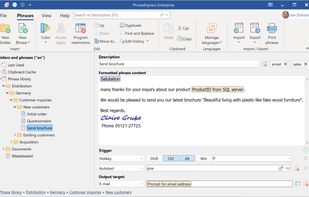
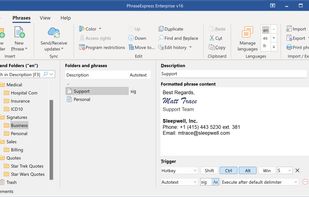
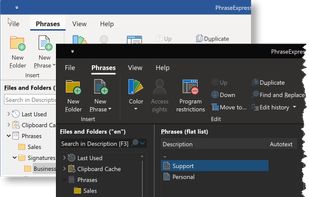
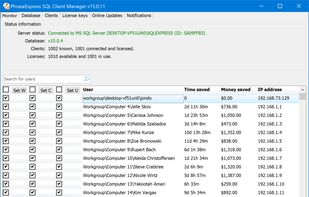
    Autotext expander organizes reusable texts in folders, inserts phrases by shortcut or abbreviation, syncs across devices, supports macros, and offers clipboard memory.

    Cost / License

    • Free Personal
    • Proprietary

    Application type

    Platforms

    • Mac
    • Windows
    • iPhone
    • iPad
    PhraseExpress screenshot 1
    PhraseExpress screenshot 1
    PhraseExpress screenshot 2
    +12
    PhraseExpress screenshot 3
    59 alternatives
    3.7
    Good23 reviews
  2. TextExpander icon
     69 likes

    Boosts productivity by managing reusable text snippets, enabling quick sharing across platforms. Offers fill-in fields and data insights to improve team performance.

    Cost / License

    • Paid
    • Proprietary

    Application type

    Platforms

    • Mac
    • Windows
    • Google Chrome
    • Software as a Service (SaaS)
    TextExpander screenshot 1
    TextExpander screenshot 1
    TextExpander screenshot 2
    79 alternatives
  3. Typitron icon
     2 likes

    Improve productivity with real-word exercises and a smart algorithm that adapts to your progress, focusing on the most common letter pairs.

    Cost / License

    • Paid
    • Proprietary

    Application type

    Platforms

    • Mac
    Typitron screenshot 1
    Typitron screenshot 1
    53 alternatives
  4. Atlantis is an innovative, no-nonsense word processor carefully designed with the end-user in mind. Compact, fast-loading, but still powerful and efficient, Atlantis will be the perfect companion for a wide range of your word processing tasks, – from simple to most complex.

    Cost / License

    • Paid
    • Proprietary

    Application type

    Platforms

    • Windows
    Atlantis Word Processor screenshot 1
    Atlantis Word Processor screenshot 1
    Atlantis Word Processor screenshot 2
  5. TypeLab icon
     Like

    TypeLab is a free online typing tutor with structured touch typing lessons, speed tests (WPM & accuracy), fun typing games, and progress tracking to help users of all ages learn to type faster.

    Cost / License

    • Freemium
    • Proprietary

    Platforms

    • Online
    • Software as a Service (SaaS)
    During the 60 lesson course games are optional (configurable for parents) Fly and Catch the word clouds.
    Online visual and audio and visual online interactive tutor - keyboard skills, functions and troubleshooting.
    Follow the progress - heatmap and recommendations provided.
    +2
    Clear typing screen with trigger focus on the text which results in learning blind typing automatically.
  6. TypeAssist icon
     1 like

    TypeAssist is an AI-powered text enhancer Android app, plus offline tools like inline commands, calculations, and text snippets, and more.

    Cost / License

    Application type

    Platforms

    • Android
    • Android Tablet
    TypeAssist screenshot 1
    TypeAssist screenshot 1
    TypeAssist screenshot 2
    +3
    TypeAssist screenshot 3
    48 alternatives
  7. Use Text Expander to increase productivity. Save time with textexpander shortcuts and power text automation for all your tasks.

    Cost / License

    • Free
    • Proprietary

    Platforms

    • Google Chrome
    Text Expander screenshot 1
  8. Typing Coach icon
     1 like

    Learn To Type And Improve Your Typing Speed For Free - Take Free Typing Lessons To Learn To Type Faster With AI-Generated Exercices Based On Your Typing Accuracy and Speed.

    Cost / License

    • Free
    • Proprietary

    Platforms

    • Online
    Typing Coach screenshot 1
  9. Perfect Keyboard is a macro program intended for users who mostly need to automate text and data insertion using keyboard.

    Cost / License

    • Freemium
    • Proprietary

    Platforms

    • Windows
    Perfect Keyboard screenshot 1
    25 alternatives
  10. Unique patented technologies of TouchPal Keyboard:

    1. TouchPal Curve - the first predictive sliding in the world! Pause in the middle of sliding to get long words predicted.
    2. Intelligent next-word prediction. It may save up to 80% keystrokes.
    3. Magic mistyping correction on Fu.

    Cost / License

    • Freemium
    • Proprietary

    Platforms

    • Android
    • iPhone
    • Android Tablet
    • iPad
    • Kindle Fire
    TouchPal Keyboard screenshot 1
    TouchPal Keyboard screenshot 1
    TouchPal Keyboard screenshot 2
    +3
    TouchPal Keyboard screenshot 3
    53 alternatives
  11. LetMeType icon
     3 likes

    Like Microsoft's AutoComplete, LetMeType helps you enter text, but regardless of the program you use. Running in the background, it analyses what you type. After some time it has collected enough information to guess a word after you have typed the first two or three letters.

    Cost / License

    • Free
    • Open Source

    Alerts

    • Discontinued

    Platforms

    • Windows
    In action
    List
    Settings
    8 alternatives
  12. Timpler icon
     2 likes

    Timpler is a task manager with a perfect balance between simplicity and power. Its delightful design helps you better collect your thoughts throughout the day, organize tasks and schedule work to do in the upcoming days.

    Cost / License

    • Free
    • Proprietary

    Application type

    Platforms

    • iPhone
    Timpler screenshot 1
    Timpler screenshot 1
    Timpler screenshot 2
    +2
    Timpler screenshot 3
    302 alternatives
  13. dextr is a revolution in mobile communications — transforming the way you text and type; taking a tiresome, mistake-prone chore into something fun, fast and easy.

    Cost / License

    • Freemium
    • Proprietary

    Application type

    Platforms

    • Android
    • Android Tablet
    You can also flip it sideways and use “thumbz’ mode – a practical, ergonomic two-thumbs layout.
    We've designed the vowel column to be operated by your os dextrous finger - your index finger. So we let you flip the layout depending on which hand you use. For right handers, the vowels are aligned on the left of the screen, and the alphabet reads right to left. And for left handers, the keypad flips so the vowels align on the right of the screen, and the alphabet reads left to right.
    34 alternatives
  14. WhisperWriter is a small speech-to-text app that uses OpenAI's Whisper model to auto-transcribe recordings from a user's microphone to the active window.

    Cost / License

    Platforms

    • Windows
    • Linux
    • Mac
    • Python
    2 alternatives