Apps tagged with 'nas-backup'

All apps in Apps tagged with 'nas-backup' category. Use the filters below to narrow down your search. 
Copy a direct link to this comment to your clipboard
  1. Fast, affordable and top-rated backup and disaster recovery solution for virtual, physical, cloud and SaaS environments.

    Cost / License

    • Paid
    • Proprietary

    Application type

    Platforms

    • Windows
    • Linux
    • UNIX Web Browser
    • VMware vSphere Hypervisor
    • Proxmox Virtual Environment
    • Amazon Simple Storage Service
    • Microsoft Hyper-V Server
    • Microsoft 365
    • Microsoft 365 (Office)
    • Oracle Database
    • TrueNAS
    • Microsoft Azure
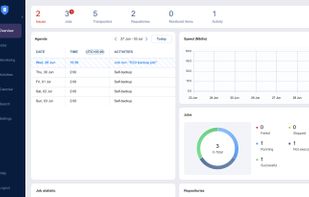
    NAKIVO Backup & Replication screenshot 1
    NAKIVO Backup & Replication screenshot 1
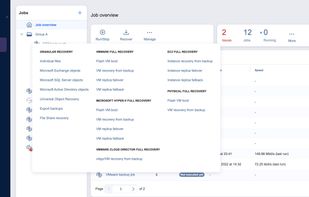
    NAKIVO Backup & Replication screenshot 2
    33 alternatives
  2. Retrospect icon
     6 likes

    Retrospect is a multi-platform backup solution supporting hybrid backup to disk, tape, NAS & Cloud, aimed at SMEs and MSPs. Main Editions include unlimited client/endpoint licenses. Site License Edition includes unlimited server licenses.

    Cost / License

    • Paid
    • Proprietary

    Application type

    Platforms

    • Mac
    • Windows
    • Linux
    • VMware vSphere Hypervisor
    • Microsoft Hyper-V Server
    Retrospect screenshot 1
    Retrospect screenshot 1
    Retrospect screenshot 2
    +4
    Retrospect screenshot 3
    35 alternatives
  3. SOS Click icon
     Like

    SOS Click is a Microsoft Office add-in that enables 1-minute AutoSave to local, NAS, and cloud drives. It provides the multi-location redundancy that native Office and OneDrive lack.

    Cost / License

    • Paid
    • Proprietary

    Platforms

    • Mac
    • Windows
    SOS Click main window with all settings available. Some settings can be set on a file-by-file basis and others on a global basis
    You can add as many as 10 Google accounts and decide for each account if the file is going to be sent as a mail attachment, uploaded to Google Drive or both. The same applies to Office365 which works in the same manner for maximum redundancy
    This is the log where you can see all of the files which have been saved with SOS Click. You can show between 100, 500 and 1,000 entries. Similar to Office's recently used but shows you more of the past so you know when you saved, where and under what name
    +4
    The main window of the macOS version. Here you can see either newly-created files using SOS Click or existing ones which have been added to
    1 alternatives