SOS Click icon
SOS Click icon

SOS Click

SOS Click is a Microsoft Office add-in that enables 1-minute AutoSave to local, NAS, and cloud drives. It provides the multi-location redundancy that native Office and OneDrive lack.
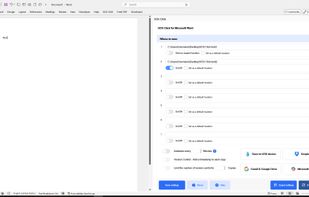
SOS Click main window with all settings available. Some settings can be set on a file-by-file basis and others on a global basis

Cost / License

  • Pay once
  • Proprietary

Platforms

  • Mac  Works as a standalone app from which new documents may be created or existing ones be added to so the functionality is the same like on the Windows version. Works with both Microsoft Office for Mac and iWork
  • Windows  Works as an integrated plugin inside Word, Excel and PowerPoint 2016-2024 including Office365 Desktop edition
0likes
0comments
0articles

Features

SOS Click News & Activities

Highlights All activities

Recent activities

SOS Click information

  • Developed by

    SOS Click
  • Licensing

    Proprietary and Commercial product.
  • Pricing

    One time purchase (perpetual license) ranging between $25 and $80.
  • Alternatives

    1 alternatives listed
  • Supported Languages

    • English

AlternativeTo Category

Backup & Sync

Popular alternatives

View all
SOS Click was added to AlternativeTo by Liran P on and this page was last updated .
No comments or reviews, maybe you want to be first?

What is SOS Click?

At SOS Click, we believe your work should be safe, simple and under your control. We built our specialized add-in for Microsoft Word, Excel, and PowerPoint to fix the common frustration of 'grayed-out' AutoSave buttons and sync conflicts.

While modern Office apps often force you to save exclusively to the Microsoft cloud, SOS Click gives you back your freedom. It allows you to enable automatic saving for any file, whether it’s stored on your local C: drive, a network NAS server, or secondary cloud services like Google Drive and Dropbox.

Key Professional Features:

  • Ecosystem Freedom: Enable real-time AutoSave for local and network files where Microsoft’s native toggle is disabled.
  • 1-Minute Redundancy: Set custom save intervals as low as 60 seconds to ensure you never lose more than one minute of progress to a crash or outage.
  • Multi-Location Saving: Automatically push your work to multiple destinations (Local + Cloud + NAS) simultaneously with a single click.
  • Email Attachment Backup: Send a time-stamped copy of your document to your inbox every time you save, providing a secure off-site record.
  • SOS Click is the essential upgrade for professionals, IT administrators, and small businesses who require true data sovereignty and professional-grade protection for their most critical Office documents.

SOS Click Videos

Official Links