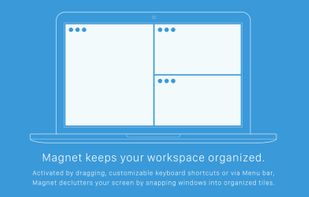
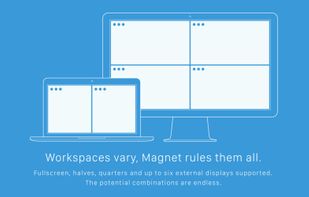
Every time you multitask with many apps open, you need all the windows arranged accordingly. Magnet makes this process swift and easy.


Every time you multitask with many apps open, you need all the windows arranged accordingly. Magnet makes this process swift and easy.


Keep Organized with an easier and powerful snapping for windows. Create custom layouts, snap windows using customizable keyboard shortcuts or mouse buttons.


AltDrag allows you to move and resize windows much easier. When you have it running you can simply hold down the Alt key and then use your mouse to drag any window, and it doesn't matter where in the window you click.


KDE Mover-Sizer is a lightweight program enabling KDE-style alt-click moving and resizing for Windows XP, 7, 2000, 2003, Windows Server, and Vista.


BetterSnapTool is a utility that mimics Windows 7 Aero snap, allowing you to easily manage your window positions and sizes by either dragging them to one of your screens corners or to the top, left or right side of your screen.


Taekwindow is a simple, lightweight and free Windows program that allows you to move and resize windows by dragging them with the Alt key, similar to many X11 window managers.

Easy Move+Resize is based on behavior found in many X11/Linux window managers, adding easy modifier key + mouse drag move and resize to OS X.

Penc is a window manager app for macOS designed for use with the trackpad. It lets you use trackpad gestures along with the Command key to move, resize and snap windows to the screen.

Windownaut is versatile window management app that let's you define keyboard shortcuts and active areas on your screen to resize an position the windows on your desktop.


Autumn is a full customizable window manager for Mac with a built-in IDE for coders to configure everything with JavaScript or TypeScript.


Arrange, resize, snap, and move windows in OS X with the help of keyboard shortcuts, certain window dragging gestures, or using OS X's window buttons.


TileWindows helps you to easily organize your desktop: Move and resize your application windows, so you can view them side by side, by using keyboard shortcuts.


Have you ever wasted time repositioning application windows so you can see two windows simultaneously? DoublePane effortlessly repositions application windows to maximize your screen space for easy side-by-side viewing.


This program makes window manipulation (moving/resizing) under MS-Windows, much easier. You can now move and resize by alt-dragging on any point of the window with the left and right mouse button respectively, as it's done on most X11 window managers.


This thing is simply necessary to work professionally, and quickly in Windows. Freely and easily manage windows and the browser. Comes from the word - fast work, fast typing. Do all things quickly.