
DockLift icon
DockLift icon

DockLift

Using a Mac with more than one display, you may click an app in the Dock only to find its window still on the other screen—open, but not in front of you.
DockLift screenshot 1

Cost / License

  • Free
  • Open Source (MIT)

Platforms

  • Mac
0likes
0comments
0alternatives
0articles

Features

Properties

  1.  Lightweight
  2.  Privacy focused

Features

  1.  No registration required
  2.  Support for Multiple Monitors
  3.  Dark Mode
  4.  Works Offline
  5.  No Tracking
  6.  Ad-free
  7.  Sits in the MenuBar

DockLift News & Activities

Highlights All activities

Recent activities

DockLift information

  • Developed by

    CN flagWang Chujiang
  • Licensing

    Open Source (MIT) and Free product.
  • Written in

  • Alternatives

    0 alternatives listed
  • Supported Languages

    • English

AlternativeTo Category

OS & Utilities

GitHub repository

  •  34 Stars
  •  0 Forks
  •  0 Open Issues
  •   Updated  
View on GitHub
DockLift was added to AlternativeTo by Paul on and this page was last updated .
No comments or reviews, maybe you want to be first?

What is DockLift?

Using a Mac with more than one display, you may click an app in the Dock only to find its window still on the other screen—open, but not in front of you.

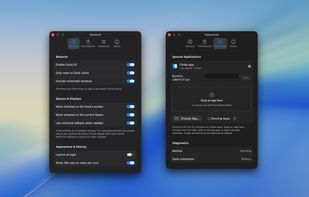
DockLift lives in the menu bar and, when you click a Dock icon, moves that app’s recent window to the screen you’re on and brings it to the front.

Features:

  • Bring windows to the screen where you clicked the Dock
  • Works when the app is already open on another display
  • Restores minimized windows
  • Simple menu bar on/off control
  • Ignore apps you don’t want

Official Links
