Menu Bar Managers

All apps in Menu Bar Managers category. Use the filters below to narrow down your search. 
Copy a direct link to this comment to your clipboard
  1. Thaw icon
     12 likes

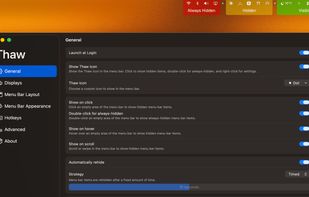
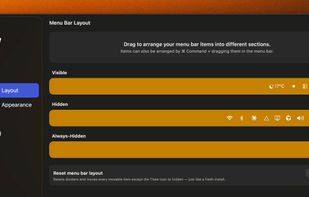
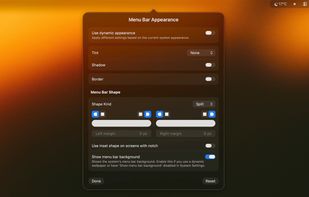
    Open source macOS menu bar utility for organizing, hiding, and showing icons. Offers active development, bug fixes, and supports both system and third-party items.

    Cost / License

    Application type

    Since

    • Since 2026

    Platforms

    • Mac
    • DE flagGermany
    • European Union flagEU
    Thaw screenshot 1
    Thaw screenshot 1
    Thaw screenshot 2
    +2
    Thaw screenshot 3
    13 alternatives
  2. Dimble icon
     9 likes

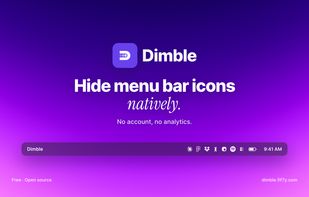
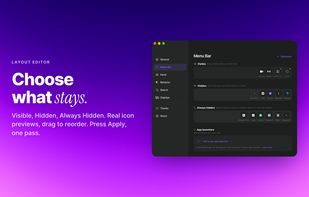
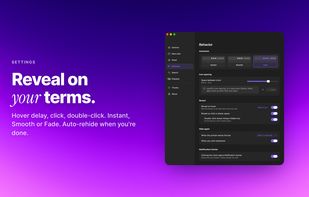
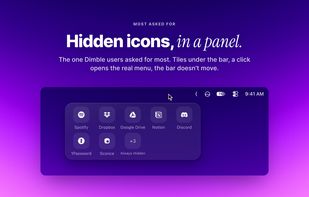
    Dimble is a free, open source menu bar manager built for the menu bar Apple rebuilt in macOS 27. It hides the icons you don't need until you hover, click, or press a shortcut, then tucks them away again.

    Cost / License

    Application type

    Since

    • New

    Platforms

    • Mac
    • CA flagCanada
    Dimble screenshot 1
    Dimble screenshot 1
    Dimble screenshot 2
    +4
    Dimble screenshot 3
    11 alternatives
  3. Cornice App icon
     2 likes

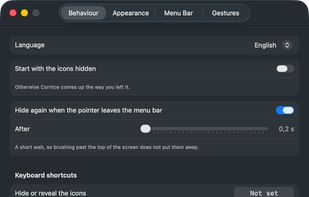
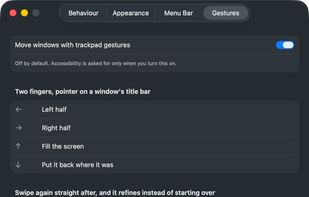
    Free, open-source menu bar manager for macOS 26+. Hide and reveal with one click, and that half needs no permissions at all. Optional title-bar trackpad gestures for moving windows.
    Cost / License

    Application type

    Since

    • Since 2026

    Platforms

    • Mac
    Cornice App screenshot 1
    Cornice App screenshot 1
    Cornice App screenshot 2
    12 alternatives
  4. Barmony icon
     1 like

    Tuck away the icons you rarely touch and keep the ones you use. No Screen Recording, no Accessibility — Barmony asks for zero permissions, ever. $19.99 once: solo, or with the whole Mac Utility Bundle.

    Cost / License

    • Paid
    • Proprietary

    Application type

    Since

    • Since 2026

    Platforms

    • Mac
    • US flagUnited States
    Barmony screenshot 1
    Barmony screenshot 1
    6 alternatives
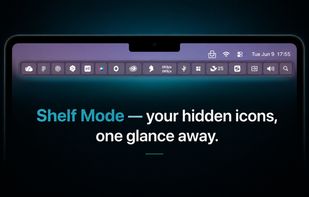
  5. Tuck is a lightweight macOS menu bar manager with one-click icon hiding, zero telemetry, and Shelf Mode for notched MacBooks. Free tier with no time limit; Pro is a one-time purchase (no subscription).

    Cost / License

    • Freemium
    • Proprietary

    Application type

    Since

    • Since 2026

    Platforms

    • Mac
    • US flagUnited States
    Shelf Mode shows hidden menu bar icons in a panel below the bar — perfect for notched MacBooks where icons disappear behind the notch.
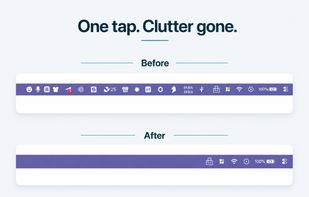
    One click tucks away your cluttered Mac menu bar icons; click again or press ??B to bring them back.
    Zero telemetry by design — no tracking, no analytics, no data collection. Verify Tuck's network behavior yourself with any monitor.
    13 alternatives
  6. holzBar icon
     1 like

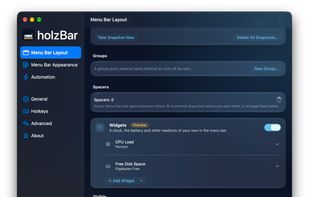
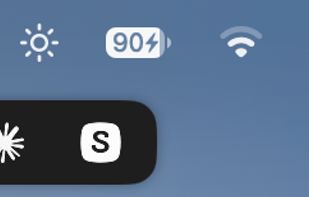
    holzBar keeps the Mac's menu bar tidy: icons you rarely need are collapsed and come back on a click, hover or scroll. It is a fork of Ice by Jordan Baird, carried on for macOS 14 to 27 with a backend for the redesigned macOS 27 menu bar.
    Cost / License

    Application type

    Since

    • New

    Platforms

    • Mac
    Menu Bar Layout: drag items between the visible and hidden sections, with groups, spacers and (Preview) widgets such as CPU load and free disk space.
    The holzBar Shelf: hidden menu bar items in a bar of their own below the menu bar.
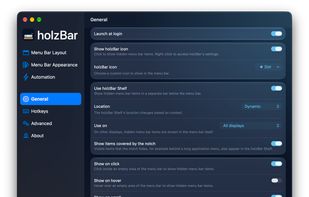
    General settings: launch at login, the holzBar icon, the Shelf, and how hidden items are shown and rehidden.
    +2
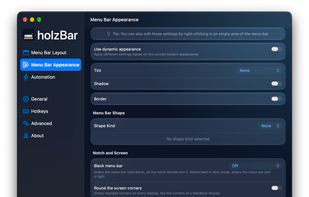
    Menu Bar Appearance: tint, shadow, border, shapes, a black menu bar and rounded screen corners.
    8 alternatives
  7. Hairpin icon
     Like

    A tiny macOS menu bar app that keeps the icons hidden behind the MacBook notch within reach.

    Cost / License

    • Free
    • Open Source (MIT)

    Since

    • New

    Platforms

    • Mac
    • CN flagChina
    Hairpin screenshot 1
    1 alternative
  8.  Like

    A lightweight macOS menu bar manager. Hide, reorder, and organise your menu bar icons — tuck the ones you don't need into a collapsible secondary bar.

    Cost / License

    • Free
    • Open Source

    Application type

    Since

    • New

    Platforms

    • Mac
    • Homebrew
    • GB flagUnited Kingdom
    Barred screenshot 1
    Barred screenshot 1
    10 alternatives
  9. Let your notch eat no more! ChocolateBar is a native Mac app that adds a row under your menu bar for icons hidden by the MacBook notch.

    Cost / License

    • Paid
    • Proprietary

    Application type

    Since

    • Since 2026

    Platforms

    • Mac
    ChocolateBar screenshot 1
    ChocolateBar screenshot 1
    ChocolateBar screenshot 2
    12 alternatives