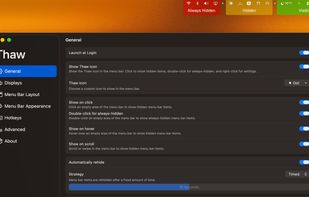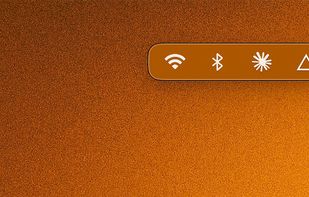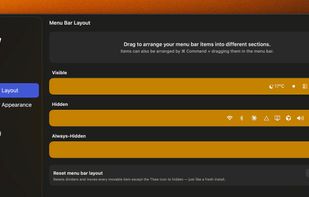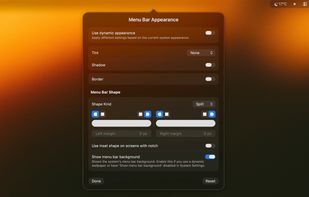
Open source macOS utility for managing, organizing, and toggling visibility of menu bar icons. Actively maintained fork focuses on compatibility, stability, bug fixes, and adding features for customizing both system and third-party menu bar items.


Barmony is described as 'Tuck away the icons you rarely touch and keep the ones you use. No Screen Recording, no Accessibility — Barmony asks for zero permissions, ever. $19.99 once: solo, or with the whole Mac Utility Bundle' and is an app in the office & productivity category. There are six alternatives to Barmony for Mac and Homebrew. The best Barmony alternative is Thaw, which is both free and Open Source. Other great apps like Barmony are Hidden Bar, Bartender, Vanilla and Cornice App.
Open source macOS utility for managing, organizing, and toggling visibility of menu bar icons. Actively maintained fork focuses on compatibility, stability, bug fixes, and adding features for customizing both system and third-party menu bar items.


Ultra-lightweight macOS utility to hide menu bar items, offering launch at login, auto-hide intervals, full menu bar mode, global shortcuts, RTL languages, minimal system use, no ads, and a simple interface for enhanced organization and customization.


Lets users organize, hide, and rearrange menu bar items with custom actions and presets based on environment, supports grouping, custom appearance, and a dedicated bar for hidden items, while offering keyboard search and widgets for creating custom shortcuts.


Hide, auto-hide, and customize menu bar icons, organize the Mac system tray, use keyboard shortcuts for desktop icon control, enable advanced removal options, auto-start at login, maintain a clutter-free interface, and enjoy both free and advanced Pro features.


Free, open-source menu bar manager for macOS 26+. Hide and reveal with one click, and that half needs no permissions at all. Optional title-bar trackpad gestures for moving windows.


A lightweight macOS menu bar manager. Hide, reorder, and organise your menu bar icons — tuck the ones you don't need into a collapsible secondary bar.