Apps tagged with 'Folder Comparison'

All apps in Apps tagged with 'Folder Comparison' category. Use the filters below to narrow down your search. 
Copy a direct link to this comment to your clipboard
  1. WinMerge icon
     566 likes

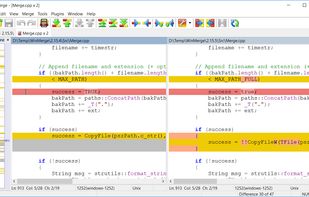
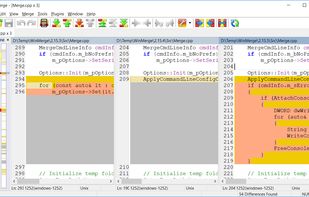
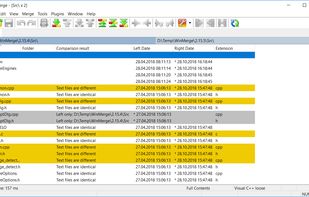
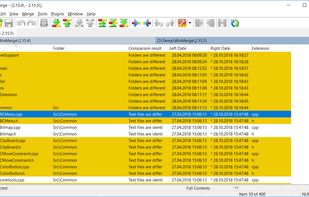
    WinMerge is an open source differencing and merging tool for Windows. WinMerge can compare both folders and files, presenting differences in a visual text format that is easy to understand and handle.

    Cost / License

    Platforms

    • Windows
    • PortableApps.com
    • Wine
    File Comparison
    3-way File Comparison
    Folder Comparison Results
    +4
    Folder Compare Tree View
    81 alternatives
    4.8
    Excellent12 ratings
  2. Beyond Compare icon
     331 likes

    Compares files with source control integration, supports FTP and cloud storage, offers 3-way merge, and uses commands to manage syncs and differences.

    Cost / License

    • Paid
    • Proprietary

    Platforms

    • Mac
    • Windows
    • Linux
    Folder compare
    Text compare
    Folder merge
    +3
    Text merge
    83 alternatives
    4.3
    Very Good14 ratings
  3. QuickHashGUI icon
     15 likes

    Linux, Windows, and Apple Mac GUI that enables rapid selection & hashing of files (individually or recursively), text and physical disks.

    Cost / License

    Platforms

    • Mac
    • Windows
    • Linux
    QuickHashGUI screenshot 1
    5 alternatives
  4. Meld for OSX icon
     11 likes

    Meld is a visual diff and merge tool targeted at developers. Meld helps you compare files, directories, and version controlled projects. It provides two- and three-way comparison of both files and directories, and has support for many...

    Cost / License

    Platforms

    • Mac
    Meld for OSX screenshot 1
    Meld for OSX screenshot 1
    52 alternatives
  5. Araxis Merge icon
     43 likes

    Merge is the visual file comparison (diff), merging and folder synchronization application from Araxis. Use it to compare and merge source code, web pages, XML and other text files with native application performance.

    Cost / License

    • Paid
    • Proprietary

    Platforms

    • Mac
    • Windows
    Overview
    Instant Overview of File Comparison and Merging
    Three-Way File Comparison and Merging
    +1
    Instant Overview of Folder Comparison and Synchronization
    72 alternatives
  6. Diffinity icon
     23 likes

    Diffinity is a diff and merging tool with focus on accurate and easy to read source code diffs. It will compare the content of two files and present the differences in an easy to read line by line and char by char basis.

    Cost / License

    • Free
    • Proprietary

    Platforms

    • Windows
    Diffinity screenshot 1
    Diffinity screenshot 1
    Diffinity screenshot 2
    +1
    Diffinity screenshot 3
    54 alternatives
  7. UltraCompare icon
     6 likes

    UltraCompare Professional is folder/file compare utility loaded with features to enable you to compare text files and folders, word documents, and even zip files and jar archives. UltraCompare includes text compare, binary file compare with the capability to merge differences...

    Cost / License

    • Paid
    • Proprietary

    Platforms

    • Mac
    • Windows
    • Linux
    UltraCompare screenshot 1
    UltraCompare screenshot 1
    UltraCompare screenshot 2
    +2
    UltraCompare screenshot 3
    19 alternatives
  8. DirEqual icon
     5 likes

    Side-by-side comparison of Mac folders with expandable trees, colour-coded differences, actionable icons, content-based matching, manual sync and tabbed view.

    Cost / License

    • Paid
    • Proprietary

    Platforms

    • Mac
    DirEqual screenshot 1
    DirEqual screenshot 1
    DirEqual screenshot 2
    +2
    DirEqual screenshot 3
    58 alternatives
  9. Riffle is a fast, native macOS diff and merge tool with 2-way diff, 3-way merge with an editable result, and folder compare, built for git, Tower, and the command line.

    Cost / License

    • Freemium
    • Proprietary

    Application type

    Platforms

    • Mac
    • Homebrew
    Riffle for macOS screenshot 1
    Riffle for macOS screenshot 1
    Riffle for macOS screenshot 2
    +3
    Riffle for macOS screenshot 3
    52 alternatives
  10. Compare Advance makes comparing any two folders an easy job. The stylish interface highlights what's different between the two folders and a powerful synchronization dialog makes reconciling those differences easy too.

    Cost / License

    • Free
    • Proprietary

    Application type

    Platforms

    • Windows
    Compare Advance screenshot 1
    9 alternatives
  11. Create Synchronicity is a nice, lightweight backup program with a very user-friendly - yet powerful - interface, that synchronizes files and folders extremely quickly (it can even recognize paths such as "MyUSB"\MyFolder, and locate the USB drive called...

    Cost / License

    • Free
    • Open Source

    Application type

    Alerts

    • Discontinued

    Platforms

    • Windows
    Sync Profiles
    Syncronizing
    Sync-Profile  Preview
    60 alternatives
  12. i-net PDFC icon
     3 likes

    Compare PDFs intelligently with i-net PDFC. It detects content differences—not just text or images—and displays them beautifully, like holding two pages to the light.

    Cost / License

    • Paid
    • Proprietary

    Application type

    Platforms

    • Mac
    • Windows
    • Linux
    • Self-Hosted
    i-net PDFC screenshot 1
    i-net PDFC screenshot 1
    i-net PDFC screenshot 2
    +2
    i-net PDFC screenshot 3
    6 alternatives
  13. Altova DiffDog is a powerful, easy-to-use diff merge tool that lets you quickly compare, merge, and sync text or source code files, folders containing any file type, or entire directories. Special XML-aware functionality identifies XML equivalence that ordinary text comparisons...

    Cost / License

    • Paid
    • Proprietary

    Application types

    Platforms

    • Windows
    6 alternatives
  14. Treecomp icon
     9 likes

    TreeComp is an interactive utility to keep 2 directory trees and the files within the directories in sync. The combined tree is displayed using a treeview control with icons indicating the status per directory. Programs to view the differences (i.e.

    Cost / License

    • Free
    • Proprietary

    Application type

    Platforms

    • Windows
    Treecomp screenshot 1
    5 alternatives