


Zarchiver
24 likes
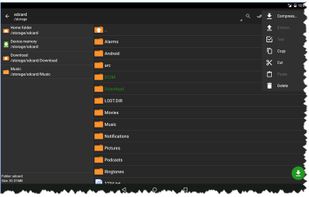
ZArchiver - program to manage archives in android. The program has a simple and functional interface. It lets you create 7z (7zip), zip, bzip2 (bz2), gzip (gz), XZ, tar archives, decompress 7z (7zip), zip, rar, bzip2, gzip, XZ, iso, tar, arj.

Cost / License
- Freemium (Subscription)
- Proprietary
Application typeApplication types
Platforms
- Android
- Android Tablet
- HUAWEI AppGallery

Features
Zarchiver News & Activities
Highlights All activities
Recent activities
 Corey Daley added Zarchiver as alternative to Purrchiver
 Ihor July added Zarchiver as alternative to App Archiver
 Maik-Hofmann added Zarchiver as alternative to Peach Commander
 LRGEX Co added Zarchiver as alternative to LRGEX-Compress
 krauq added Zarchiver as alternative to Universal File Opener
- Julmik updated Zarchiver
 NJAC added Zarchiver as alternative to NexusForge


Zarchiver information
Developed by
 Anton Prozorov
 Licensing
Proprietary and Freemium product.Pricing
Subscription + free version with limited functionality.Alternatives
59 alternatives listedBadge
Get an embeddable badge for ZarchiverSupported Languages


Featured in Lists


A clean Android setup with the best apps (mostly open source)
Everytime I setup a phone for a friend or myself I usually remove stock apps using adb or UniversalAndroidDebloaterNextGeneration and replace them with theses apps listed here. I added also a couple of nice to have apps that people might wants on their device.
Almost all of them are free as in free beer and many are open source (around 80%)
I tried to feature more applications and less services but there are several services still in this list, however I find them great and/or accessible (freemium most of the time).
FOSS = Free(as in freedom) and Open Source Software

Comments and Reviews
There's a bunch of more well known file managers for android, but this one is a hidden gem, if you look for stable operation, and basic archiver functionality without unnecessary bloat, or shady system permissions. It has very clean and simple interface, (not tabbed or dual pane yet), and is capable unpacking multiple-part archives, creating new ones in ZIP, 7z, and TAR formats, supports password-locking, switching current operations to background mode, etc. File managing is very convenient, especially cutting and pasting files, which works very intuitive. ZArchiver computes md5 checksum, thus letting you check data integrity, supports root access, if device is rooted, and displays hidden files. Main downside of this app is lack of support for online operations, such as FTP protocol, but for that there's another good (open source!) application, Ghost Commander. Also, ZA still remains very lightweight piece of software, and will run very fast even on very slow android devices, unlike some other managers.