I built unpk.app after getting tired of "upload your file to extract it" tools — the ones where you're handing a zip file to some random server just to see what's inside, and then waiting for it to come back.
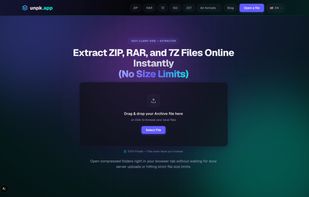
unpk.app does the whole thing locally, in the browser tab, using WebAssembly. You drop in a file, it unpacks it right there on your machine, and none of it ever leaves your device. There's no server round-trip at all, so there's nothing to intercept, no third party storing a copy of your file even temporarily, and it keeps working with your WiFi off.
That also solves a problem I kept running into: locked-down corporate and school devices. If your company manages your laptop through MDM or Group Policy, you usually can't install 7-Zip or WinRAR without an IT ticket — and a lot of workplaces flag "random archive utility.exe" downloads as a security risk anyway, for good reason. A browser tab doesn't ask for admin rights or trigger that review, because there's nothing being installed — it's just a webpage that happens to do the unzip locally instead of on a server.
It handles the usual formats — ZIP, RAR, 7Z, TAR, GZ, ISO - plus a few less common ones like Zstandard (.zst) that most online tools skip. It's also built to not choke on large files; a lot of browser-based tools fall over past a few hundred MB, and getting that right (streaming decompression instead of loading the whole archive into memory at once) was most of the actual engineering work.
It's free, no account needed, and available in six languages (English, Spanish, German, French, Portuguese, Italian).



 EU
EU


 unpk.app

No comments or reviews, maybe you want to be first?