


WinGet
65 likes
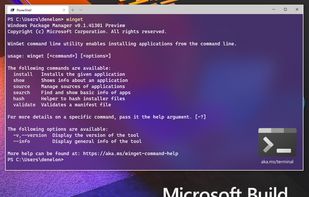
Open-source CLI enables installing, upgrading, removing, and configuring Windows software from a curated repository, supports YAML configuration files, automates device setup with PowerShell DSC, and serves developers, enterprises, and software vendors.

Cost / License
- Free
- Open Source (MIT)
Application typeApplication types
Platforms
- Windows

Features
Highlights All activities
WinGet News & Activities
Recent News
No news, maybe you know any news worth sharing?
Share a News Tip
Recent activities




My Setup - All Apps and Software
Master List of all Apps and Software I use for both work and personal life.


after fresh install fff
this list is on inverse order



phant's software list
my software list, mostly open-source.I have used the vast majority of the software listed there myself for a long time.
This software list open-source/free/freemium apps for Windows 10/11 that I would recommend.This also includes tools for CS/EE background developer.
This list is designed to highlight excellent software in a particular area, so you don’t need to install all the software on the list. You should only consider installing the software I’ve selected when you have a need that falls under a specific section of the list.
Official Links

Install from the command line
winget install -e --id Microsoft.AppInstaller
Developed by
 Microsoft
 Licensing
Open Source (MIT) and Free product.Written in
Rating
Average rating of 3.4Alternatives
20 alternatives listedBadge
Get an embeddable badge for WinGetSupported Languages

AlternativeTo Categories
OS & Utilities, DevelopmentGitHub repository
- 26,504 Stars
- 1,814 Forks
- 1309 Open Issues
- Updated


Comments and Reviews
One of the best moves by microsoft it took them a while, but we got a package manager, it's not perfect, but it has one big advantage, it supports packages that haven't be installed through it, which is an enormous plus compared to other package managers, great job to the open source team of microsoft (emphasis on the open source team)
Some features don't work (--disable-interactivity), and some features are undocumented (the --all flag for the upgrade subcommand)
There's no way to completely disable logging (winget always creates some logs), but you can reduce it to the minimum.
Hard to install, it would be better to have it installable from a setup.exe or .msi, I still see windows 10 and 11 installs without winget. I don't want to log in to Microsoft accounts just to have a package manager, winget needs to be fixed or it will not be as usable as chocolatey.
It's a great Windows package management application, and easy to use!
I don't recommend to use winget as it is. This package manager can't uninstall programs properly and if you choose different directory of the installed the update will install in the default directory, so you will have 2 same programs.