
Wild OS icon
Wild OS icon

Wild OS

 Like

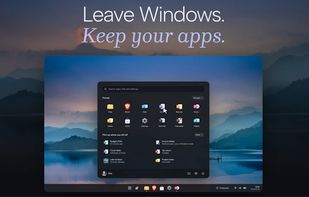
A hardened Debian 13 and KDE Plasma desktop that follows familiar Windows layouts, including Start, taskbar previews, Snap and Alt+Tab. An optional isolated Windows 11 Pro virtual machine runs Windows programs as desktop windows, with folder sharing and networking restricted.
Wild OS screenshot 1

Cost / License

Application type

Since

  • New

GitHub

  • GitHub stars: 172

Platforms

  • Linux
0likes
0articles
Save

Features

Properties

Features

Highlights All activities

Wild OS News & Activities

Recent activities

Wild OS information

AlternativeTo Category

OS & Utilities

GitHub repository

  •  172 Stars
  •  8 Forks
  •  10 Open Issues
  •   Updated  
View on GitHub

Popular alternatives

View all
Wild OS was added to AlternativeTo by Mauricio B. Holguin on and this page was last updated .

No comments or reviews, maybe you want to be first?

Official Links

What is Wild OS?

Wild OS is a Linux distribution made for people moving away from Windows. It is built on Debian 13 and KDE Plasma, but every screen users touch has been redesigned around familiar Windows conventions: a Start menu, a taskbar with window previews, Snap layouts, Alt+Tab, a Settings app, a file manager and an app Store.

Its optional Windows mode runs a genuine copy of Windows 11 Pro in a hidden virtual machine and shows each Windows program, such as Microsoft Office or Adobe apps, as a regular window on the Linux desktop with its own taskbar icon. Windows only sees the folders the user chooses to share, runs on its own private network and pauses or saves itself to disk when no Windows program is open. It needs the user's own Windows 11 Pro licence, and games with kernel anti-cheat are not supported.

The system is hardened out of the box with Kicksecure security packages, AppArmor, full-disk encryption at install, USB device control and signed updates, and it collects no usage data. It also ships with its own apps, including Write and Tables (which open Word and Excel files), Mail and Calendar, PDF, Notes, Remote for SSH and Remote Desktop, and encrypted Backup, plus restore points to roll back an update that goes wrong.

Wild OS Videos