Webpage Screenshot Alternatives

Webpage Screenshot is described as 'This extension is able to capture 100% of both the vertical and horizontal content appearing on any webpage on the Internet' and is a screenshot capture tool in the photos & graphics category. There are more than 50 alternatives to Webpage Screenshot for a variety of platforms, including Windows, Mac, Web-based, Google Chrome and Mozilla Firefox apps. The best Webpage Screenshot alternative is ShareX, which is both free and Open Source. Other great apps like Webpage Screenshot are Greenshot, PicPick, FastStone Capture and Lightshot.

Copy a direct link to this comment to your clipboard
Webpage Screenshot alternatives page was last updated

Alternatives list

  1. TeenyGrab icon
     1 like

    TeenyGrab is a free alternative to TinyGrab. TinyGrab is a popular application for quickly uploading screenshots, and sharing them. The only problem is, the full version (with features such as uploading to a custom FTP server) costs $$$.

    Cost / License

    • Freemium
    • Proprietary

    Application type

    Platforms

    • Windows
     
  2. SiteShoter icon
     1 like

    SiteShoter is a small utility that allows you to save a screenshot of any Web page into a file.

    Cost / License

    • Free
    • Proprietary

    Application type

    Platforms

    • Windows
     
  3. SnipZero icon
     Like

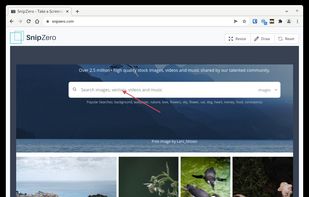
    SnipZero is a convenient zero-install screenshot app that lets you take screenshots right from your web browser. No installation required. You can select any application window or browser tab as source.

    Cost / License

    • Free
    • Proprietary

    Application type

    Platforms

    • Online
    • Chrome OS
     
  4. Free online website screenshot tool. Capture any website pages instantly in PNG, JPEG, PDF formats. Custom resolutions, mobile & desktop views, automatic cookie popup handling, ad blocking, and intelligent content loading ensure clean, accurate screenshots.

    Cost / License

    • Free
    • Proprietary

    Platforms

    • Online
     
  5. Capture screen and edit screenshot with Annotation Pilot.

    This screen capture software allows you to add text and graphics to your screenshot, save your screenshot as a graphic file or send it by email.

    With Annotation Pilot you can: Send a photo with annotations to your frie.

    Cost / License

    • Free
    • Proprietary

    Application type

    Platforms

    • Windows
     
  6. Pixtick icon
     Like

    Pixtick, an online application, can capture screenshot from browser. No download or installation required. Its having robust annotation tools to annotate and edit screenshots and images from hard drive or from web.

    Cost / License

    • Free
    • Proprietary

    Platforms

    • Online
     
  7. Capture icon
     Like

    Capture is a quick-and-easy screen capture utility for Windows (and NT), which allows you to capture the entire screen, at any color depth and resolution, and save it into a Bitmap file for editing. If you are interested in only capturing one window, you can select to capture...

    Cost / License

    • Free
    • Proprietary

    Application type

    Platforms

    • Windows
     
  8. High quality Screen Capture Software by GXDevelopment.

    Cost / License

    • Free
    • Proprietary

    Application type

    Platforms

    • Windows
     
  9. Lightning fast and ultra elegant screenshot and annotation tool that does all you need without the bloat. Made for Mac and Windows.

    Cost / License

    • Free
    • Proprietary

    Application type

    Platforms

    • Mac
    • Windows
    • Software as a Service (SaaS)
     
  10. Page Screenshot for Safari is an awesome extension, just a click away, ready to use every time you need to capture a webpage screenshot, either the full page or just part of it.

    Cost / License

    • Paid
    • Proprietary

    Application type

    Platforms

    • Mac
     
  11. Record your screen, capture screenshots, annotate, and share them instantly. FastCapture is a lightweight, all-in-one Chrome extension for video recording, image capture, and annotation - no upload to external servers. Everything is processed locally in your browser.

    Cost / License

    • Free
    • Proprietary

    Platforms

    • Google Chrome
     
You are at page 5 of Webpage Screenshot alternatives