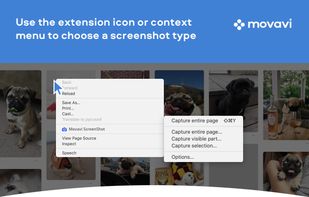
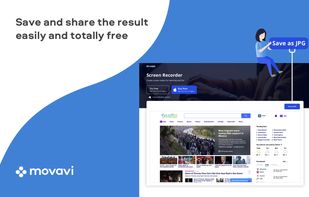
Movavi ScreenShot is a screenshot extension for Chrome and Firefox that lets you grab full and partial screen captures as well as save screenshots in multiple formats.


Webpage Screenshot is described as 'This extension is able to capture 100% of both the vertical and horizontal content appearing on any webpage on the Internet' and is a screenshot capture tool in the photos & graphics category. There are more than 50 alternatives to Webpage Screenshot for a variety of platforms, including Windows, Mac, Web-based, Google Chrome and Mozilla Firefox apps. The best Webpage Screenshot alternative is ShareX, which is both free and Open Source. Other great apps like Webpage Screenshot are Greenshot, PicPick, FastStone Capture and Lightshot.
Movavi ScreenShot is a screenshot extension for Chrome and Firefox that lets you grab full and partial screen captures as well as save screenshots in multiple formats.


With Free Snipping Tool, not just you create snips, you can save your snips on major backup services like Imgur, Google Drive and Dropbox. Not just this you can also upload them via FTP or simple WebRequest.


Glui is the simplest way to capture, annotate and share screenshots.
Key features: • Capture crosshair, window or fullscreen screenshots, or drag and drop existing images. • Annotate with arrow, rectangle, pen and text tool. • Instantly upload to .


Capture Full Page Screenshot of any website Online.
Features: Take screenshots of public webpages easily. Captures the full webpage. Preview the screenshot. Set the image’s dimensions, size, and format. Download your screenshot in a zip file. View recent screenshots created in.

InstantShot! offers classical screenshot functionality for capturing the whole screen, a portion of it or a window and also the option to make timed screenshots or to make delayed captures over time. It offers a wide range of preferences and options to fit everyone's needs.


A macOS app for capturing, annotating and sharing screenshots. Quickly add comments, highlight what matters or blur any sensitive content. Upload screenshots to Google Drive or Dropbox. Copy screenshots to the clipboard and paste them directly into Slack, Skype, Jira, Trello and...
Right click on any web page, frame or iframe, click "Save Page As Image..." and then resize the selection around the piece you want to save.


The smallest free tool for taking screenshots of different size. Just open SnapaShot, resize it's window to fit the area you want to save, and press "save it" button.


Ybex Clipboard is an easy to use tool and a free web service to capture, annotate and share your screen, texts and images.

WebShot allows you to take screenshots of web pages and save them as full sized images or thumbnails. Screenshots images can be output in the JPG, GIF, PNG, or BMP formats.