Walkthrough AlternativesScreen Recorders & Video Sharing Tools like Walkthrough

Walkthrough is described as 'Browser-based screen recorder. Pay once, own forever. Videos save to your Google Drive. Shareable link updates automatically, no re-sharing needed' and is a Screen Recorder in the video & movies category. There are more than 10 alternatives to Walkthrough, not only websites but also apps for a variety of platforms, including Mac, Windows, Linux and Google Chrome apps. The best Walkthrough alternative is OBS Studio, which is both free and Open Source. Other great sites and apps similar to Walkthrough are ShareX, Recordly, GPU Screen Recorder and SimpleScreenRecorder.

Copy a direct link to this comment to your clipboard
Walkthrough alternatives page was last updated

Alternatives list

  1. OBS Studio icon
     1372 likes

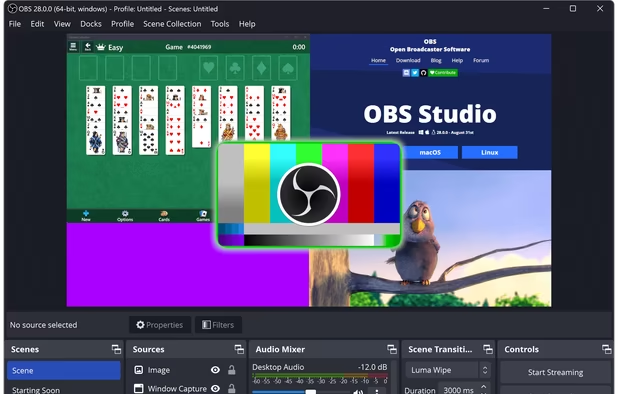
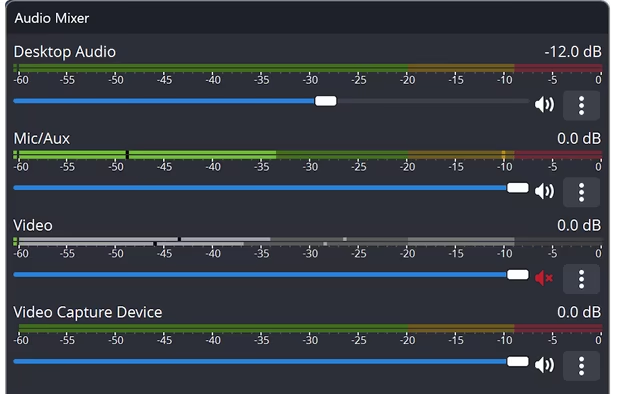
    A robust cross-platform application offering seamless screen recording and live-streaming capabilities across Mac, Windows, and Linux. It supports advanced features like H264 encoding, multiple scenes, customizable themes, and direct streaming to platforms like Twitch and YouTube.

    237 OBS Studio alternatives

    Cost / License

    Platforms

    • Mac
    • Windows
    • Linux
    • BSD
    • Snapcraft
    • Flathub
    • PortableApps.com
    • Steam
    • FreeBSD
     
  2. ShareX icon
     836 likes

    Open-source screen capture and file sharing tool with recording, editing, and annotation features. Supports 4K, dark mode, theming, offline use, and offers a lightweight, ad-free experience without tracking user data.

    300 ShareX alternatives

    Cost / License

    Platforms

    • Windows
    • PortableApps.com
    • Steam
     
  3. Recordly icon
     40 likes

    Free open-source screen recorder for macOS and Windows featuring auto-zoom, smooth cursor animations, MP4 and GIF export, timeline trimming, speed changes, annotations, frame styling options, advanced audio capture, and substantial OpenScreen modifications.

    75 Recordly alternatives

    Cost / License

    • Free
    • Open Source

    Application type

    Platforms

    • Mac
    • Windows
    • Linux
     
  4. SimpleScreenRecorder is a Linux screen recorder that supports X11 and OpenGL. It is easy to use, feature-rich, and has a Qt-based graphical user interface. It can record the entire screen or part of it, or record OpenGL applications directly.

    Cost / License

    Platforms

    • Linux
     
  5. ScreenArc icon
     25 likes

    Cross-platform screen recording and editing tool featuring automated cinematic pan-and-zoom on mouse actions, webcam overlay, customizable visuals, timeline editor, multi-monitor support, instant aspect ratio switching, style presets, and 2K output in MP4 or GIF.

    Cost / License

    Platforms

    • Mac
    • Windows
    • Linux
     
  6. Screenity icon
     46 likes

    Open source screen recorder and annotation tool for Chromium browsers supporting local and offline storage, screen, tab, or camera capture, audio recording, cursor and click highlights, blur, zoom, countdowns, and UI controls. Source code available on GitHub.

    Cost / License

    Platforms

    • Microsoft Edge
    • Google Chrome
    • Brave
    • Chromium
     
  7. Camtasia icon
     238 likes

    This all-in-one solution offers screen and webcam recording, video editing, and chroma key features, producing stunning HD-quality content easily shareable on platforms like YouTube and Screencast.com. Designed for training, presentations, and more, it supports H.264 format and compact file sizes.

    317 Camtasia alternatives

    Cost / License

    • Freemium
    • Proprietary

    Platforms

    • Mac
    • Windows
    • Online
     
  8. Loom icon
     35 likes

    Easy and free screen recorder for Mac, Windows, and Chromebooks. Record your camera and screen with audio directly from your Chrome browser and share the video with your team, friends, and family.

    Cost / License

    • Freemium
    • Proprietary

    Platforms

    • Mac
    • Windows
    • Online
    • iPhone
    • Google Chrome
    • Android
    • Android Tablet
     
  9. Chairkick icon
     1 like

    Browser-based screen recorder for async team video: record your screen and camera, share a link in seconds, and get AI summaries, transcripts, and timestamped comments. Viewers are always free.

    Cost / License

    • Freemium
    • Proprietary

    Platforms

    • Online
     
  10. Dubb icon
     1 like

    Record and share screen, webcam and mobile videos in Gmail, Outlook, Apple Mail, Linkedin, Instagram, Twitter, SMS and more.

    Cost / License

    • Freemium
    • Proprietary

    Platforms

    • Mac
    • Windows
    • Android
    • iPhone
    • Google Chrome
     
  11. ViewedIt icon
     Like

    ViewedIt provides a super simple way to record your PC desktop through a Chrome extension. More than that, lets you share your creations then get notified when people watch them.

    Cost / License

    • Freemium
    • Proprietary

    Application type

    Platforms

    • Mac
    • Windows
    • Linux
    • Google Chrome
     
12 of 18 Walkthrough alternatives