




WALE
4 likes
Windows Audio Loudness Equalizer
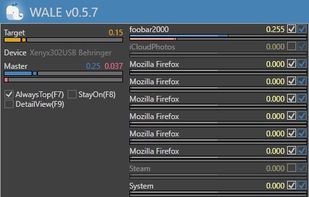
Wale calculates appropriate volume of each app in real time from app's average peak level and try to equalize peak levels of each app to desired level.


Features
Highlights All activities
WALE News & Activities
Recent activities
 user-8317 added WALE as alternative to SonicRoute


Developed by
UnknownLicensing
Open Source and Free product.Alternatives
7 alternatives listedBadge
Get an embeddable badge for WALESupported Languages


Windows
A list with 8 apps by yellowsoar without a description.
Comments and Reviews
It's horrible. It handles the windows mixer sound drivers! This means that it keeps increasing and decreasing these values all the time. When you turn off the app it messes everything up. This means that your PC is depending on its use and when you turn it off you spend a week finding applications with little use that suddenly have sounds at 20% instead of 100%. In the first few days it seems very good, but as it affects all programs there is no way to continue using it.
It works perfectly and is quite customizable